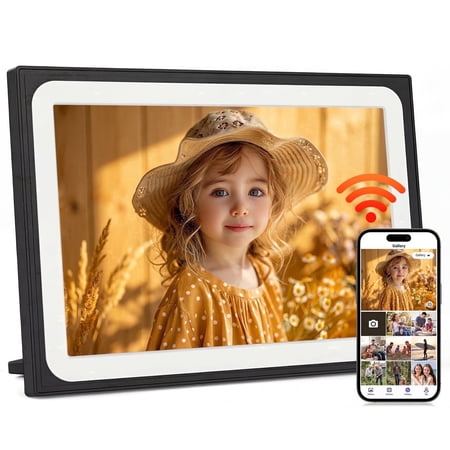
As my first digital frame, I was looking for something easy to use with good picture quality—and this one delivers in several important ways, though it’s not without a few quirks. 🟣 The Uhale 10.1-inch Digital Frame arrived well protected, double-boxed with air cushions. It includes the frame, DC adapter, and stand, though these aren’t clearly listed online. Setup is fairly straightforward, despite the User Manual lacking detail and having two blurry pages at the end. 🟣 The display is one of the highlights. Colors look accurate, brightness is adjustable, and it’s easy to view from multiple angles without distortion. Navigation is smooth as well—I didn’t notice any lag when switching photos or moving through menus. 🟣 There are plenty of customization options. You can adjust menu text size (though not captions, time, or weather text). The sleep function works as expected—if the clock is enabled, it remains visible; otherwise, the screen turns off. There are currently four clock faces, although one displayed “Evening” at 1:23 AM, which seems like a minor bug. 🟣 One area that could be clearer is the product description. The “low-power design” suggests it might run without being plugged in, but it does need to stay connected to power. The cord is about 5 feet long and isn’t shown in the listing photos. 🟣 The app makes uploading photos and videos simple, even without creating an account (Visitor login works well). However, I did notice that some images get cropped incorrectly when selected from the gallery. It doesn’t happen every time, but it’s something to be aware of. Captions can be added and appear in the bottom-left corner, and the displayed date reflects upload date rather than when the photo was taken. 🟣 There’s also a faint ticking sound during certain transitions, like when a slideshow restarts or videos play. Depending on your sensitivity, it may be noticeable. Audio volume is on the lower side, requiring higher settings to hear videos clearly. 🟣 The frame itself is lightweight but feels reasonably sturdy for normal use. I wouldn’t want to drop it, but it doesn’t feel overly fragile. A couple of additional limitations: you can’t upload content while the frame is in sleep mode (it appears offline), and despite being listed as a feature, it is not motion-activated. 🟣 Overall, this frame offers a good balance of display quality, ease of use, and customization, even if a few small issues keep it from feeling fully refined. 🟣 WRAP-UP: This is a solid, easy-to-use digital frame with a bright, accurate display and smooth performance—especially appealing for first-time users. While a few quirks like minor app issues, low audio, and some misleading product details hold it back from a perfect experience, none of them are dealbreakers for everyday use. If you value picture quality and flexibility, it’s a dependable choice that gets the job done well, even if it’s not the most polished option out there. 🟣 Thank you for reading my review! 😊