
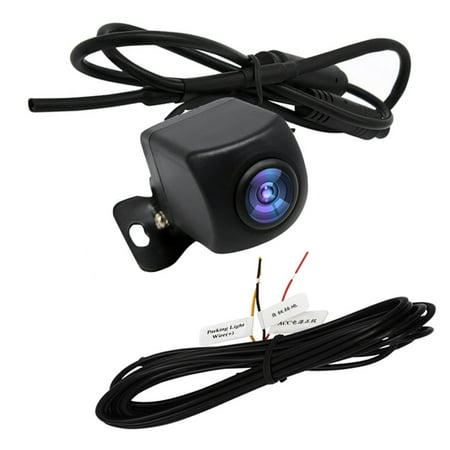
Ametoys Wireless Backup Camera Wi-Fi Rear View Camera for Car, Vehicles, Wi-Fi Backup Camera with Night Vision, IP67 Waterproof LCD Wireless Reversing
- Brand:
- dadypet
- Model Number:
- Waistcoat
- UPC:
- 787817234452
- EAN:
- 0787817234452
- Walmart SKU:
- 424283292
| Price Type | Price | Date |
|---|---|---|
|
Highest Price
|
$29.62 | |
|
Lowest Price
|
$20.90 | |
|
Most Recent Price
|
$29.29 |
Price history data is not available for this product at the moment.
Current Trend: No Walmart.com pricing data available for analysis.
Customer Insights: Rated 2.29/5 from 7 reviews.
Better than I expected, Image is great on camera day and night, and also has a wide angle.At all,very good camera
This camera is well made, the pictures are clearer and brighter, the price is simply amazing
* Poor instructions. 3 wire, Red, Black, Yellow. Yellow not mentioned. * Image can not be flipped so had to fiddle a lot to find a mounting spot on an F-150, including reversing the mount hardware on the camera, finally gluing it to the license plate. Better to have a license plate frame for mounting. * One nice feature is recording or photo taking on screen. It works. * If powered by reverse lights one must set up the app first before backing up. Takes too long. * Easy to link with my Android cell but you must go to the app and set it up for each drive/parking. I have a hard wire system in other car and it is so much better because it is a dedicated app that turns on immediately in reverse. * While the picture is pretty on my cell, the data rate is low so the screen is jerky.
I wanted to use my smartphone also as a monitor for the reverse view camera, via WIFI. I inadvertantly purchased 3 different copies of essentially the same camera with the same very basic (and inadequate) operating instructions, all with the same problems. First, there is a label on the power lead that identifies 3 wires, including regular positive and negetive, plus a positive backup. However, the wire tail has only the positive and negetive leads, and there is no mention of the third control lead in the brief instructions. USEAGE: All 3 cameras on bench test produce a static image on the screen, which seems to randomly update at nowhere near real time. A video clip from the camera option does, however, play showing normal motion video. The control icon that is apparently most important fot regular use, after the WIFI connection has been established, is two triangles back to back, in about the middle of the row of the control icons. There is no instruction for any trick involved with this control, and it seems to not do anything, but somewhere I saw it referred to as the activation control, which is very logical, if it did anything. So, I conclude that the camera hardware is not the source of the mis-function, but is the software that all three different units used. The last of the three seemed to download a slightly updated of the software, as the instructions were rearranged somewhat, and neglected to include the default password which I discovered was the same as that given for the previous camera, and again with no software control available to change this default. Since the cameras purport to output a standard video format in a common frequency (2.5GHz) I will attempt to at least obtain video using different software and forget about any adjustments of defaults, including password (who cares if a car close enough to see you can also see what your camera sees, since the range is so low security is nonsensical...). The third camera was actually ordered before the others but had a rather long delivery forcast not disclosed until the end of the unusually grueling ordering process, was a version with a license plate frame and an implied feature not present that the camera can pan. It was not at all apparent that they were all versions of the same thing, and the shipping out of China these days doesn't include any paperwork, and I couldn't even tell who the delivery company was, and worse, the original order is like a SnapChat that disappeared from my purchases email file, just meaning that every which way I have tried so far, I can't find an online record of this purchase from my usual vendors. Just beware of the cube shaped WiFi backup cameras that may be priced anywhere from $15-$40 or so. Even if they were free they wouldn't be worth it. The software needs some needed attention, and then the utility of relatively portable WiFi (put in with plug connectors) and avoiding threading a wire through the body of the car becomes viably functional.
I installed the camera on my 2004 F-250. I was not pleased with the operation of it. Even standing at the back of my truck the response time was way to slow to be used as a backup camera. When in the cab it did not connect to the WIFI very well at all. I removed it and put it back in the box.
Trying to hookup with iPhone XR. Camera instructions said I had to manually setup up IP address and subnet mask and router but doesn't give the information to enter. Can't get to work.
Description should have said it used your cell phone for the monitor
Detailed price history for the past 90 days
No Walmart.com pricing data available for analysis.
Third-Party Sellers prices have ranged from $22.88 (May 16) to $29.29 (May 25) over the past 90 days. Current price is 17.1% above the 90-day average of $25.02.
| Date | Price | Change | % Change |
|---|---|---|---|
| $29.29 | $+6.41 | +28.0% | |
| $22.88 | $+0.00 | +0.0% | |
| $22.88 | — | — |