
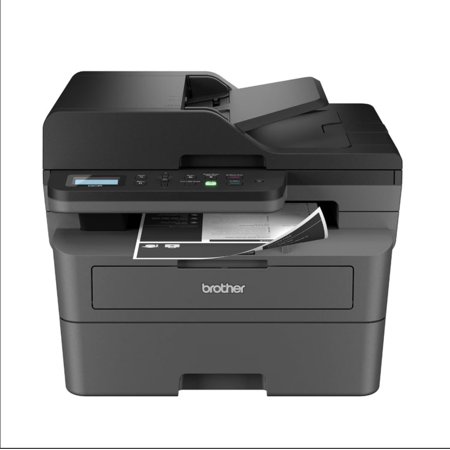
BROTHER DCP-L2647DW Wireless Monochrome All-in-One Laser Printer with Higher Yield Ink
- Brand:
- Brother
- Model Number:
- DCP-L2647DW
- UPC:
- 012502678052
- EAN:
- 0012502678052
- Walmart SKU:
- 18719805393
| Price Type | Price | Date |
|---|---|---|
|
Highest Price
|
$229.99 | |
|
Lowest Price
|
$187.00 | |
|
Most Recent Price
|
$229.99 |
Price history data is not available for this product at the moment.
Current Trend: No Walmart.com pricing data available for analysis.
Customer Insights: Rated 4.2/5 from 70 reviews.
I love this printer. I had a ink jet printer for years which at times went months even a year not used and of course the ink dries out and it is not cheap! I only need black and white any way so got this one and now no worries about ink drying out. It works great, easy to set up. I do better with the desk top app than I do trying to figure out the key pad on the printer. But I am getting old, lol. I recommend.
I wanted the smallest, simplest, most user-friendly black and white laser printer and copier I could get for the infrequent printing I do now that I'm retired and no longer organizing and printing federal grant forms. And my Brother DCP-L2-647DW filled that bill perfectly. Couldn't be happier with it. Thank you! And my Brother
Works with iPhone and Chromebook. Pleased with my purchase. Used manual setup for network. App was unable to connect but no big deal.
Finally upgrading to the wireless printing was 100% a game changer, this printer is a dream. Set up was a snap and the print/copy/scan qualities are perfect! So glad I got this printer/scanner
Easy to hook up and get started. Wi-Fi enabled printing works like a champ unlike the Epson ink jet that we used to have. The Brother hasn't missed fired yet! I love it!
I've had various desk jet printers for years and decided to look for reliable laser printer that wouldn't break the bank to purchase it or the ink cartridge. So far this has been a tremendous help. One concern is advertised that it came with an extra cartridge in the box that wasn't included. Anyone else have this problem?
This printer for me is excellent. It took me about 30 minutes+ to get it set up and printing. I chose to go USB connection from my desktop (I'm old school I guess) I didn't want to fight with my router. The print is clear and clean and is completed quickly after the printer starts to print. It takes a few seconds before the paper begins to move, but if you have a few pages to print, wow it gets done fast. I love the autofeed when scanning and copying, it makes tasks so much easier. My actual star grade for this printer is 4.5 stars because 8 years ago I had a Brother laser printer and it wasn't as noisy when printing as this one. Oh my it is so noisy that I close the door so the noise doesn't bother the rest of the house. This statement make it sound as if the printer "screams", it doesn't, it is noisy though. If a little noise doesn't bother you while working and getting it done fast, clean and clear this is a great printer to use.
Set up was easy until i hit a wall with network connection. Hours spent and no person to assist me other than always referring me to websites. I finally received instructions to RESET the network and follow set up...which worked. Most unnecessary loss of time and stress.
Love the machine but cannot get it to scan both sides of paper and this drives me crazy. They say to uninstall and reinstall software which i did do. Still no luck with scanning both sides. This has been very frustrating since this was one of the features that pushed me towards purchasing this printer.
Good overall printer but you must set it up on a dedicated IP or if the power goes out it forgets the wifi settings! Sad that even with the latest updates this printer fails! It also won’t print duplex unless your computer is newer… they don’t support older pc or macs older meaning 10 years old.
Detailed price history for the past 90 days
No Walmart.com pricing data available for analysis.