
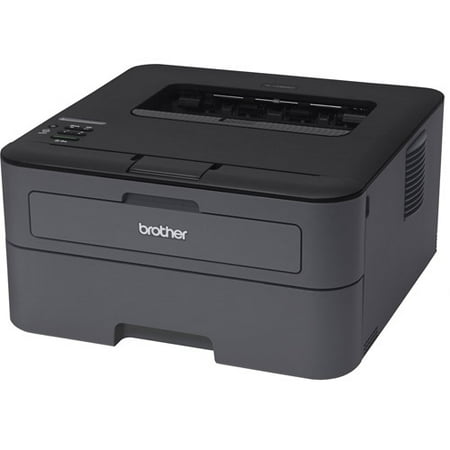
Brother HL-L2305W Compact Laser Printer with Wireless Networking
- Model Number:
- HLL2305W
- UPC:
- 012502639343
- EAN:
- 0012502639343
- Walmart SKU:
- 39791287
At $156.86, pricing shows 0.0% discount compared to typical $0.00 levels.
| Price Type | Price | Date |
|---|---|---|
|
Highest Price
|
$249.00 | |
|
Lowest Price
|
$249.00 | |
|
Most Recent Price
|
$249.00 |
| Price Type | Price | Date |
|---|---|---|
|
Highest Price
|
$156.86 | |
|
Lowest Price
|
$156.86 | |
|
Most Recent Price
|
$156.86 |
Tracking History: We have tracked Brother HL-L2305W Compact Laser Printer with Wireless Networking since 1/17/2024. The most recent price update was on Jun 26, 2024.
Price Range: Over the past 90 days, the price has ranged from $156.86 (lowest on 1/17/2024) to $156.86 (highest on 1/17/2024). The average price during this period is $156.86.
Current Trend: No Walmart.com pricing data available for analysis.
Customer Insights: Rated 4.0/5 from 264 reviews.
The only thing I don't like about this printer is I can't find color for it all I can find is black
the printer was fast to set up and works well. the printer is fast and you can hardly hear it run. we can print from any device connected to our wifi.
Took endless hours to set up wirelessly. Thanks to a previous review dated 12/7/2014, I learned that if your network is password protected (most are), pushing the WPS button on both printer and router will result in connection failure. When your printer powers on, you will see Ready in the window. Push OK, use the up or down arrow keys until you Network displayed in the window. Push OK. Use the arrow keys until you see WLAN in the window and push OK. Use the arrow keys until you see Setup Wizard in the window. Select OK. It will say searching for SSID. Then when it detects your network, it will ask you to enter the Password/WPA key. Use the up and down arrows until it reaches the number/letter you want, then press OK and repeat this for every character of your network password. Press OK and your printer will be on the network. The WIFI button will stay lit to show it is connected. On your computer go to add printer/network printer/browser for printer and you should see the name of your Brother printer. Click to set as default printer. You need to run the CD rom to add the driver to each computer that will use the printer. TO CONNECT IPAD OR OTHER DEVICE SO IT WILL AIRPRINT: 1. Put in//http://ip address of your printer which can be accessed on the printer's screen; 2. click on network tab; 3. click on IPv6 (wireless), 4. click on enable next to IPv6.
Bought this printer at Walmart in Carmel, IN, late last evening, May 8, 2017. By the time I was done, WIFI connections and test prints were sent from a Windows laptop, an Apple iPad, and my Samsung Note 4. All work seamlessly, waking up the printer simply by sending the print job from each device. DO NOT BELIEVE the complaints about connectivity. ...you simply must follow the steps.
It is quiet and very fast. I like and would recommend it to any small office.
Have Epson 4800 that is always clogged to death, just needed something to print B&W. So far it is doing just that. Would give it a five If installation was a little more straight forward.
If you are looking for a printer to connect directly to your machine this is easy to set up. It is not easy to set up to a password protected network. Clear directions for this are not provided. I hope to save you hours of frustration. If your network is password protected, pushing the WPS button on both your printer and router will result in connection failure. When your printer powers on, you will see Ready in the window. Push OK. Use the up or down arrow keys until you see "Network" displayed in the window. Push OK. Use the arrow keys again until you see WLAN in the window, and push OK. Use the arrow keys until you see "Setup Wizard" in the window. Select OK. It will say "searching for SSID . Then when it detects your network, it will ask you to enter the Password/ WPA key. Use the up and down arrows until it reaches the number/ letter you want, then press ok, and repeat this for everycharacter of your network password. Press ok, and your printer will be on the network. The wifi button will stay lit to show it is connected. On your computer go to add printer/ network printer/ browse for printer, and you should see the name of your brother printer. Click to set as default printer. You will need to run the Cd rom to add the driver to each computer that will use the printer. There is a brother app for printing from mobile devices. I hope this helps someone, as I nearly returned this printer in frustration.
Very difficult to setup with Windows 10. This model seems intended for older software and even after I downloaded that latest software some features, as setting the sleep function, weren't present. I was unable to get it to print using a USB cable until, after playing around with the settings, something seemed to work. Set the printer to print directly from the PC and not to spool the printer job. I think that with this setting the printer goes into "Deep Sleep" and doesn't print. I'll try it out for a few more days before deciding whether to return it. The printing itself is beautiful, but the software seems buggy. I haven't tried printing with wireless though the printer did pick up my access point immediately. But, if using Windows 10, be sure to download the latest driver and wireless software first. Good luck! I've used Brother laser printers for many years. Oh, for those days when one could simply hook up the printer via USB and it printed.
Has trouble being assigned an IP, so unable to connect to network. Had to purchase a USB cable for the printer. Other than that, it's good. Price was good though
So I purchased this for my elderly father he was having trouble connecting it to his computer. He called the help line and somebody representing brother products tried to hack his computer. First the product did not work and then some predictor goes after an 86 year old man. Great job Walmart.
Detailed price history for the past 90 days
No Walmart.com pricing data available for analysis.