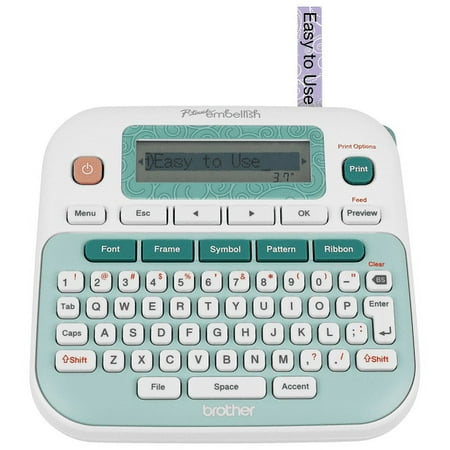
Brother P-touch Embellish Ribbon & Tape Printer PT-D215e
- Brand:
- Brother
- Model Number:
- PT-D215e
- UPC:
- 012502645696
- EAN:
- 0012502645696
- ASIN:
- B073XPT4BS
- Best Buy SKU:
- 6466592
- Walmart SKU:
- 213547044
| Price Type | Price | Date |
|---|---|---|
|
Highest Price
|
$81.49 | |
|
Lowest Price
|
$55.00 | |
|
Most Recent Price
|
$78.51 |
| Price Type | Price | Date |
|---|---|---|
|
Highest Price
|
$59.99 | |
|
Lowest Price
|
$59.99 | |
|
Most Recent Price
|
$59.99 |
Tracking History: We have tracked Brother P-touch Embellish Ribbon & Tape Printer PT-D215e since 9/27/2025. The most recent price update was on Nov 27, 2025.
Price Range: Over the past 90 days, the price has ranged from $59.99 (lowest on 9/27/2025) to $59.99 (highest on 9/27/2025). The average price during this period is $59.99.
Current Trend: No Walmart.com pricing data available for analysis.
Customer Insights: Rated 4.5/5 from 55 reviews.
I brought these to label my little one's cups and other personal belongings for child care. I love the many fonts. Its a really great product and I enjoyed labeling gift bags using the ribbon take for his birthday party. Everything looked so pretty. The quality of printing is lovely.
I received this product for free from Brother in exchange for my honest opinion/review of the product. There honestly aren`t even words to explain how much I love this P-touch embellish, but I`m going to try! Forget everything you thought you knew about label makers and while you`re at it throw your old ones away. This thing can do so much more than I ever imagined a label maker could do. Want to print an actual label, print on a ribbon instead, add emojis, frames, change fonts, automatically print multiples of the same thing, or save a design for future use? You can do all of that and more! On top of being an amazing device it also holds up well if little hands get a hold of it. In my case my 5 year old had seen me using it and snuck it to his room to print some ribbon but he hadn`t seen me use the (very easy to use) cut button so he just yanked out over a foot of ribbon while pushing more buttons! When I realized what happened I thought it was for sure ruined for good, but nope! I had to do some minor surgery to the ribbon in the cassette but the machine still works perfectly and I think I may even be able to get the ribbon cassette working again!A silver lining of that experience is that i now have a long piece of the ribbon that comes with the P-touch so i can tell you that it is extremely soft. If you figured out the correct lengths it would be great to make ribbons for pigtails with a name or design or something on them.The instructions were very in-depth, but easy to understand. Overall, this is an amazing product and I can`t recommend it enough! [This review was collected as part of a promotion.]
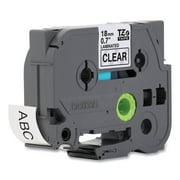
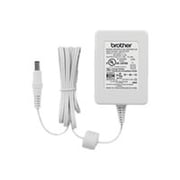
I've been a big fan of Brother for a long time. I own Brother Scan N' Cut, & Brother PE400 Sewing Machine. I bought this because it was a Brother and I've always "kinda wanted" a labeler. This was probably one of my favorite impulse buys of 2017. I've already labeled so many things (I think my entire house will soon be labeled... oops.). You can use any 9V power brick if you don't want to shell out a lot of money for 6 AAA batteries every 30 labels or so. You can also buy any standard TZe label tape for it, which is a huuuuge bonus, as there is plenty of stock on Amazon for reasonable prices.
First, I would like to say I am beyond impressed with every Brother Label maker I have picked up. The first one I held was over 5+ years ago for work, which I ended up using to label a medical office supplies for an inventory project. I fell in love. The quality is great all around. I am extremely excited for this well-rated Embellish maker I ordered and now have 4+ tape/ribbon in my cart. This is so exciting. I can't wait to use it with Mom for baking treats on holidays, for crafts with the kids I occasionally watch, for my side business, and for volunteering ideas in the future. I highly recommend their label makers for the quality, function, and durability. I already thought about purchasing a few more for Christmas/presents for family & friends in which I've shared this product with.
I received this product for free from Brother in exchange for my honest opinion/review of the product. It has been a long time since a label maker was on my list of things to buy for my home office. There were many occasions when it would have been nice to have in order to add that extra personal touch on gifts and other household items. However, it was a challenge to find one that met all of my expectations. Luckily, I came across the Brother P-Touch Embellish Label Maker. It has all the features I always hoped a label maker should have and more. When I saw the box I immediately fell in love with the machine and the possibilities. It had colorful pictures and clear details throughout the box. It even gave me ideas on how else I could use it. What caught my eye right away were the satin ribbons and variety of decorative tapes. I have so many favorites and I can`t wait to try them all. However, it only includes a few cassettes and the others are sold separately. Once I opened the box I was a little skeptical about the assembly of the label maker because of past experiences. I thought it was going to be a challenge to put together and ultimately use, but to my surprise it was easy and fun. Changing ribbon and tape cassettes is simple as it only requires opening the label maker and switching out the cassette. The keyboard layout is also easy to use. Perhaps the LCD display could be a larger and/or clearer. One of my favorite features is the save feature because you can reuse the text and settings for up to 20 different labels simply by assigning a number (1-20) to each saved file to reuse it, edit or overwrite. The instructions come in three languages which I find very helpful since I am bilingual. What I also love about the instructions is that it gives you an illustration of all the symbols and characters available to use.The label maker comes with the option to use a power cord or 6 AAA Batteries. Unfortunately though, it did not include either. I think it should come with at least the power cord.In all, the P-Touch Embellish Label Maker is a great and easy to use label maker. I`m glad I have one. [This review was collected as part of a promotion.]
I just bought this and used it for the first time. It is a great little machine. I bought it for the ribbon and numerous fonts/borders/symbols features. I have an older version that does not have these features. I am not disappointed at all. There are way more symbols, characters, etc. than I realized. It is relatively easy to use. Very happy with my purchase.
Mine didn't print top half of silk ribbon on gold foil..heard this can be a problem later with this machine. Way better than $ .01 cheaper model for what you get as to images
Seems to work fine. It takes six batteries to run it, and the supplies (ribbon, cartridges, etc.) are a bit pricey, so you have to evaluate the total cost. It comes with white ribbon and gold print. Pretty. Easy to use.
Used this for a graduation card to make it uniquely personal. Worked great except for cartridge was more difficult to put in machine than I anticipated. Have used other brother products and not had an issue with the tape although for this particular project I used ribbon. The concept of using ribbons for my cards and making them a little more upscale was the reason I bought this item. The only negative I read in reviews was battery life. Haven't gone through the first set I've put in yet but when I do, have ordered a plug in thru Brother so that won't be an issue. This package had stickers for the machine in only French but I found it easy to navigate once I used the machine and read the directions which came with the P-touch Embellish.
I received this product for free from Brother in exchange for my honest opinion/review of the product. The machine is easy to assemble and use! Nice and small; easy to store. I used it on many of my toddler`s toy bins and her items for school. It uses batteries or attaches to a wall charger, which is great for moving around the house. I like being able to save files and set my tab length. Very user-friendly and easy to learn for someone new to the products. [This review was collected as part of a promotion.]
Detailed price history for the past 90 days
No Walmart.com pricing data available for analysis.
Third-Party Sellers prices have ranged from $78.51 (Sep 9) to $78.51 (Sep 9) over the past 90 days. Current price is close to the 90-day average of $78.51.
| Date | Price | Change | % Change |
|---|---|---|---|
| $78.51 | $+0.00 | +0.0% | |
| $78.51 | $+0.00 | +0.0% | |
| $78.51 | $+0.00 | +0.0% | |
| $78.51 | $+0.00 | +0.0% | |
| $78.51 | $+0.00 | +0.0% | |
| $78.51 | $+0.00 | +0.0% | |
| $78.51 | $+0.00 | +0.0% | |
| $78.51 | $+0.00 | +0.0% | |
| $78.51 | $+0.00 | +0.0% | |
| $78.51 | — | — |