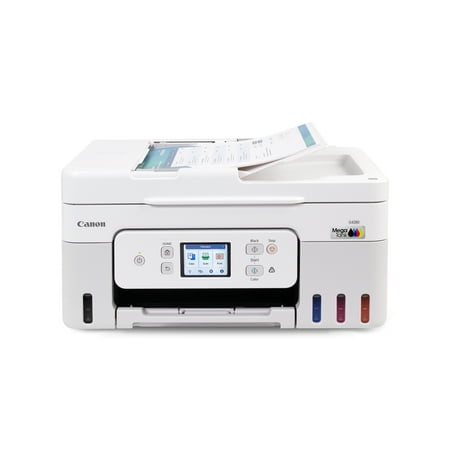
Canon MegaTank PIXMA G4280 Printer, Scanner, Copier Multi-Function, Wireless Color Inkjet Home Office Use
- Brand:
- Canon
- Model Number:
- 6704C022
- UPC:
- 013803377989
- EAN:
- 0013803377989
- ASIN:
- B0DF4PRML2
- Best Buy SKU:
- 6599111
- Walmart SKU:
- 11214309485
Price momentum shifted downward , bringing the cost to $269.00. This represents a 0.0% discount to typical levels.
| Price Type | Price | Date |
|---|---|---|
|
Highest Price
|
$301.58 | |
|
Lowest Price
|
$263.94 | |
|
Most Recent Price
|
$263.94 |
| Price Type | Price | Date |
|---|---|---|
|
Highest Price
|
$269.00 | |
|
Lowest Price
|
$199.99 | |
|
Most Recent Price
|
$269.00 |
Tracking History: We have tracked Canon MegaTank PIXMA G4280 Printer, Scanner, Copier Multi-Function, Wireless Color Inkjet Home Office Use since 12/9/2024. The most recent price update was on Aug 31, 2026.
Price Range: Over the past 90 days, the price has ranged from $199.99 (lowest on 12/9/2024) to $269.00 (highest on 4/1/2026). The average price during this period is $253.42.
Current Trend: Walmart.com prices have ranged from $269.00 (Aug 30) to $269.00 (Aug 30) over the past 90 days. Current price is close to the 90-day average of $269.00.
Customer Insights: Rated 4.2/5 from 187 reviews.
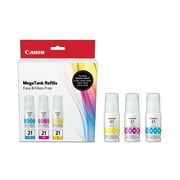
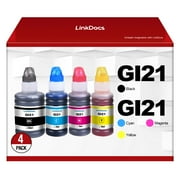
Put printer to work as soon as I received it. Everything from stickers with a card stock thickness to regular letter standard print. The greatest advantage is the refillable ink wells. Ink cost pennies compared to other inkjet cartridges which cost 175.00 $ for a whole set. Canon's whole set runs about 40.00 bucks and are the size of a craft paint bottle. Print heads are replaceable, I haven't priced those yet. I'll cross that bridge when I come to it.
My FB marketplace place HP OfficeJet pro 8600 plus died after using generic ink cartridges from the A to Z online store. Anyway, this lead me to the buy that is best, where I left with the $109 Brother. It burned through ink, build quality was questionable, and setup was a pain. So then I traded it out for an Epson EcoTank ET-3950. Set up was tricky, it would not print a test page. However, normal printing was okay. Print quality was not great. Color printing was all over the place, and with reports of clogged printheads that are not self serviceable, I returned to my search. On the Canon website, the G4280 pops up, which is only available from Walmart. It offers most everything that Epson offers, except for print and scan speeds. The color printing is superior to Epson and it has an easy to use touchscreen, which Epson does not have. The Epson looks like the StarTrek enterprise, the Cannon looks like a Honda Civic. The Epson excels in speed and overall beauty of a printer you don't mind taking up table space. It fails in color print quality. The Cannon excels in color printing and providing affordable self serviceable parts. It was easier and took less time to set up. Granted, I'm using a usb connection. What the Canon can improve in is sped of both printing and scanning, and having a self contained tray rather than being top fed and having an open back. The Epson feels more serious by being fed tray, but the tray is flimsy and once you get into it, just seems to gimmicky. It's a luxury car. The Canon feels like they took their current printer line up and figured out how to retrofit it for a cartridge free experience. It's the Honda Odyssey of printers. You may not necessarily get excited about it, but it's going to do everything you ask of it, and do those things well.
This is one of the best printers. Love the ink storage tanks. Prints well. Copies well. Easy to use and maintain. Love the paper feed for making copies or scanning. Would highly recommend this printer for home office use!
Upgraded to this printer so glad I did ! Great printer for the price , high quality printing %26 the mega ink tank lasts a long time before running out . Highly reccomend !
Works well, i have printed 260 pages, the ink level and ink color look great. No wireless connection problems or paper jams. Glad i purchased the unit.
Easy to use and capable of so much more then just copying scanning and printing. It can make templates graph paper work week schedules that are already programmed into the machine along with pictures and patterns that you can print out as a backdrop. It's really an amazing machine and well worth the money
The print quality is nit very good but not bad. Just expected it ti be sharoer darker %26 clearer bot black %26 color. Is is fairly noisy when operating but I love the print paperstorage/feed system and the automatic document feed for copy printing is great!
I do not recommend the item only because when you use the SCAN function, there is no pre-view of your scan before you are required to save it. You have to exit the function first before the document is viewable. You can not edit the scan job by deleting one page. You can not tell if you might have scanned the same page twice until after you exit the job, and you can not go back into the job once you exit it. This is the only flaw to this printer. Otherwise, it is a fantastic printer. If you do not use the SCAN function much, then it is not a problem. The feeder also scans crooked, but that is the same for any model of printer in this range. To get a straight scan, you have to lift the top and scan one page at a time.
The description is very deceptive. It says it's an all-in-one. It's not. It doesn't fax. A major PITA is that every time I turn the printer on, it says it's offline. EVERY time I troubleshoot %26 fix the problem, the next time I use the printer it says it's offline. Since the average lifespan of a printer is sadly only two years, I've had many printers over the years. Every other printer I've had (Brother, HP), when you fix a printer offline problem, the printer stays fixed. Not this Canon. The reason I bought this Canon is that it had a MegaTank so hopefully I won't have to spend almost as much for ink cartridges as I do for the printer.
WASTE OF MONEY. Unfortunately $260 down the tubes. Trouble with printing from the get go now it's leaking ink on the sheets of printed paper. Lasted less tan 20 print single sessions and Walmart won't allow us to return it. Disappointing. Wont ever purchase a Canon brand ever again.
Detailed price history for the past 90 days
Walmart.com prices have ranged from $269.00 (Aug 30) to $269.00 (Aug 30) over the past 90 days. Current price is close to the 90-day average of $269.00.
| Date | Price | Change | % Change |
|---|---|---|---|
| $269.00 | $+0.00 | +0.0% | |
| $269.00 | $+0.00 | +0.0% | |
| $269.00 | $+0.00 | +0.0% | |
| $269.00 | $+0.00 | +0.0% | |
| $269.00 | $+0.00 | +0.0% | |
| $269.00 | $+0.00 | +0.0% | |
| $269.00 | $+0.00 | +0.0% | |
| $269.00 | $+0.00 | +0.0% | |
| $269.00 | $+0.00 | +0.0% | |
| $269.00 | $+0.00 | +0.0% | |
| $269.00 | $+0.00 | +0.0% | |
| $269.00 | — | — |