
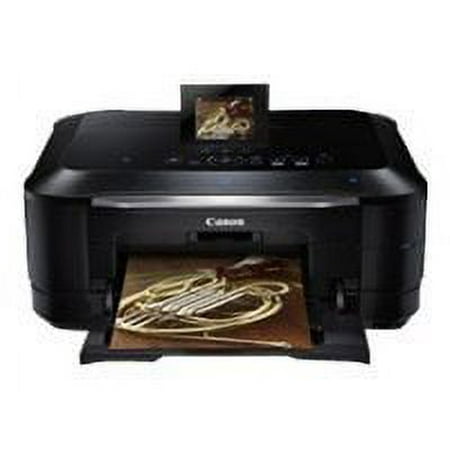
Canon PIXMA MG8220 - Multifunction printer - Color - Ink-jet - Photo/Disc Print - Desktop
- Brand:
- Canon
- Model Number:
- MG8220
- UPC:
- 013803136562
- EAN:
- 0013803136562
- Walmart SKU:
- 19236999
| Price Type | Price | Date |
|---|---|---|
|
Highest Price
|
$899.99 | |
|
Lowest Price
|
$899.99 | |
|
Most Recent Price
|
$899.99 |
Price history data is not available for this product at the moment.
Current Trend: No Walmart.com pricing data available for analysis.
Customer Insights: Rated 3.36/5 from 22 reviews.
I am writing a review before having used all the features. However, wireless setup was the easiest of any of my Canon products. Wireless printing and scanning are great. I bought the MG8220 for the sake of AirPrint, a feature that allows direct printing from my new iPad3. AirPrint works flawlessly! I will be exploring all the other features in time. So far, so good! Most complete Canon printer-scanner I have yet owned. Good job, Canon!
This printer is awesome. I am college student and as such space is a premium... this printer sits ontop of my dresser in a corner of my room and i love the wireless printing and scanning. setup is a snap and usage is so easy that a 6 yr old could figure it out. theres atleast one review on this printer that says you can only scan using a usb cable... that reviewer has no idea what they are talking about. this printer meets and exceeds my expectations and as such this is the best printer i have bought to date.
I LOVE this printer! I use a MAC (no more PC for me!) I bought mine at the end of 2011. For me, this is an update. In 2008, I changed to a Macbook Pro from a PC & Apple featured a prior version of this wireless printer which I bought and loved for 3 1/2 years. (Apple knows good design!.) This version will even print from an ipad or iphone (they are on my birthday list). TIPS: (1) In the 3 1/2 years I owned the prior similar version, I almost never turned it off- unless I was traveling for a month. With both versions, I've never had "start-up lag-time issues." I turn my computer off -but leave the printer always on- it's always ready to go. My old printer was still working great before I upgraded. (2) INK: Leave the cartridges in until it won't print anymore. People generally complain about most printers running out of ink too early - but I've found I can print quite a lot more after the initial warnings and "blinky lights" start. Just ignore them:) This has great archival quality ink that won't fade. Select the proper paper option & Print photos on good photo paper - it makes a difference. (3) EASY SETUP- After I plugged everything in, I called Canon Tech Support & they took me through the steps. Then I felt silly - it was that easy!! But you can call too! Call CANON TECH SUPPORT during the warranty period & ask any questions or for help.THEY'RE GREAT!!! They answer right away- you get a human pretty quickly- and someone in the US!! a rare thing nowadays! Just like APPLE- that's why I love my MAC! (4) WIRELESS EVERYTHING-including SCANNING. (You DO have to open the lid to insert an item to be scanned- but the rest is all done wirelessly & from my computer screen. The prior critique obviously didn't know how to set it all up) (5) TO SCAN- From the main screen -Click on the icon on your computer to open the printer menus, then: Start Application, then click on MP Navigator EX. I use Photos/Documents (Platen) and use the advanced settings. It's amazing what you can do there- instead of using the "AUTO" options. (6) COLORS are my thing (I'm a painter)- and they are fabulous for a home printer. (7) My only "beef" is that the OCR software isn't great- but that would add to the cost. You can get good add-on OCR software if you need it. YOU WILL LOVE THIS PRINTER- but spend a little time getting to know it at first.- especially the scanning options.
This printer is the best featured printer and the best buy I ever had. I particularly like the feature to scan 35mm 0negatives and slides. The results of various slides I scanned is very acceptable for a 8" by 10" print. I would advise any one to purchase this printer.
I just had to replace my old Canon PIXMA MG8120 - after a number of years, I had just worn it out. But because it had served me so well, I shopped around and ended up getting the 'new' version - this MG8220. It's faster than my old printer, has everything that I need and will, I hope, last as long as my MG8120. But - buyer beware! - as much as I love this printer it still just drinks ink at an alarming rate. I only use genuine Canon ink and paper and have tons of ink left (one more reason I got this model) left over from my old printer. This is NOT a low-ink consumption printer by any means. But if you want the very highest print quality, easy wireless and AirPrint printing, flawless scanning, etc., this may be just the printer for you.
I've had this printer for about a week now. I found it very frustrating when trying to print directly from my laptop because a lot of the time it would say there was a communication error even though the printer is on and working correctly. I did the setup and everything on my laptop so there is no reason for it to be saying that. Most of the time I would have to move all the photos I want onto an SD card and print it from there. When printing for the first time of the day, it takes the printer a significantly long time for it to warm up. Longer than any printer I've ever had but after that first time it prints fine. Other than not being able to print from my computer and taking a long time to warm up, it's an excellent photo printer that prints good quality pictures.
Easy to set up, but miss book I received with my old printer. Don't particular like touch switches when using printer as not sure of action or results in multiple touches when not intended. It seems to use more ink than my older MP960 and the ink containers are smaller.
So far the MG 8220 has been a good printer. I thought the black ink would be used up faster but it's the Gray and colors that go faster. I am wondering if the ink carts were "starter" types not full amounts. The other issue is once the printer goes to sleep it takes a while to boot back up and if you print while asleep it takes for every to print the document.
I bought this printer yesterday and it took forever to install as the instructions are very bad. I bought it mainly to scan old negatives and there are absolutely no instructions either with the printer or online that I can find that instruct me on how to do it. If the sales woman did not show me where the negative holder was I probably would not have found it as again there are no instructions I could find. I would not recommend this to a friend at this time but I may change my mind in the future once I use it more. I will do a followup once I use this printer more.
The features are excellent when working. My three complaints are: Prints many copies when I only select to print one. This has happened many times and drains my ink cartridges (which are obscenely expensive). This just happened moments ago when I discovered I had over 20 pages of the same thing. I assumed I was out of paper but 5 minutes later another page came out. A software bug that clearly benefits Canon's cash flow. And no, it is not user error, after the first occurrence I have been extremely cautious before hitting print. Once you run out of one color, yellow for example, you cannot print ANYTHING! Not even a black ink document. This occurred recently and resulted in a late arrival to a meeting without the printouts. Not good. Finally, and more an irritation, is the time it takes to warm up, It can take upwards of 5 minutes to print one page if the printer hasn't been used for awhile.
Detailed price history for the past 90 days
No Walmart.com pricing data available for analysis.