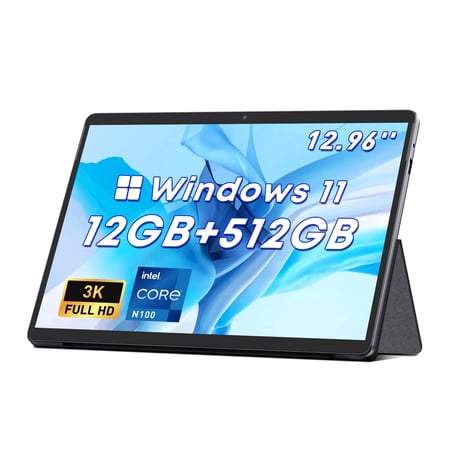
ChewiHi10Max.. Win 11 home. Mostly pleased with my new tablet. I use the tablet for general use, email, news, youtube, rumble, search etc, no gaming.
Review Caveat : I bought this tablet coming from a 13 year old win 10 Sony Vaio fx series laptop which is still in excellent condition, but would not accept win 11 (which is being phased out soon). I had to adjust to the new win 11 home, which caused me some problems tweaking the tablet.
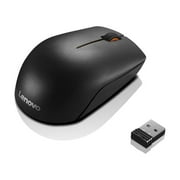
The Good: It is snappy, not a problem having about 7 tabs open at a time. I generally use microsoft edge as my browser. The battery is about 4 hours full use before you notice drain. The pen is responsive and is nice for writing or drawing on average.. Not high end, average. The keyboard is ok.. Very functionable for a tablet. I like how it just snaps into the bottom via magnet, hope it lasts. The screen is very nice. It is very bright and I lowered the brightness considerably for eye comfort. If you like using a wireless mouse, it works very well, the righthand port accepts the receiver immediately.
The So-So: I wish there was a place to place the pen as it gets lost on my table. The right side of the tablet only has one port at the top end; it would've been nice to have a magnet there also since the pen is metal. The stand on the back was so confusing. To prop up the tablet you must bend the thick sheet in the middle.. it is stable but feels like it may not last. Be aware that you fold down the backing stand from the top. It is magnetic and tight on arrival. Win 11 Home does not allow many of the "fixes" for those of us who want to tailor the tablet to our liking. I would have paid a little extra for Win 11 Pro if it was offered. I wanted to get rid of the lock screen and remove some task bar presentations, etc. This can only be done with Win 11 Pro.
The Bad: Nothing severe. The keyboard was not detected and unusable. I had to go to youtube and found a poster " how to fix undetected keyboard" to fix it. It entailed registry and command tweaks, be aware if this happens to you. I also have an intermittent problem with my email hyperlinks opening up in email (outlook.live). I suspect it may be a problem with Win 11 Home for tablets, since my samsung phone has no email link problems, I really don't know. The worst is that there is almost no instruction in the tablet delivery. And you will be hard pressed to get any questions answered from the ChewiForum online. I tried to send a question to the company Chewi. Com and they never responded because I didn't buy directly from them (of course I purchased here at Walmart). I wanted to know if it could handle Win 11 Pro and if it could handle connecting a hub with a Dvd writer/ reader. Coming from an old laptop which had a strong Dvd device and all kinds of ports to attach flash cards and external storage devices, I am still in the process of trying to get anwers as to the limits or possibilities that my tablet has.