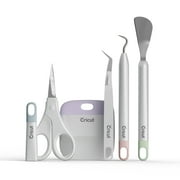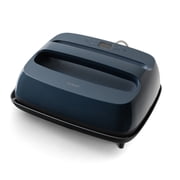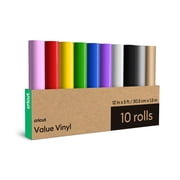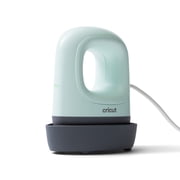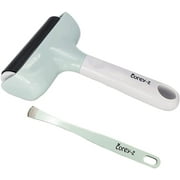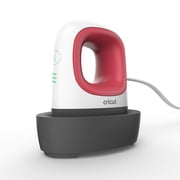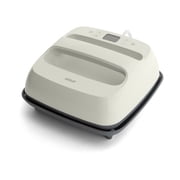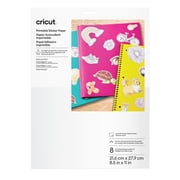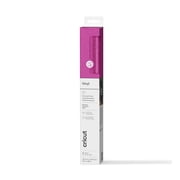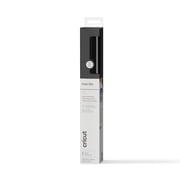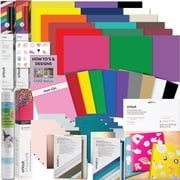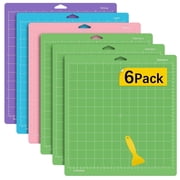
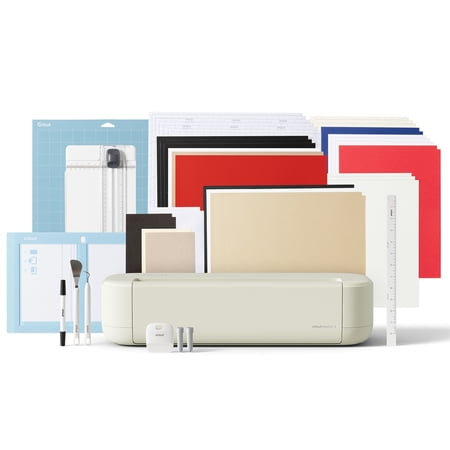
Cricut® Explore 5 Smart Die-Cutting Machine Essential Bundle, Taupe
- Brand:
- Cricut
- Model Number:
- 2012404
- UPC:
- 093573838330
- EAN:
- 0093573838330
- Walmart SKU:
- 19467023514
| Price Type | Price | Date |
|---|---|---|
|
Highest Price
|
$249.00 | |
|
Lowest Price
|
$199.00 | |
|
Most Recent Price
|
$249.00 |
Price history data is not available for this product at the moment.
Current Trend: No Walmart.com pricing data available for analysis.
Customer Insights: Rated 4.4/5 from 179 reviews.
I was really excited to get a new Cricut machine as my current ones are several years old. At first I was impressed with the speed of the new Cricut Explore, but unfortunately the issues started not long after I began using it. The main problem has been with Print Then Cut. It works one minute and then completely fails the next. I've wasted a lot of materials and printer ink trying to get it to work consistently. I've also spent time speaking with Cricut support via chat to troubleshoot the problem, but nothing has resolved it. To test whether it was my design or settings, I ran the exact same project on my older Cricut Maker, and it cut perfectly with no issues. This makes me believe the machine I received may be faulty. It's really disappointing because I had high hopes for upgrading my machine, but the inconsistency and wasted materials have been frustrating. Unfortunately I would like to return it.
Almost Perfect🤗 the only 2 thing I will add is power off button, and I prefer it that the machine can close like before not with the gap, can accumulate dust and whatever can go there like a spider. Other than that is perfect. im happy with my purshase
I love the Cricut machines but I do have a few dislikes of the Explore 5. I have a lot of pens that I used in my other Cricut machines but they don't fit in the Explore 5. I also found that the Explore 5 doesn't read the same as my other machines. There was a card I wanted to make that had pop up flowers but the Explore 5 wouldn't cut the pop up flowers part of the card so I had to make that layer on an older machine. I tried all the “fixes” but none of them worked. Other than those things, the machine is fast and works well. There is lots of storage in the pull-down front.
I'm learning how the new machine works but one thing for sure that I do not like is the fact it does not have an on and off button on the machine. The power outlet to my machine is behind furniture so I can't plug it and unplug it easily nor what I want to have to do that every time I sit down to use it.
I love the Explore 5! I have all of the other machines with the exception of the Venture. I was so surprised by the speed of the Explore 5. It's quiet too. I needed to use the print then cut feature, however I couldn't find the instructions on calibrating it. Ha! You don't need to calibrate, it cut perfectly the first time. This machine is compatible with both my IPhone and laptop. It's easy to switch back and forth between the 2.
I recently upgraded my Explore 2 to the 5. My 2 lasted me 6 years of heavy use and never let me down. I am a big fan of your machines and I have used the software since the beginning. Very easy to use, a worthwhile monthly expense. Now, as for the Explore 5, WOW! So FAST! I do lots of print then cuts and it reads the guide lines in seconds. I used to sit down when waiting for a print then cut, but not anymore as it's ready so quickly. I have cut cardstock, paper, stickers, vinyl and HTV since getting this new machine and everything has cut great! I ran a sign making workshop this summer for a group of friends and I designed everyone's lettering in Design Space and cut it all in advance of the workshop. The tools you guys provide made it easy and everyone loves their signs. I am a happy Cricut user and will continue to be!
I bought this after just buying the joy extra to do larger project. Never using a maker or explore before i didnt bother about the issue with changing the blades/scorer etc as i was used to it from the joy. Fast speed and good cut. Much louder than the joy xtra but that was expected being a much bigger machine. My only dissappointment was the first time i used the pen i realised i could not leave the blade in like the other machines as the clamps are not independent like on previous machines but one solid mechanism. This means if you dont take the blade out that it also cuts the writing out about an inch to the right of the writing so be warned if you want to leave the blade in while you write then this is not the machine for you, if however you are happy to only use one clamp at a time then its a brilliant option. If i had known about this issue i would definitley have bought the explore 4 instead but after buying 2 machines in a month i wont be buying a 3rd lol. Overall i am more than happy with the machine and it only lost a star due to the clamp issue
I needed to replace my Explore Air 2 and found this great bundle on sale for an amazing price! The Explore 5 is the first machine I've had that cuts so quickly! It's quick yet super precise! The only downsides I have found about the Explore 5 is that it only takes the special new pen, and I have to switch between the scoring tool and the blade. But so far that hasn't set me back too badly. I've used Cricut machines since 2007, I've tried most all of the new machines as they come out, and I am very pleased with the Explore 5!
I purchased this with high expectations, but it doesn't cut all the way through. I contacted support, and after spending nearly 3 hours troubleshooting and feeling like I was being blamed for the issue, they finally agreed to send a replacement cutter. I'm hoping that solves the problem, but I'm not very confident at this point. I have a feeling I'll end up spending another few hours with support if the replacement doesn't fix it.
I dislike having swap the scoring tool and cutting blad. The scoring tool STILL is not scoring deep enough even though I have attached TWO score lines on top if each other. Possibly have a pressure setting change for the scoring tool for different weights of paper or st heat have a “light, normal, more” setting. The speed increase is really nice compared to earlier machine versions.it has been cutting beautifully. I think I see less settings for different papers.
Detailed price history for the past 90 days
No Walmart.com pricing data available for analysis.
Third-Party Sellers prices have ranged from $199.20 (Aug 13) to $249.00 (Nov 7) over the past 90 days. Current price is close to the 90-day average of $239.04.
| Date | Price | Change | % Change |
|---|---|---|---|
| $249.00 | $+0.00 | +0.0% | |
| $249.00 | $+0.00 | +0.0% | |
| $249.00 | $+0.00 | +0.0% | |
| $249.00 | $+0.00 | +0.0% | |
| $249.00 | $+0.00 | +0.0% | |
| $249.00 | $+0.00 | +0.0% | |
| $249.00 | $+0.00 | +0.0% | |
| $249.00 | $+0.00 | +0.0% | |
| $249.00 | $+0.00 | +0.0% | |
| $249.00 | $+0.00 | +0.0% | |
| $249.00 | $+0.00 | +0.0% | |
| $249.00 | $+49.80 | +25.0% | |
| $199.20 | $+0.00 | +0.0% | |
| $199.20 | $+0.00 | +0.0% | |
| $199.20 | — | — |