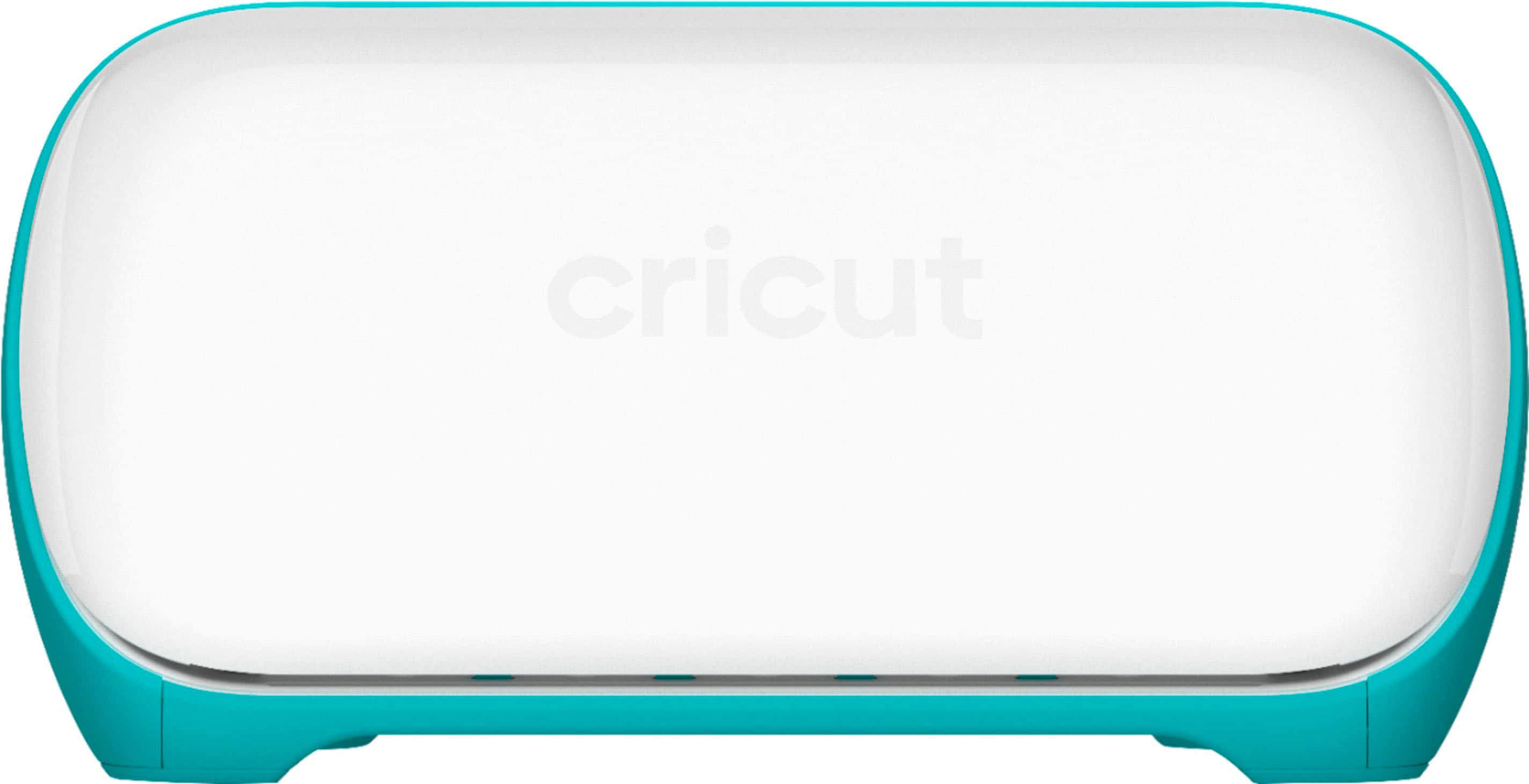
Cricut - Joy Machine - Grey/Aqua
- Brand:
- Cricut
- Model Number:
- 2007991
- UPC:
- 093573693335
- EAN:
- 0093573693335
- ASIN:
- B08BQ1RHH3
- Best Buy SKU:
- 6521173
- Walmart SKU:
- 838053635
Current pricing at $99.00 reflects recent market activity, running 0.0% below the 90-day average.
| Price Type | Price | Date |
|---|---|---|
|
Highest Price
|
$129.00 | |
|
Lowest Price
|
$99.00 | |
|
Most Recent Price
|
$99.00 |
Tracking History: We have tracked Cricut - Joy Machine - Grey/Aqua since 1/24/2023. The most recent price update was on Sep 20, 2024.
Price Range: Over the past 90 days, the price has ranged from $99.00 (lowest on 6/12/2024) to $129.00 (highest on 7/3/2024). The average price during this period is $116.73.
Current Trend: No Walmart.com pricing data available for analysis.
Customer Insights: Rated 4.4/5 from 1448 reviews.
What a fabulous little machine. I already have a Maker 3 but wanted something smaller that was easier to move around. I felt the Joy Xtra was perfect as A4 is my go to paper and card size. Very easy to set up and it cuts really well. If you're tight on space or struggle to lift one of the bigger machines then this is a perfect choice. Highly recommend.
Total of everything that it comes with left me shockedit came with more than i expected which i am amazed the criuct works great and is generally awsome wish it came with mat (sokd seperately from bundle) other than that it has become incrediblely useful
I bought this to cut out components for my tabletop game prototypes. Once I'd worked out a way to achieve precise positioning (by adding a reference point to my cutting templates in Cricut Design Space) I was able to achieve excellent results every time. The capacity for A4 materials made this the ideal budget machine for me. I've cut hundreds of game cards and components on 300gsm card and this has enabled me to produce prototypes of a high standard without having to use a manufacturing service.
I bought the Joy because I was starting up a small business and honestly I just couldn't afford the larger machines. This little machine does not disappoint! The design space is super easy to use and the machine itself is very lightweight and easy to use. I have since upgraded to the maker 4, and now the kiddos are using the Joy. I highly recommend this machine for anyone starting out just trying to get their foot in the door or for kids! Happy crafting!
Great size, easy to use. My only issue is with the design program could have a few improvements (eraser to allow you to erase items in a design and if you select iron it automatically flips your design).
Cricut is so NEW to me, and I am still confused how to use load the materials, which side do I place it on. Some are obvious easy, but some are difficult to know which side and then after cut, how to use it? I think I cut the wrong side. Sadly, I am not excited yet. I am a visual learning...reading the instructions still do not help....which side??? I canceled the Subscription since I need to take the time to study both Canvas and Cricut. I purchased JenniferMaker books and I am hoping YouTube videos will help.
This is my 2nd Cricut Joy. I love this little machine. My only gripe is that the rubber rollers go through wear and tear, and Cricut has no way of replacing or fixing it for you. They need to make this part replaceable. Videos online to fix it yourself reveal that it's quite complicated to get into, and this wasn't built to be easily fixable. The components are not easy to take apart.
I love getting my Circuit Bundle, however...A lot of thing were out of stock in the Joy Bundle, so, to my surprise, they sent me random stuff that I cannot use. The items I received did not help with a new user. I ended up having to buy all the thing I needed to get started. I wish I was at least notified!!
I really wanted to like this product, but it has issues. It's tricky to get the mat to load correctly and it bends the corners that you have to trim off. I wanted to do alot of stickers on the Xtra but it doesn't cut them good. I have calibrated the machine twice, but it still cuts off. I have tried using the Joy smart paper sticker cardstock on a mat using the Xtra, but it doesn't cut it good at all. I put the pressure to more but that didn't help. When I try to remove the sticker from the sheet, it tears below the sticker and the sticky part of the sticker is left on the mat. I have wasted too much sticker paper to try much more. When I switch to my Maker 3, I don't have the problem. It's frustrating that I can't use the Xtra for what I bought it for, stickers. I need to add that it cuts vinyl just fine.
I really wanted to love the Cricut Joy, but unfortunately it has been a huge disappointment. I followed the setup exactly as instructed, completed all the test cuts successfully, and thought everything was good to go. When I came back later to make cards using pre-designed projects in Cricut Design Space, things completely fell apart. The Bluetooth connection consistently dropped at around 75% completion of the card. Every. Single. Time. I wasted four cards before giving up. I did extensive troubleshooting before writing this review. I tried everything recommended on the Cricut website and in multiple Reddit forums—resetting the machine, reinstalling Design Space, reconnecting Bluetooth, restarting devices, and switching between platforms. Nothing worked. I tested this on multiple devices to rule out user error or hardware issues on my end: Brand new MacBook Air (2 weeks old) iPad Air 3 iPhone 14 The iPad worked slightly better than the others, but all devices ultimately failed. I simply do not trust this machine to finish a job, which makes it unusable. All the materials I purchased are now wasted, and I'm left frustrated and angry. In theory, if the machine connected properly and stayed connected, it would be a decent product. But in reality, the unreliable Bluetooth makes it impossible to use consistently. A crafting machine that can't complete a project is not worth the money. Extremely frustrating experience. I regret this purchase.
Detailed price history for the past 90 days
No Walmart.com pricing data available for analysis.