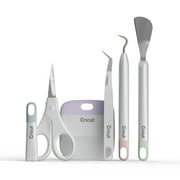
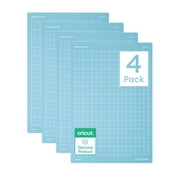
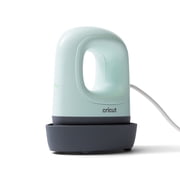
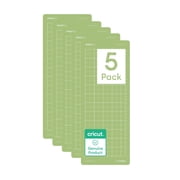
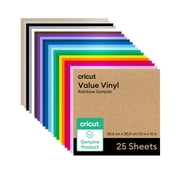
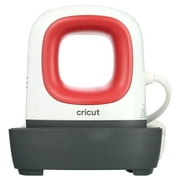
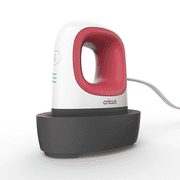
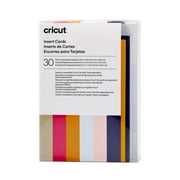
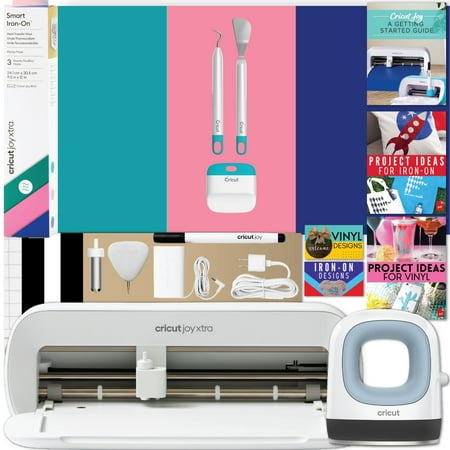
Cricut Joy Xtra and EasyPress Mini with Iron-on Vinyl Sample Pack Bundle
- Brand:
- Cricut
- Model Number:
- zJXtra2
- UPC:
- 810109113354
- EAN:
- 0810109113354
- ASIN:
- B0CG6TL3NK
- Walmart SKU:
- 5023910335
| Price Type | Price | Date |
|---|---|---|
|
Highest Price
|
$299.99 | |
|
Lowest Price
|
$249.99 | |
|
Most Recent Price
|
$279.99 |
Price history data is not available for this product at the moment.
Current Trend: No Walmart.com pricing data available for analysis.
Customer Insights: Rated 4.5/5 from 793 reviews.
This is the perfect machine to leave up on my desk. I do a lot of print-to-cut sticker labels for my micro-business, all on printer-paper size stock. I love my Maker, and I use it regularly. And the Joy Xtra is my go-to when I'm working in that size paper format.
I debated getting the Joy Xtra as I already have a Maker but after a bit of research decided to get it as a Christmas gift for myself. I love it! It's easy to use and I don't need to clear a big area to make a few quick cards or projects.
I purchased the original joy and the Cricut Maker, but wanted something that could do more than the Joy but not as big as the maker that could sit on my work desk and the Xtra is just perfect. It can cut and print . Works fantastic and Cricut support has improved greatly .
Super easy to get started, great instructions. I've only had it a little while and I've made 6 projects already. I love it so much I'm keeping it on my craft table instead of on my Cricut Cart. The size is perfect because it uses 8.5 x 11 paper or smaller. Super product!!
wow I love this Cricut Joy Xtra! it is so easy to use, setup is so easy. It connects (bluetooth) without difficulty each time to my laptop and phone. This is my first Cricut, I had only seen in the store so i am super impressed by how easy it is to use. It cuts well and is quiet.
I am so glad I bought this! I'm finding myself using it constantly. The size is perfect and I'm doing tons of print and cut projects. It's so easy to slide it around on my work surface, and it's absolutely ideal for anything involving 8.5x11 paper. (I have an original Maker that's been struggling due to eroded rubber rollers, and I've hardly used it since I got my Joy Xtra.)
I really wanted to like this product, but it has issues. It's tricky to get the mat to load correctly and it bends the corners that you have to trim off. I wanted to do alot of stickers on the Xtra but it doesn't cut them good. I have calibrated the machine twice, but it still cuts off. I have tried using the Joy smart paper sticker cardstock on a mat using the Xtra, but it doesn't cut it good at all. I put the pressure to more but that didn't help. When I try to remove the sticker from the sheet, it tears below the sticker and the sticky part of the sticker is left on the mat. I have wasted too much sticker paper to try much more. When I switch to my Maker 3, I don't have the problem. It's frustrating that I can't use the Xtra for what I bought it for, stickers. I need to add that it cuts vinyl just fine.
Was very excited to finally get and use a Cricut for my crafting, and everything was great until I ran the Cricut Design Space app, which is required to use the Cricut, and it only throws generic errors and refuses to run. I've tried to resolve this for several weeks, trying everything I can find on the support site or elsewhere online and none have worked. Despite tons of people running into this issue there is no apparent solution to getting this software working on a Windows 11 PC, making the device useless. If anyone from Cricut sees this, I am an experienced desktop software developer and would love to help get this problem fixed. If I can provide any info, testing, repro steps, or core dumps, please reach out to me. My order # is 182779901 to assist in looking up my order and contact info.
The device technically functions, but reliability and ease of use were major issues in my experience. Performance is highly dependent on using a higher-end printer, and setup required frequent calibration to achieve usable results. The hardware has no physical controls and relies entirely on Bluetooth and the companion app. The app requests broad permissions and frequently promotes the paid subscription, with many features locked behind it. During regular use, the app was unstable and often froze or stopped mid-process on both a high-end Windows PC and a MacBook Pro. Overall, this product may work for users with very specific equipment and patience for ongoing calibration and software interruptions, but it did not meet expectations for consistency, usability, or overall experience, even when using official Cricut materials. Hindsight I would not purchase again and advise against it.
I'm frustrated. No instructions on how to use design space. I'm at a complete standstill will an expensive machine and I have no clue how to use it. Have tried utube videos but they don't explain in enough detail. Don't know which type of mat to use, how to make something from design space 😩😖😖😖😩
Detailed price history for the past 90 days
No Walmart.com pricing data available for analysis.
Third-Party Sellers prices have ranged from $279.99 (Sep 10) to $279.99 (Sep 10) over the past 90 days. Current price is close to the 90-day average of $279.99.
| Date | Price | Change | % Change |
|---|---|---|---|
| $279.99 | $+0.00 | +0.0% | |
| $279.99 | $+0.00 | +0.0% | |
| $279.99 | $+0.00 | +0.0% | |
| $279.99 | $+0.00 | +0.0% | |
| $279.99 | $+0.00 | +0.0% | |
| $279.99 | $+0.00 | +0.0% | |
| $279.99 | $+0.00 | +0.0% | |
| $279.99 | $+0.00 | +0.0% | |
| $279.99 | $+0.00 | +0.0% | |
| $279.99 | — | — |