
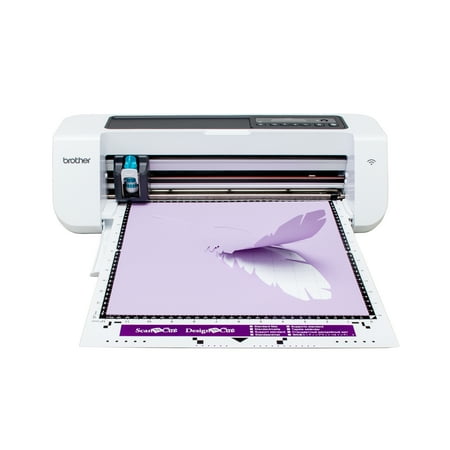
DesignNCut, Home Electronic Cutting Machine By Brother, DC200
- Brand:
- Brother
- Model Number:
- DC200
- UPC:
- 012502648055
- EAN:
- 0012502648055
- Walmart SKU:
- 576528699
| Price Type | Price | Date |
|---|---|---|
|
Highest Price
|
$259.99 | |
|
Lowest Price
|
$259.99 | |
|
Most Recent Price
|
$259.99 |
Price history data is not available for this product at the moment.
Current Trend: No Walmart.com pricing data available for analysis.
Customer Insights: Rated 3.7/5 from 118 reviews.
DesignNCut DC200 Home Electronic Cutting Machine is awesome. Wow, an answer to all my crafting - taking me to an an all new level. An affordable machine that can cut intricate designs and a wide variety of materials like paper, felt, fabric, foam, vinyl, iron-on, leather, plastic and poster board. It is hard to connect up and you might need help. You can use it wireless or connect with a USB cable to your computer. Once you get it connected it will take some time for you to learn how to do a lot of projects. I am still interested in learning. Wow, the things you can do with it - like wedding invitations, valentine designs, birthday invitations and so much more. I would recommend using a better mat for cutting because this one did not let you cut without sliding. But when I bought better mats it cut fine. I find this machine to be worth the price. I love seeing the projects after they are finished. It is of goid wuality. The only negative comments I have was hard to hook up. The positive comments would be all the things you can do with this machine. I love it. It is great machine to challenge your ability to accomplish great projects.
This machine can be used with a PC/MAC- go to http://sbrother/caqaa. With iPAD- IOS go to the app store and if you have an Android go to Google Play and type in the that website for the one you need to get set up. You can also hook up the scan n Cut to your pc buy using a USB CABLE.( NOT INCLUDED) Once you set up from your tablet or computer you can make the design , then send it to your Scan-n- Cut Machine to do the work. It comes with all the tools you need to get started. The cutting matt comes in a variety of different strengths in tackiness .This came with a weaker strength,it says standard, but I find it not tacky enough. I recommend a stronger tacky matt. because if your matt does not hold that paper down while its cutting, your paper or card stock will move and you will not be able to do the project. Remember to check the Cutting blade by twisting it to adjust to the paper you're using. all the directions are easy to follow. How ever you choose to set up your device to this machine, the rest is easy to do. You have great directions and that website above. It comes with guilds on how to adjust the blade and use the matts. it can be used for cutting cloth, card stock scrapbook paper, Vellum, poster board , fabrics and magnet paper. As long as you have the correct matt and cutter, you will want to make all kinds of projects
I was very excited about receiving the Brother DesignNCut DC200. I was also very nervous. I became even more overwhelmed once I started viewing tutorials. I bought some black vinyl and decided to jump right in. I read the safety precautions first. It took me a few days to figure out the DesignNCut is the upgraded version of ScanNCut. It does NOT come with a USB cable but I had one for my Brother sewing machine. Our internet connection is terrible so the USB connection is a working option for me. I wanted this product mainly for vinyl production of letters, sayings, etc. and for stencils. I may use it later along with my Brother sewing/embroidery machine. There are so many things one can make with this machine. I will be spending more money as I purchase accessories such as different colors of vinyl, weeding tools, blades but am looking forward to the personalized gifts I will be able to make. Love it! Take your time and enjoy! My first project was making labels for my canisters and the word Family with a heart for my wall. I do wish our local Walmart carried more of the accessories.
This is a amazing machine for the artistic person in you.Put designs on the computer and cuts your ideas in front of you.Great for making kids have fun too. There are way too many things for you to make,ideas to learn ,and a lot of fun.I just got this and I am finding out a lot more art ideas than I thought were here. Great for the art teacher in you.Have Fun
I have never owned a cutting machine for paper as I always used my sisters. This machine will cut so much easier by machine rather than by hand. I use to make projects without a machine so when this machine became available I had to have one. I just found out my Niece has one too and is going to show me how to get the full benefits from it. I was surprised it would cut fabric materials and felt. I knew this machine would cut paper, but the material was what held my interest. This machine will do almost any kind of project be it paper or material. I wanted an affordable machine and this one fits the ticket. I am so happy I finally have a cutter to go with all my other crafting items. Getting supplies is easy and online cloud gives you so many designs to use. I just love this and glad I picked Brother.
I was excited about the DesignNCut. It seemed that it would be the answer to take my paper crafting to the next level. Warning - You need a bit of tech savvy, the effort to work out what you need to get connected and how to download the designs you want. I'm very grateful to Brother's Customer Support for walking me through the steps needed to create my first project. A few pointers/thoughts: 1. If you have an email address that ends with ".net" you need to create another ".com" address. Brother's "Welcome" message can't be sent to ".net" addresses. No email, no registration. 2. Once done, you're asked to open a separate account for ScanNCut Canvas. This allows you access to all their different project ideas. 3. You need to know your way around your own computer. It's going to take some patience to connect, download and launch the DesignNCut Manager, your link to the DC200. 4. That said and depending on the kind of computer you have, you might need the all important USB cable. 5. Please read your specs. After a FULL 3 days, I am registered, connected, and have downloaded the software I needed. Thank you so much, Customer Support, I have finally completed my own, very cute ScanNCut Canvas project.
The DesignNcut is the complete cutting machine allowing you to control it through your own computer or other device. Why pay extra to have a built-in computer on the more expensive machines when you can use what you already have. Regarding the learning curve: It's very helpful if you are computer savvy but you don't have to be an expert. First of all, it is necessary to download the Design N Cut Manager application which is free. Another down-loadable tool allows you to change the cut and draw pressure, the cut and draw speed and the mat size you are using. I love the fact that you don't have to subscribe to a service of any sort to be able to use the machine. That service can turn into a money pit in no time. The machine is designed to cut, draw, as well as emboss and it is capable of using so many materials: paper, plastic, fabric, felt, foam vinyl, iron-on, leather and poster board. It appears to be the most affordable cutting machine available and quite versatile. It doesn't matter if you are a Sunday school teacher, crafter or whatever, cutting out things can get really tiresome when you have many to do or they are intricate but this machine can make your project simple and quickly finished.
I received this product from the Wal-Mart Spark review program. I decided to get this to see how easy it was to use and to see if it worked better then the Cricut machines. To start off with, it was extremely hard to get it to connect to my laptop to use wirelessly, which you have to do unless you want to go out and buy the usb cable for it, which is not included. I then had to go to the design manager to register, and find the Scan & Cut Canvas app. When you install the program it puts an icon on your desktop for the design manager, but that just takes you back to the connection phase. Once you figure out where to go, you have to look through their designs and fonts to chose what you like. In order to get some of the projects, you have to BUY there expansion packs, which are very pricey. It does have the capability to scan a picture and use that, but have not really tried that. Once I got what I wanted to use for my project you have to load it to the canvas, then download it to the machine, and then you have to figure out the pressure and depth of the blade, and set the dial for it. They have a really vague list of materials that you use for this. If you get it wrong, it doesn't cut right. Then you can cut the project. It may be better if you use your own picture or whatever you are trying to do, but to me it seems very complicated to use. If I were going to recommend a machine, it would not be this one. I didn't like how many steps you had to do to make something. Maybe I need to play around with it more but, if you don't know anything about the diy machines, you are better off with a Cricut.
I have delayed my review for as long as possible. I cannot get the DesignNCut, Home Electronic Cutting Machine By Brother, DC200 to work. I hooked it up wirelessly to my phone and it says my phone will not support it. I could not get it hooked up wirelessly to the computer, so I bought a USB cable and successfully got it connected. I cannot figure it out. I am nowhere near creating a project. This makes me sad because I was so excited about this machine. I'm sure a computer savvy person could figure it out, but I have not. I am not giving up, When I do get it figured out, I will give it another review. The cutting machine is pretty and looks like it would be a lot of fun.
I've never been so frustrated with a machine in my life as setting this up. It's been literal hours of going back and forth between manuals and computer apps and now when I finally thought everything might be working I can't send anything to this machine through the network because you have to register your product in order to use this feature. Conveniently, the code my machine is giving me is rejected by their online registration system, so the only way to register may be to literally mail the registration form back. Incredably poor is a poor user experience. Save your money and time, invest in 100 pairs of scissors instead.
Detailed price history for the past 90 days
No Walmart.com pricing data available for analysis.