
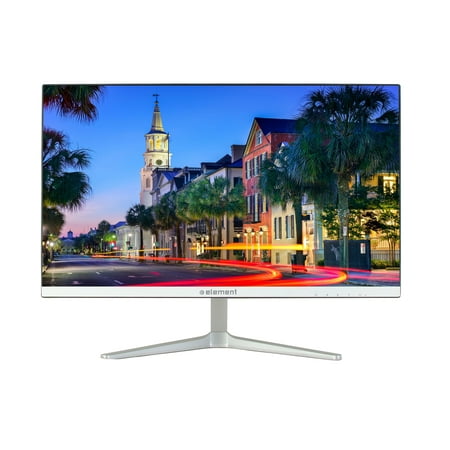
Element 22" LED Widescreen Monitor (ELEFW2217M)
- Brand:
- Element Electronics
- Model Number:
- ELEFW2217M
- UPC:
- 851401005619
- EAN:
- 0851401005619
- Walmart SKU:
- 111158656
Market rate of $110.00 positions buyers 0.0% under the established average.
| Price Type | Price | Date |
|---|---|---|
|
Highest Price
|
$110.00 | |
|
Lowest Price
|
$110.00 | |
|
Most Recent Price
|
$110.00 |
Tracking History: We have tracked Element 22" LED Widescreen Monitor (ELEFW2217M) since 3/6/2023. The most recent price update was on Apr 22, 2025.
Price Range: Over the past 90 days, the price has ranged from $110.00 (lowest on 3/6/2023) to $110.00 (highest on 3/6/2023). The average price during this period is $110.00.
Current Trend: No Walmart.com pricing data available for analysis.
Customer Insights: Rated 3.93/5 from 15 reviews.
My excellent (in it's day) LCD monitor died. I bought this inexpensive one for half the price of my old one. It is superior in every respect. Colors, contrast, brilliance, lower power consumption, smaller case with same active screen size, lighter weight and less expensive video cable. It sounds weird but I'm glad my old monitor died. I use it primarily for gaming and watching videos.
I purchased this monitor at my local Walmart store several days ago. It looks fine, works fine, I'm very pleased. It's more sturdy on the base than the more expensive HP next to it. I'm using with my MacBook Pro via HDMI and the connection was simple and successful. Note: in case you have never used an external monitor, it will not look the same as your computer -- it's an extension of your desktop, not a mirror image. If you're a newbie like me, don't think your monitor doesn't work -- you may need to set your position of the ext monitor (in a Mac go to "system preferences" under your apple icon, go to "displays" then "arrangement" and set up your arrangement there. One square is your external monitor, one is your mac screen. Then your mouse pointer will go from your computer screen into the external monitor screen. You can drag windows into the ext screen that way too. Hope that helps someone, might seem silly but if you haven't done it. . .;-)
I was really shocked at the quality of this monitor. Element is not a big brand name and I was really shocked once again with the price. I would have easily paid $200 for this monitor. It's really sleek in design and the clarity of the screen is totally amazing.
I was looking for an AOC monitor for gaming, but they were not available anymore and I bought this monitor, it really is an incredible monitor for editing photos and videos and of course playstation or xbox is super good, I did not expect so much quality from this brand.
It's important to me to a) see a company attempting to create a stateside beachhead (presence) and b) utilize American labor. I also appreciated the stated specifications for this monitor. One minor gripe - I wish the stand would allow the monitor to be tilted up just a little further (I'm tall)
Great monitor for the price! The screw to attach the base was a pain, but otherwise it does very well. We have used both the VGA and HDMI inputs and the picture is great. We snagged a refurb from Walmart and that made the price even better
Great quality for a great price.
Great display, i use it mainly for gaming, the color, setting and mode are awesome as well.
Easy one screw set up. Very thin and light. Almost the entire screen is the viewing area. Can't beat it for the money.
After a year of using bottom 1/8 of the screen stopped working and now either displays black with red lines. Randomly occurred after turning on one day.
Detailed price history for the past 90 days
No Walmart.com pricing data available for analysis.