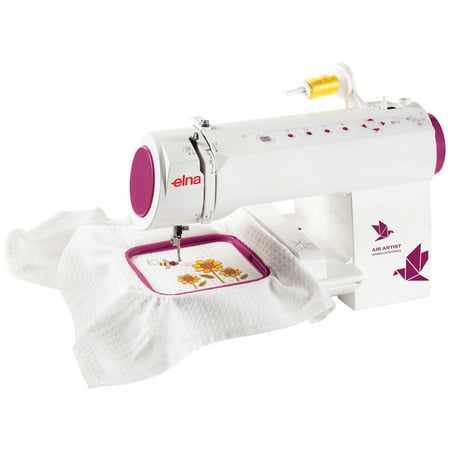
Elna Air Artist WiFi Enabled Embroidery Machine with 260 Built-In Designs and 12 Fonts
- Brand:
- Elna
- Model Number:
- ELAIRARTIST
- UPC:
- 732212371226
- EAN:
- 0732212371226
- Walmart SKU:
- 172488794
| Price Type | Price | Date |
|---|---|---|
|
Highest Price
|
$399.99 | |
|
Lowest Price
|
$350.00 | |
|
Most Recent Price
|
$399.99 |
Price history data is not available for this product at the moment.
Current Trend: No Walmart.com pricing data available for analysis.
Customer Insights: Rated 3.63/5 from 32 reviews.
This is an awesome embroidery machine! I really like it so far. You need to download the app onto either a tablet or phone to start off. It is very easy to set-up the wifi and get started. I would highly recommend printing the manual from the app so you have a copy. It is difficult to jump between screens when using the app to read the manual so I would either have 2 devices with the app or print it out. It is easy to follow the directions for threading your bobbin and setting everything up with the machine. Make sure you buy the machine embroidery thread for your projects! The machine has a lot of great preloaded designs and I like the font options a lot. I have never embroidered before and I thought this was very easy to catch on with. I have put names on hats, shirts, and blankets so far. Everything has come out beautiful, I am very happy with it. It highly recommend this Elna Air Artist machine. I am excited to use it for many years to come!
OMG…!!! This machine so awesome, honestly, we didn't expect it to be so cool. My wife uses sewing machine all the time to modify/fix family members' clothing. This is our first embroidery machine; we didn't know how much work machine would do and how much we may have to do. I followed the quick start guide to do the initial setup to initialize and connect the machine to my home Wi-Fi router. I then downloaded the phone app for the machine. After reading the quick start guide that came with it, threads and embroidery hoop with cloth were setup, we were ready to do our test. Please note that using the phone app is integral part of the machine, not optional, in fact, it makes the job extremely easy. The phone app allows to create your own design, but we decided to use one (duck) of the built-in designs for the trial. Once we chose the design in app, there is an option to send the design to the embroidery machine. Based on the colors in your design, the phone app guides you completely including what color thread you should load, when to change to what color. Since we were so curious about the result irrespective of color, we decided to stick to the same color. Once we pressed the start button, the machine started working, we were just watching it do the job. We were stunned how precise the machine was. While it was doing the eye of the duck, the thread broke, it stopped and asked us to fix it. Once we fixed, it resumed and had no effect on the result; how cool is that? BTW, there is a trace button which shows you area of the cloth where the design would be before you start; how thoughtful! Only minor downside of the machine is that it doesn't come with complete manual, it is available online though, we plan to print it at home. The look and material quality of the machine is excellent. We are so thrilled to have this embroidery machine, where all you have to do is choose a design, change threads, press buttons and your design is ready within minutes!!! This machine has exceeded all our expectations and of course, I highly recommend it.
I received my Elna Air Artist through the Walmart Spark Reviewer Program. The machine is light weight and easy to set up. I enjoy the WiFi connection. I used the Air Artist to embroider some gifts for the holiday. It has a selection of items to choose from and download depending on the occasion. The Elna Air Artist has been a life saver for monogramming items of your choice. It a necessity for the seam stress. I would recommend it as an addition to have with a sewing machine.
I needed to put my name and logo on all of my uniforms, this is so easy to use. Instructions were easy and straight forward. I even taught my niece who is 7 how to use it for her dolls cloths. Took me 5 minutes to do each uniform, much faster that the old way!!
Pleasantly surprised at how easy is to use this machine. A friend of mine who is a professional seamstress came to teach me how to use it after I read the instructions book and did not feel comfortable enough to use the machine by myself. Wow! It works easily and smoothly. I started with the simplest design and immediately felt I knew enough to move to the more complicated (for me) ones and I went on and on until I got done with the ones I liked best. This is a high-quality machine and you should take your time to read the instructions thoroughly and when you start using it, it will be easy and smooth. Very happy with my new skill, embroidery by machine.
I have finally got to where I can use this machine. It sews quite well. The problem I am still having is where to get parts. Also I can't get more patterns onto my Ipad to go to my machine. I went to the sights where there is so many patterns to buy but it does not tell you how to get them to the machine. It has been frustrating because I want to make so many things with this machine. The first time I used it one of the needles bent. I can't find any place to replace it. Also the hoop is way too tight to screw together and I wanted to get another one but no where to find them to but or replace. It is a good machine but the rest is not.
I set this machine up. Started reading instructions and was flabbergasted. The printed instructions were hard to understand. Tried to down load to phone hard to do. Once I took my time and downloaded some instructions and got on utube and watched video I started to sew much better. Machine is great but the instructions are lacking. Love the stitches and ease of switching to a different one. I am positive with time and practice this will become my favorite machine. I like it even after I frustrated my self.
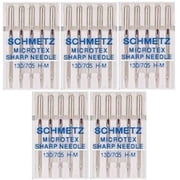
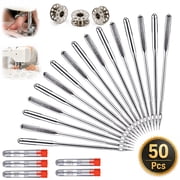
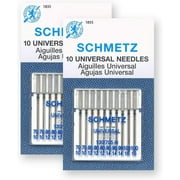
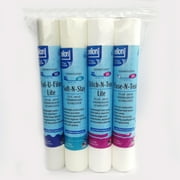
This machine is really great! I gave it a rating of 4 out of 5 because I feel that they should have provided the "starter kit" with this item. I had to wait to try it out because it didn't come with the necessary accessories to make a project so I ordered the kit on Walmart.com. (picture provided on this review). It's a little confusing to use this machine and I couldn't find anything to help on the website. You REALLY need to download the free "dot customizer" app on your smartphone and/or iPad in order to use this machine. The app is free and shows the pre-loaded designs and allows you to design your own item to embroider. When you open the app, you plug your machine in and "pair"it with your phone in order to send the design to your embroidery machine. This machine must be new because I couldn't find any tutorials on line for this specific model. I'm still experimenting with the designs and getting use to the different features and can't wait to put my designs on shirts, jackets, aprons and many other things!
The Elna Air Artist embroidery machine is sleek in design and is WIFI compatible. The Dot Customizer app is used for wireless connectivity. The cons to this machine are the lack of detailed instructions, the hoop wouldn't stay closed, and there was not a light so it was hard to see to thread the needle. The pros are the WiFi/wireless capability, compact design, and the preloaded designs. It is a nice machine and would recommend it if they made the machine a little more user friendly and gave better instructions for users that may more on the beginner level.Overall I think it is worth the cost
I am reviewing the Elna Air Artist wireless embroidery machine as a Wal-Mart Sparks Reviewer. As you can see by the picture this is a very light weight and compact machine which is something that I was immediately attracted to because I do not have a lot of space to store the machine. Plus when I use it the machine sits very nicely on top of my work table in my office. Before you start to set up the machine I would recommend going online and reading the FAQ's and user manuel. I had a hard time following the sheet of instructions in the box to do the set up. I also found watching some u-tube videos helped. My first issue was trying to get the dot customized app to download to my phone but I finally did and got that set up so it would talk to the machine. That is the new feature with this machine is that it is wireless so all your designs are downloaded wirelessly to the machine. This is the fun part having the choice of 260 designs on the app or you can create your own. The app also has a full set of lettering software with 12 fonts you can choose from and a combination of layouts and colors. There is also a preview feature so you can see your design before you print it. Overall just have patience and a lot of time for set up and learning how to work the machine, once it is up and running have fun designing!
Detailed price history for the past 90 days
No Walmart.com pricing data available for analysis.
Third-Party Sellers prices have ranged from $399.99 (Jul 20) to $399.99 (Jul 20) over the past 90 days. Current price is close to the 90-day average of $399.99.
| Date | Price | Change | % Change |
|---|---|---|---|
| $399.99 | $+0.00 | +0.0% | |
| $399.99 | $+0.00 | +0.0% | |
| $399.99 | $+0.00 | +0.0% | |
| $399.99 | $+0.00 | +0.0% | |
| $399.99 | $+0.00 | +0.0% | |
| $399.99 | $+0.00 | +0.0% | |
| $399.99 | — | — |