
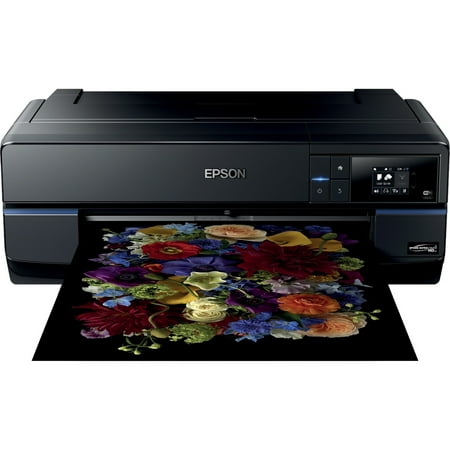
Epson SureColor P800 - large-format printer - color - ink-jet
- Brand:
- Epson
- Model Number:
- P800
- UPC:
- 010343922648
- EAN:
- 0010343922648
- Walmart SKU:
- 46029464
| Price Type | Price | Date |
|---|---|---|
|
Highest Price
|
$2,299.99 | |
|
Lowest Price
|
$1,446.21 | |
|
Most Recent Price
|
$2,299.99 |
Price history data is not available for this product at the moment.
Current Trend: No Walmart.com pricing data available for analysis.
Customer Insights: Rated 4.4/5 from 183 reviews.
The craftsmanship of the printer is superb. The print quality, superb. The instructions superb. There isn't a single thing wrong with this printer. It's a professional quality printer at a very affordable price. Worth twice the cost.
I love my new printer. The output I get is so professional. I print all of my shots myself because I can control the output, and I get to use different papers. This printer allows me to get the results I want. All of my previous printers have been Epson, and I have been pleased with them, but with this one, I get the pro prints without the price of the printer I really wanted. The only negative for me is that it did not come with the roll paper attachment, which has to be purchased separately. I would recommend this printer to a friend.
I upgraded to the P-800 and find that my bird prints, mostly 17x22, of the same photo, have better resolution and depth. This is from a side by side comparison of the same photo with no change of input from Lightroom or the printer. My previous 3880 was an excellent printer but so far I am getting more pleasing prints from the P-800.
This machine is a replacement for and Epson 3800 due to random ink discharge . In many ways the two printers are very similar. This made the change over very easy. I have no technical proof but in my opinion the P800 is superior in matching colour from the screen and clarity of the image. Both machines have the advantage of taking up to 17x22 paper size which for me is a definite advantage.
I am on my second p800 printer, and the prints are great. However, I recommend that if you print fine art don't use the front manual feed tray. You have to disable the sensing of paper type to do it but use the sheet feeding tray. It works on even 17" wide paper. Also, I still can't get the driver to save user-defined sizes. I can access the file to another computer on the network and it works fine. If I use my Windows 10 computer it defaults to letter-size. I have not figured out any other way to get around that problem.
Incredible images but hard to load fine art paper, have lost many sheets of Canson 310gsm Rag Photographic paper using the front loading mecanism the paper hit the back support and gets stuck there and then jams this happens to abou 1 in 3 prints, haven't figured out a way to solve this.
I have been holding off buying a photograph printer due to costs, ink plugging ruining print heads; and, most of all, I didn't think the quality could compare to a light-jet print nor to a darkroom silver gelatin print. When the surecolor ink based printers came out promising less clogging problems and I saw the quality of some of the prints, I decided to take a chance and haven't been disappointed. On color photos, I believe the visual quality meets or exceeds prints from a light-jet printer, in fact, I recently sold a print that I had previously had printed many times before and it was the most attractive print I have ever made or have had made of that image. Black and white printing comes close to a darkroom print visually and of course, digital manipulation is a lot easier than analog printing. I'm not giving up my darkroom yet, but the Epson monochrome prints are visually appealing. Obviously, the jury is still out on print head plugging as I've only been using the p800 a month, but so far, so good
Seems well built and single sheet feeder much improved. Planned to buy roll sheet feeder but a number of other reviewers caution about weak supports that are easily broken. Manual is incomplete, for example does not mention how to feed Epson canvas papers.
When it prints fully the results are beautiful; the problem is there is a 'communication error' partway through printing ALL THE TIME! I have wasted so much ink and so much expensive paper getting half prints. This is a very common issue if you google this printer. The print will in no way resume where it left off and I have to start again with a fresh sheet. The problem persists with both WiFi and USB connection.
I've had my P800 for a little over a year. Works fine when running paper. But when running sheet canvas in it, it claims the canvas loaded skewed even when it did not, and after a few tries, has damaged the canvas. I am finding I am able to utilize less than half of my 17"x22" sheet canvas.
Detailed price history for the past 90 days
No Walmart.com pricing data available for analysis.