
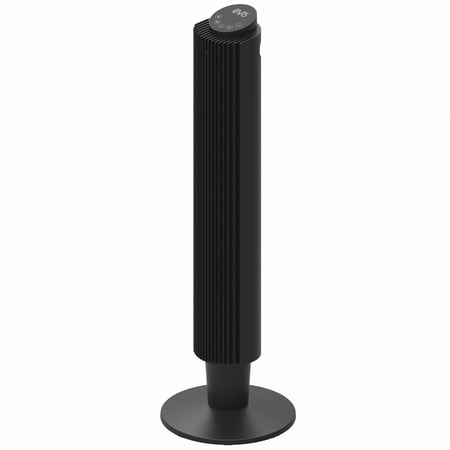
EVO 42" Wi-Fi Electronic Digital Tower Fan (with Remote Control) – 5 Speed Settings, Set Timer From 1-12 Hours, and Built-In Night Light
- Brand:
- EVO
- Model Number:
- TFWIFI1200
- UPC:
- 860011378198
- EAN:
- 0860011378198
- Walmart SKU:
- 6479071928
Market direction turned downward with current $71.99 representing 0.0% under standard pricing.
| Price Type | Price | Date |
|---|---|---|
|
Highest Price
|
$99.99 | |
|
Lowest Price
|
$99.99 | |
|
Most Recent Price
|
$99.99 |
| Price Type | Price | Date |
|---|---|---|
|
Highest Price
|
$99.99 | |
|
Lowest Price
|
$40.97 | |
|
Most Recent Price
|
$71.99 |
Tracking History: We have tracked EVO 42" Wi-Fi Electronic Digital Tower Fan (with Remote Control) – 5 Speed Settings, Set Timer From 1-12 Hours, and Built-In Night Light since 4/9/2025. The most recent price update was on Jun 24, 2026.
Price Range: Over the past 90 days, the price has ranged from $40.97 (lowest on 11/26/2025) to $99.99 (highest on 4/9/2025). The average price during this period is $63.65.
Current Trend: Walmart.com prices have ranged from $71.99 (Jun 24) to $71.99 (Jun 24) over the past 90 days. Current price is close to the 90-day average of $71.99.
Customer Insights: Rated 4.67/5 from 3 reviews.
So, I wanted a better tower fan than the 28'' Mainstays one I bought. Mainly, I wanted one with some form of remote control so I didn't have to get up to adjust the fan speed or rotation. This one fit the bill, is much bigger, and is only ten dollars more so I gave it a shot. To start with, the fan isn't actually 42''. It's 36''. The extender piece is what makes it 42''. I like this. If you're putting it on a floor, you'll want the extender piece to make it taller. If you're standing it on small table or something, then you can forgo the extender piece. Assembly was easy enough. The stand locks into place. It just requires more force than expected to connect the two halves, but wasn't that difficult. The extender piece has two orange parts on it. The bottom orange fastener unscrews so it has to be removed first. From there you have the option of screwing the extender piece to the bottom of the fan and then adding the base and then using the fastener, or you can ignore the extender piece entirely, put the base on, and then use the fastener. The bottom of the fan, the extender piece, and the base all have an arrow that you must align. No matter which way you go, it's very simple to put together. The base has some cable routing in it. Since the fan is so light, this can easily be done by one person. We're given two ways to control the fan. It comes with a small, IR remote. On the top, you have the power and spin buttons. There's a directional pad in the center. Left and right are speed down and up. Up is the timer function. Down cycles through one of the three modes. The center button is the wifi pairing button. Seems simple enough. I have one problem here though. The IR sensor is recessed in the front-middle of the fan. You must aim in that area for the remote to work. It also works through wifi. Setting it up is simple. You just hold the power button on the unit or hold the center button on the remote, open the tuya app, and then add the device using the button. I had no issues with this. Just remember that your phone must be on your home's 2.4G network for pairing to work. You can switch back to a faster network after pairing. The app gives you all the settings that the remote does with a simple touch screen interface. I don't like all the other AI nonsense included in it, but for controlling the fan it works perfectly. Not much to say here. Now for performance. The fan is almost inaudible on speeds 1 to 3. Only on speeds 4 and 5 does it become loud, and even then not annoyingly loud. It moves air well. There's three modes which are normal, natural, and sleep. Normal just has it going at a constant rate. Sleep slowly bring the fan down to the lowest speed. Natural changes the fan speed to mimic the wind. I do not like natural since it makes the fan noisier. The other two are fine. Overall, I'm happy with the fan. I just wish the IR sensor was in a better spot. Wifi control saves the day here. 4 out of 5 due to the IR sensor.
Detailed price history for the past 90 days
Walmart.com prices have ranged from $71.99 (Jun 24) to $71.99 (Jun 24) over the past 90 days. Current price is close to the 90-day average of $71.99.
| Date | Price | Change | % Change |
|---|---|---|---|
| $71.99 | $+0.00 | +0.0% | |
| $71.99 | $+0.00 | +0.0% | |
| $71.99 | $+0.00 | +0.0% | |
| $71.99 | $+0.00 | +0.0% | |
| $71.99 | — | — |