
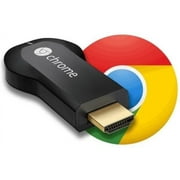
Google Chromecast HDMI Streaming Media Player
- Brand:
- NeeGo
- Model Number:
- VIPRB-GA3A00028A14
- UPC:
- 811571013579
- EAN:
- 0811571013579
- Walmart SKU:
- 33142918
| Price Type | Price | Date |
|---|---|---|
|
Highest Price
|
$69.00 | |
|
Lowest Price
|
$18.00 | |
|
Most Recent Price
|
$59.99 |
| Price Type | Price | Date |
|---|---|---|
|
Highest Price
|
$64.00 | |
|
Lowest Price
|
$64.00 | |
|
Most Recent Price
|
$64.00 |
Tracking History: We have tracked Google Chromecast HDMI Streaming Media Player since 4/28/2025. The most recent price update was on Apr 29, 2025.
Price Range: Over the past 90 days, the price has ranged from $64.00 (lowest on 4/28/2025) to $64.00 (highest on 4/28/2025). The average price during this period is $64.00.
Current Trend: No Walmart.com pricing data available for analysis.
Customer Insights: Rated 4.0/5 from 1915 reviews.
It was hard to install because Google doesn't support this anymore so the instruction page was removed by Google I used Grok to get the instructions. It is a shame Google has discontinued this as i prefer it to the new model which of course tracks you and gives the data to Google. This is why Google stopped selling these because they earn more money on the teacking feom the new model.
Did a lot of research for this product before buying it so I had an idea what to expect but having it in person and finally using it is completely different. Really easy to use if you at least some what know your stuff and its great to share on your tv. When I have family over I'm able to share videos of my daughter instead of passing my phone or tablet around. It's pretty simple, not much else to it and does what it's suppose to. Really convenient, cool and for now it beats getting a smart tv. Can't wait for this product to start growing with more features over time. Do a quick research or watch a YouTube video just so you know the basics.
I was a little weary of ordering it but once I got it installed, it is great. I think it does the same thing as an HDMI cable, but completely wireless, which is nice. Installing it was simple and fast. I am not sure how hot it gets yet as some other reviews said it gets hot. I love the product so far and no complaints at all. I use it with a Dell Laptop. I can continue to browse the Internet while watching a movie using Chromecast on Chrome - the browser. I have not tried the Music feature yet. I was more interested in streaming Netflix movies from the Internet. It is perfect for that.
We purchased this to use on a tv in a room where we don't have a Blu-ray player so we could watch Netflix. This little $35 device is great! Plug it in, download the Google Chromecast app on the iPad and it will walk you thru all of the steps to a set up. We watched a couple movies last night and the quality of the images are great! I will absolutely be purchasing several of these for Christmas gifts for family & friends because I cant imagine anyone who wouldn't be able to enjoy & get use out of this. This is much cheaper than purchasing an extra Blu-ray for a room that we don't use very often & since it is so small and easy to plug & un-plug we can move it from room to room if we need to. If you are thinking that you might want one of these I highly recommend that you go out and get one and give it a try.
Good media streamer for the price. But to compare to an other media streamer I have, the other one wins for having many more channels (app) to stream and also having a real remote control is better. Chromcast has a virtual remote control in each individual application that you use to control pause, play, etc from your cellphone, tablet/laptop or pc that sometimes freezes or stops working in some applications and/or devices. Chromcast has updated its application to inlude a screen cast (what ever you see on your device screen you will also see it on your tv). But is in beta , needs some improvements and only works in devices with 4.4 android/kitkat versions.
Aft first, this unit seemed like almost nothing, until I understood how it works. Basically, it allows you to project Netflix, YouTube, Hulu and others on your HD-TV from your computer, iPad, Table or even your phone. It's a simple way to show the contents of your Chrome web browser on your HDTV controlling it from your computer. It's very simple to plug in. It has it's own power supply, or you can use a USB output on your TV to power it. There is a website under Google's main site that devotes itself to explain more about it and what you need to do to get it working.
advertising from Google made me believe that the product would send content from my android phone and android tablet to TV, since they said it supports Android 2.3+. But, it turns out my system (Jellybean 4.whatever) isn't supported, nor is any other android phone content. Really disappointed, because the reason I bought it was for my ex wife who's eyes are failing and she loves to read, so she could sent her books to the TV for easy reading (Google books not supported either). Come to find out, Google did an update to Chromecast that eliminated a lot of functionality and seems to be concentrated on partnerships with mostly paid subscription app. providers (Netflix, Hulu, etc.) for streaming through the device. Overall, I think I wasted my money.
Got this to cast a chrome tab of a tv show. Casting didn't work from the laptop i needed it from. My laptop (2011 MacBook Pro, 4GB, i7, OS X 10.9) it was laggy between video and audio to the point of unwatchable. Thought it might be the wifi connection so I tried plex from my iPhone, worked nicely. Already have a Roku at that location to connect to Plex so I returned the Chromecast and won't be getting another.
Reading about Google ChromeCast, it sounds like it beats out competitor products on both value and on ability, but the reality is, ChromeCast is so cheap, because it's doing so little. The reality is ChromeCast is nothing more then a portal that redirects streaming from other devices to your TV set. That's it. It isn't like other devices that actually does the streaming itself. Further, the set up is ever so slightly complicated, people who do not understand basic things such as wifi, networks, passwords and gateways won't be able to set this thing up without help from a friend. Further, while it advertises to be easy to use, it isn't exactly what I'd call "easy", I thought the ChromeCast "software" for mobile phones were going to be like a keyboard, but it isn't. It's basically the software to set up the device on your WiFi network and then it's no longer needed. How you actually USE ChromeCast is a little confusing at first because there's so little documentation. You basically have to already have any supporting apps installed on your mobile device (NetFlix, Pandora) and then run them from your phone. While streaming from your phone, there's a little icon on the phone to send the stream to your Google ChromeCast device. In the end, I feel like this device is overly complicated for what it actually does and is actually a waste on resources. If you buy an actual streaming device, or a TV that supports NetFlix, you are done. With Google ChromeCast you have to be running the display, ChromeCast and a mobile phone and it just seems excessive. To give you a better idea, I bought this for my Mom, because her DVD player supported NetFlix, but it was kind of slow and laggy and took awhile to load up. After playing around with ChromeCast, she actually prefers using the slow, laggy DVD player supported version of NetFlix. On other thing, ChromeCast does not always stream in HD, there's been a lot of times that the picture quality is well below average, meanwhile the DVD player supported version of NetFlix displays everything in the highest supported resolution. In the end, waste of time, money and energy.
I spent hours to try to set it up. First with my desktop computer, and finally looking into google troubleshooting site found that it is not supposed to work with desktops. Then I tried my laptop, and was able to get to step 3 but after that the device was not able to find my network. After spending several hours with it, and finding more and more complaints from unhappy customers who were asked to re-configure routers, or buy new ones, etc, I decided to return the item before the Walmart return policy expires. Don't recommend this item unless you are a real savvy who can re-configure routers and Wi-Fi boxes (still not clear that the unit will run. Clearly not for me. Here is a link with the "known problems" that Google has recognized with different routers and they tell you if there is a work around it: https://support.google.com/chromecast/table/3477832?hl=en&ref_topic=3205565. Mine doesn't have a solution listed
Detailed price history for the past 90 days
No Walmart.com pricing data available for analysis.