
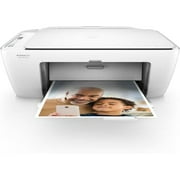
HP DeskJet 2655 All-in-One Printer | Print, Copy, Scan | White
- Brand:
- HP
- Model Number:
- 2655 All-in-One
- UPC:
- 190780931660
- EAN:
- 0190780931660
- Walmart SKU:
- 56070071
| Price Type | Price | Date |
|---|---|---|
|
Highest Price
|
$69.99 | |
|
Lowest Price
|
$69.99 | |
|
Most Recent Price
|
$69.99 |
Tracking History: We have tracked HP DeskJet 2655 All-in-One Printer | Print, Copy, Scan | White since 2/16/2025. The most recent price update was on Jul 28, 2025.
Price Range: Over the past 90 days, the price has ranged from $69.99 (lowest on 2/16/2025) to $69.99 (highest on 2/16/2025). The average price during this period is $69.99.
Current Trend: No Walmart.com pricing data available for analysis.
Customer Insights: Rated 3.9/5 from 305 reviews.
i have purchased two other well known printers over the years. one i came to hate and the latter the ink is outrageous. so at this price i decided to try hp. I LOVE THIS PRINTER. start up was easy. easy scan. prints COLLATED!!! printing menu is not the best but it will do. and ink is affordable!
It was time to replace my printer/copier/scanner as it was so old the ink cartridges were going to cost more than a new printer! I was looking for a decent printer at a decent price. So I took a chance on this one. Didn't want anything elaborate, but dependable and user friendly. Love this printer. It was up and running in no time. User friendly, prints quickly and with a nice quality. It is a perfect size, and I like how it keeps you notified of ink status.
Easy to set up. I was disappointed that the instructions were so vague, but that's what the web is for. Print quality is great. I like the wireless function.
I’ve tried two other wireless printers within the last couple of months. Had nothing but connection issues! This Printer was very easy to connect & use. I’ve owned now for over two weeks with no issues whatsoever. iCloud, Airdrop & print from file, Safari etc, NO Problems! Highly recommend this Printer ;)
Despite some reviews claiming that setting up and connecting online was difficult, I found it to be very easy and also very quick. I went to the 123 website, downloaded software, followed prompts, connected the enclosed USB cable to my laptop and done! Popped in the enclosed printer cartridges and was printing and scanning and copying. Nice copies, easy to use. and an option to get a great deal on printer cartridges - which I signed-up for, after doing my math. And, can't beat the price for the value!
This is my first wi-fi printer & the directions to hook it up were virtually not much help. Thankfully, I had a printer connected to my desktop & found out how to connect via settings on my laptop. After getting it to work quickly, my only problem is the buttons are flush with the printer & you really have to hold them down to get them to work, such as on & off. It is good for the price!
Had to buy a printer for home to use during the Coronavirus. This printer uses to much ink . I am on my third set of ink cartridge in 2 1/2 weeks. HP may have a better printer but I don't recommend this one.
This was on sale, but when I got it set up, you could not use the wireless printer and ended up using a patch cord. Prints ok, have tried to print pictures with it and does not work. If you just need this for occasional printing then your good to go. would not recommend this product.
HP used to make a good printer. Now they are in the software and data collection business. Now their junk is complicated and does not work. Really HP what are you doing?
I bought a Deskjet 2640 in March 2020 and a similar model this fall. While the one last year lasted for six months in daily use. The one I bought in the fall barely lasted a month before I had constant paper jams.
Detailed price history for the past 90 days
No Walmart.com pricing data available for analysis.