
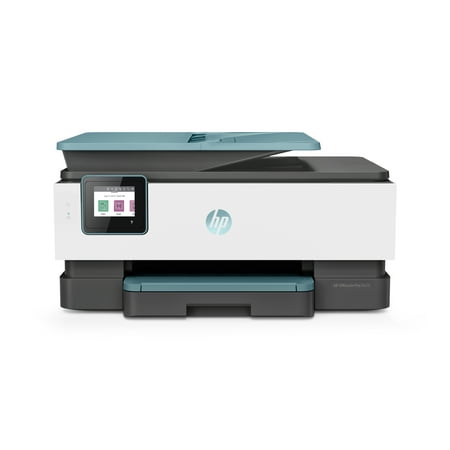
HP OfficeJet Pro 8028 All-in-One Printer Oasis
- Brand:
- HP
- Model Number:
- VIPRB-980198725
- UPC:
- 193424632367
- EAN:
- 0193424632367
- Walmart SKU:
- 811763083
| Price Type | Price | Date |
|---|---|---|
|
Highest Price
|
$279.00 | |
|
Lowest Price
|
$272.00 | |
|
Most Recent Price
|
$279.00 |
Price history data is not available for this product at the moment.
Current Trend: No Walmart.com pricing data available for analysis.
Customer Insights: Rated 4.4/5 from 245 reviews.
I needed a copier with a feed feature as I print many copies at once. I think I can double side copy although I haven't tried that yet. I was very disappointed that the FAX ability was impossible to hook up (that is one factor in me buying it). I only have one phone line with an answering machine. It wanted to go to FAX mode in 2 rings (don't quote me on that!). I called support several times and still could not resolve the problem. I have given up on faxing.
Great printer. I had an HP before but it was single feed scanning and did not hold much paper to print. This one holds about 200 to auto feed for printing and I can place several pages if I need to scan. Printing speed is decent, with all that said if you can dish out more on a printer I recommend this one since it will last over time.
The HP OfficeJet Pro 8028 is a dependable printer and the ink lasts longer than our previous printer. It can be set to turn on and off at specific times. The quality is great for business and personal and business, makes two-sided copies effortlessly. I would recommend it to family and friends.
I love this all in one. I read the reviews before purchasing as always. I purchased this item and ordered ink at another store. I've had no trouble with it at all. I did not get the subscription for ink because it is used randomly for the most part and not knowing when I'd need ink again I just didn't subscribe. I've used card stock as well as regular paper and both have fed through perfectly. I've scanned many things to my computer with no problems. I've done two sided printing and love how I don't have to physically figure out which way to put the paper in and hit print again. I love that feature most! I bought this to use for work things but it does so great I've actually been printing a lot of transcripts for my personal use also. Yes the paper tray is plastic but in my experience most of them are. I've had no issues or problems opening and closing the tray. I do not feel like it will break. I can't say enough good about this printer. I don't use the fax option because I don't have a phone jack in my home office and you can scan and email most things now days. It looks like it would be easy enough to use if I needed it. I raved about it to my boss so he had me order him one. He got it set up without help (not a tech guy).
Needed a new printer quickly, and always buy HP products. Surprised at lack of availability, but saw this one that looked like it had what I need. It is an all-in-one and wireless. Set up was easy, but the size and boxy style look dated. Individual ink cartridges is a nice feature, but replacing them is convoluted. Been using it for a few weeks, and so far so good. Hope it lasts as long as my last one.
Nice, compact, all in one printer. However, not designed for volume printing. Small paper tray. Small (and expensive) ink cartridges. HP goes to a lot of effort to hook you on monthly "instant ink" subscription.
THIS PRINTER IS FAST AND EASY TO SET UP. MY PREVIOUS HP HAD AN ISSUE WITH COLOR ALMOST FROM TEH BEGINNING AND HP WOULDNT FIIX IT. I ADDED A SERVICE CONTRACT SO, THIS TIME, THEY WILL HAVE TO REPLACE!
Very easy to unpack and get ready for use. Easy to install software. However, AFter not using the printer for 4 days, it went into a permanent SLEEP mode! Was not even able to manually turn it off. The display screen was black and would not activate. Ran HP Dr with nothing showing. I unplugged and waited about 10 seconds and then plugged back into electrical outlet and all is back to normal again. I am hoping that this does not become the normal routine.
HP is a great company. I usually love their printers. I was unable to get the printer to work on taking it out of the box. Once installing the printer cartridges, I received an error message PROBLEM WITH THE PRINT HEAD. EVENT CODE 62.80.13. The printer would not print the alignment page so that I could proceed to connect it via wifi to the computer. I removed the print cartridges and re inserted them. I turned the printer on and off three times. I called tech support at HP. Because removing all the cartridges still caused the error code listed above, he said it was a hardware issue with a faulty printhead. They asked for a receipt of purchase. When I sent them a copy of the emails from Walmart of my purchase on Mar 28 -2026 and delivery on April 1-2026, I was informed that they were just a statement of how I paid for the printer. I have no tech support, and sadly, I must return the printer, because it does not work as expected.Actually it does not work at all. For that matter,I would have rated it as a zero , if I could have.
will be taking this back to Sam's it has to be rebooted every time you want to make a copy from the laptop it ridiculous. They had me remove program and reload it three different times. continually get error code HP can't or wont fix it. Had another HP never had a problem till it quit working. Could print from phone or laptop.
Detailed price history for the past 90 days
No Walmart.com pricing data available for analysis.