
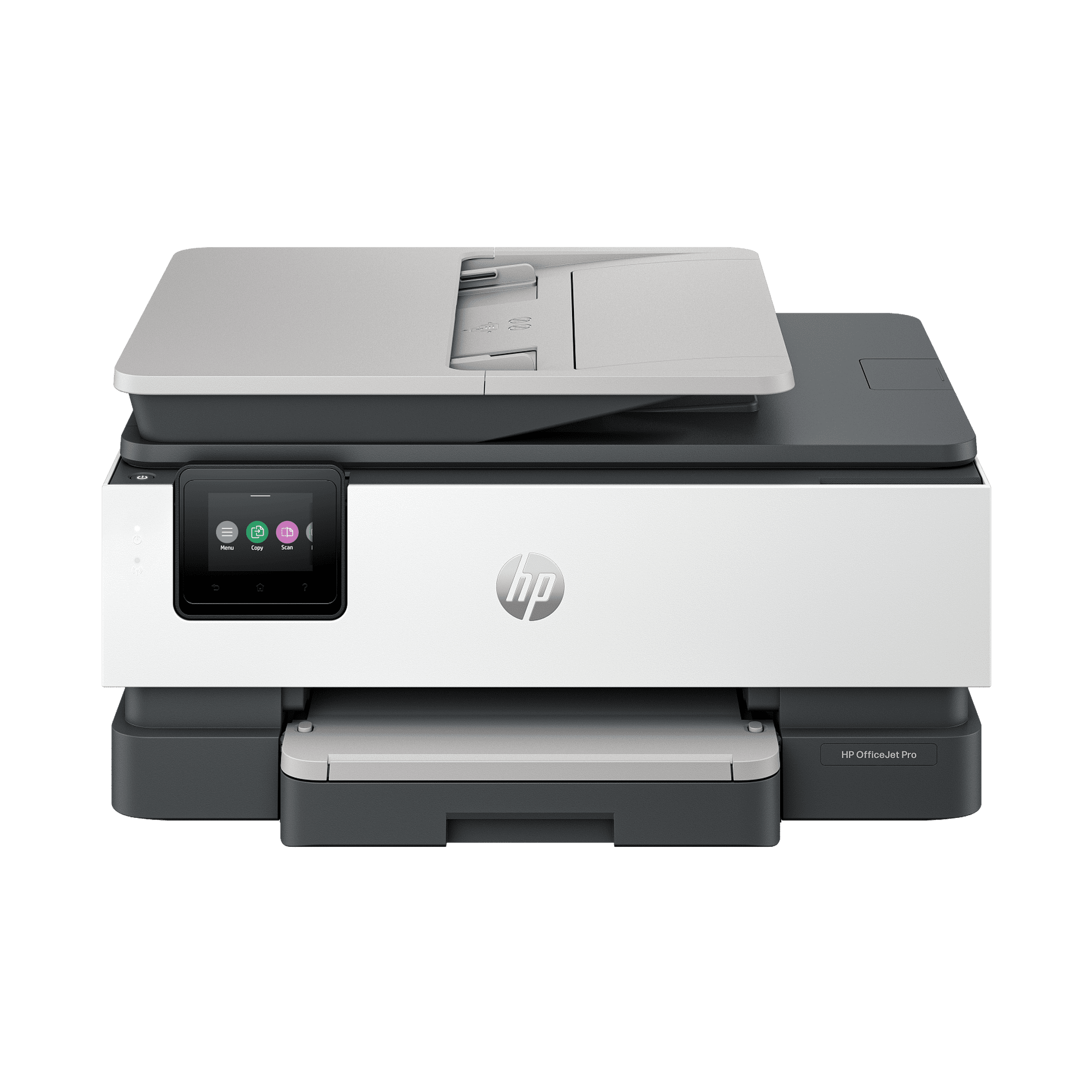
HP OfficeJet Pro 8135 All-in-One Printer with 3 months free Instant Ink, AI-capable
- Brand:
- HP
- Model Number:
- C2VK1A#B1H
- UPC:
- 199485545103
- EAN:
- 0199485545103
- Best Buy SKU:
- 6673908
- Walmart SKU:
- 20566802414
| Price Type | Price | Date |
|---|---|---|
|
Highest Price
|
$239.99 | |
|
Lowest Price
|
$151.90 | |
|
Most Recent Price
|
$159.99 |
Price history data is not available for this product at the moment.
Current Trend: No Walmart.com pricing data available for analysis.
Customer Insights: Rated 4.6/5 from 35 reviews.
[This review was collected as part of a promotion.] I finally found a printer for my home that I love. This printer does everything I need it to do. The printing is clear and sharp. I enjoy that HP keeps track of my ink and ships when needed. Such a handy feature. I've never printed so much. The only thing I had trouble with was connecting to my laptop but that's probably because I'm not very techy. Other than that setup was simple.
[This review was collected as part of a promotion.] So I got My All in One HP8135 I'm pretty excited that I was able to get this for this price and discount we really needed one at the house. This was the perfect printer. Setup was quick, and connecting to Wi-Fi was simple. I love that It prints sharp black text and vibrant color documents with impressive speed. This printer great. It prints scans and copies and faxes. You can use this machine for any and everything that you need. The touchscreen is easy to navigate, and the HP Smart app makes printing from my phone convenient. Overall, this printer is reliable, user-friendly, and a great choice for home or small office use for everyday use. I would recommend this to family and friends.
[This review was collected as part of a promotion.] Purchased this HP Office Jet pro 8135 All in One printer scanner and it has upheld all my expectations and has proven to be effective for my everyday home tasks. It was easy to connect and setup the printer and took about 15 min from unboxing to getting it ready for printing and scanning. Prints a decent amount of page per minutr and would say it has practical speed for personal use. Print comes out sharp and crisp, scanned copy or documents are clear and no blurr at all. The only con i felt observed it the lid design. The flatbed or lid does not hold itself when changing the cartridge so becomes a little awkward to hold the flatbed and insert the cartridge. But overall a fantastic printer scanner which is worth your money..
[This review was collected as part of a promotion.] The HP Officejet Pro 8139 All-in-One Printer is very easy to set up and works great. Set up is easy using your phone. You scan a QR code and start in your browser, setting everything up. Then you switch to the HP app to complete the setup. The print quality is great. It is neat and clean. I really like that they went to single ink cartridges for each color instead of the Tri-color cartridge and black cartridge. And the printing speed is excellent.
[This review was collected as part of a promotion.] I've been using the HP OfficeJet Pro 8139 for two weeks now, and it has exceeded my expectations. Setup was quick and easy, and connecting it to WiFi through the HP Smart App was simple. The printer produces sharp text and vibrant color documents, making it great for both everyday printing and professional work. The auto document feeder and duplex printing heaters save time and make handling multi page documents more efficient. Wireless printing from my phone and laptop are reliable and gives the ability to scan directly from HP Smart app. Overall, this is a dependable all in one printer that offers excellent print quality, useful productivity features, and reliable wireless connection.
[This review was collected as part of a promotion.] I've been using this printer for a while now, and I have to say I'm really impressed with it. It's very functional and incredibly easy to use. It connected seamlessly to my computer as well as all of my other devices. One of my favorite features is how easily it connected to my iPhone. I've had trouble connecting other printers to my phone in the past, but this one paired quickly and securely without requiring me to download any additional software. The app is also very user-friendly and makes it easy to print documents, photos, images, and even my school projects. Another thing I really like is how economical it is with ink, and replacing the ink cartridges is simple and hassle-free. The paper tray is conveniently located at the bottom, making it easy to load paper whenever needed. Finally, I love that it can both print and scan, which makes it even more useful for everyday tasks. Overall, this printer has exceeded my expectations, and I would definitely recommend it.
My previous HP Inkjet printers and my HP laser printer were just "there" on the Wi-Fi network and anyone on the same Wi-Fi network was able to quickly and easily choose a printer and send a print job to it. This printer is "there" but selecting it as the destination for a print job involves a "wait for a connection to the printer" and a risk that the printer will spit out a blank page along with displaying a "Cancelled" message on the printer itself. Sending the job again has, so far, resulted in it being printed. Further, there is a significant time-delay before printing begins. A really nice feature is the printer control panel displays the name of the file being printed. I like that. After getting this printer to work on my desktop (also HP) Windows 11 system, I had to tinker with each of our two HP laptops (also Windows 11) computers to ensure they could easily print to this new inkjet printer. The first time I tried, HP Smart showed the old printer I had removed as still in my account and I made no progress. The next day, the "ghost" printer was gone and printing just worked! The next day and the second HP laptop went smoothly. Apart from the rather long delay before printing actually begins, this new printer is doing just fine. (Watch out because it does seem to prefer "Landscape" printing and you must specify "Portrait" if that is what you want.)
[This review was collected as part of a promotion.] I never had an HP printer before this. As soon as it arrived, I was pleasantly surprised as to how light weight the product was. It was very easy getting it out of its box, with its included handles on the plastic wrap/baggy it was in which i very much appreciated! The setup and ink installation was a breeze. Only took less than 10 minutes to do everything. Scanned the QR code for the step by step guide, which was simple to follow. Got my HP app installed and ready to use. I love that i don't need a USB/Ethernet to use this printer, as im mostly going to stick with my phone app to access the printer, and I probably don't have open plug space on my computer any way. All in all, im a very happy HP printer gal!
[This review was collected as part of a promotion.] The HP OfficeJet Pro 8139 works great for my home office. I have had this printer for about a month and haven't had any issues. The print quality and speed are more than sufficient for my needs. I routinely use the build-in scanner to scan to my phone, tablet, and computer. The copier works well and is quick. I find the touch screen controls to be intuitive and easy to navigate, however I do most of my navigation with the phone app. The ability to have an app made setup and modifying settings easy and relatively quick. I did have some initial connectivity issues during the setup process. After that it seems like the printer has been working well. This printer came with 12 months of HP's instant ink feature, where ink will automatically be sent directly to my house. I was a little reluctant to try this feature, however with 1 year included, I figured why not. The subscription setup was easy. After the initial trial, I hope to have a better understanding of my usage and I can modify the subscription to meet my usage needs. Printing has been great, with quick printing, good quality, and no issues so far. I did have a small glitch with the instant ink not registering properly and temporarily blocking access to printing properly. This was fixed once I made sure everything was connected to the internet. One feature I really like is the ability to send a fax from the printer. With most people no longer having a traditional phone line, this is an unexpected by great feature. Overall, I have found this printer to be dependable, user‑friendly printer, and packed with great features. The Instant Ink will be nice, as I won't have to worry about running out of ink any time soon. This printer offers great value
It prints ok. I am not very high tech, I had to have my son set it up. The touch screen doesn't always work very fast. It is hard to get to some of the areas on the touch screen. It prints ok.
Detailed price history for the past 90 days
No Walmart.com pricing data available for analysis.
Third-Party Sellers prices have ranged from $151.90 (Aug 9) to $239.99 (Aug 20) over the past 90 days. Current price is close to the 90-day average of $172.75.
| Date | Price | Change | % Change |
|---|---|---|---|
| $159.99 | $+0.00 | +0.0% | |
| $159.99 | $-80.00 | -33.3% | |
| $239.99 | $+88.09 | +58.0% | |
| $151.90 | $+0.00 | +0.0% | |
| $151.90 | — | — |