
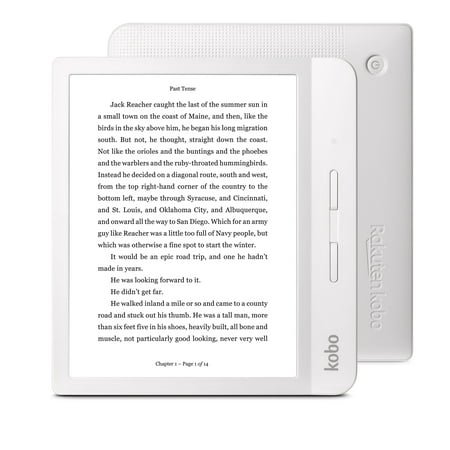
Kobo Libra H2O (White)
- Model Number:
- Libra H2O
- UPC:
- 681495007806
- EAN:
- 0681495007806
- Walmart SKU:
- 359341062
Current pricing at $229.12 reflects recent market activity, running 0.0% below the 90-day average.
| Price Type | Price | Date |
|---|---|---|
|
Highest Price
|
$127.00 | |
|
Lowest Price
|
$127.00 | |
|
Most Recent Price
|
$127.00 |
| Price Type | Price | Date |
|---|---|---|
|
Highest Price
|
$299.99 | |
|
Lowest Price
|
$200.34 | |
|
Most Recent Price
|
$229.12 |
Tracking History: We have tracked Kobo Libra H2O (White) since 3/29/2023. The most recent price update was on Jun 8, 2024.
Price Range: Over the past 90 days, the price has ranged from $200.34 (lowest on 3/29/2023) to $299.99 (highest on 8/2/2023). The average price during this period is $239.56.
Current Trend: No Walmart.com pricing data available for analysis.
Customer Insights: Rated 4.4/5 from 207 reviews.
I've owned a kobo glow. A kobo Aura one. I've also used Kindle devices.this is by far the best one I've had yet. The screens a little smaller than my Aura one. But it's a much easier reader to hold one-handed. The other devices were little more complicated to hold one-handed. This one is also lighter and has the page turning capability buttons plus the ability to use touchscreen. It's a lot more responsive than my aura one when I go to type things in with the keyboard it works far superior. It also was easier to set up and seems to work well with kobo books Walmart books and overdrive. I highly recommend this device over any Kindle. It's reasonably priced. It came in perfect shape and Walmart shipped it in a very fast manner by FedEx. It was nice to have it right on time when they said it would be here. Order this device and you'll be happy with it.
Have only had this device for a week, but I think it is great. With the software on this device, I can easily access my local library and borrow books for free. Haven't bought any books as yet, but the available list is impressive. I have been an avid user of the public library and rarely purchase books, but I like the idea that I could purchase one if I wished.
This Ereader is just as good as Kindle Oasis if not better! You have the luxury of reading library books besides Kobo/Walmart books which I might add is a huge selection and affordable and a lot of free ones. It is easy to hold and lightweight and I enjoy using the physical turn buttons and also like the page orientation that enable left handers to use. The cool light is very bright and can easily be adjusted and the warm light for night reading can be set automatically to time to turn on. You can save $80 and have no regrets.
Incredible battery life and a wonderful little product. This is my second. It's a great way to not use Amazon and to use your own epub files without any special tools. Simply drag and drop the files to the device (attached via USB). Use with Libby for library stuff, it's a slam dunk. Not too expensive and excellent "paper" quality. It's hard to not recommend. Dyslexics like me will be happy to know that the OpenDyslexic font is preinstalled so you can read easily.
I absolutely love the size and weight. My hands aren't as strong as they once we're and holding a book became quite uncomfortable. This has allowed me to get back to the true passion I have for reading️️.
I bought the Kobo Libra H2O. Build quality is super nice. Saw lots of reviews comment about being made of plastic. I actually love the material and how small it is for a 7 inch eReader. Feels great in my hand and better balanced and easier to hold than any Kindle that I have tried (including the Oasis similar model). Love the backlight candlelight color capability. Screen is nicely responsive including typing on the virtual keyboard. Setup was easy. Exactly what I was looking/hoping for.
Actually like the interface better than the kindle, especially being able to borrow books directly on the device from my local library. Also, love the ability to put my epubs directly on the device.
love the libra h20. beautiful screen and lightning perfect size with access to the library built-in. also gutenberg ebooks are easily accessible with the browser for free download. I also like the weight of the libra h20. I got a white one with the grey cover which is really versatile. Amazon has discontinued the lending library recently was the motivation to consider this upgrade and I couldn't be more pleased. The Walmart/Kobo store is very user friendly as well Only trouble is I have a hard time putting it down.
It wasn't very intuitive for me to set up. Once I got it set up, though, it's very simple to use and I really like how easy it is in the eyes when I am reading in bed at night.
Battery is of very short duration (only 7 hours) even though the advertisement is weeks of life. Also if you use Overdrive, the book does not show up when you take it out. You have to go looking for it.
Detailed price history for the past 90 days
No Walmart.com pricing data available for analysis.