
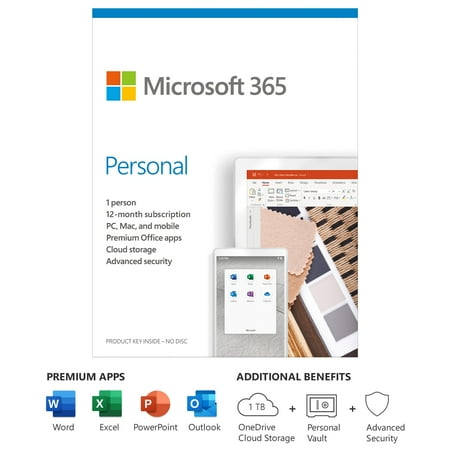
Microsoft 365 Personal | 12-Month Subscription, 1 person | Premium Office apps | 1TB OneDrive cloud storage | PC/Mac Keycard
- Brand:
- Microsoft
- Model Number:
- QQ2-01024
- UPC:
- 889842472196
- EAN:
- 0889842472196
- Walmart SKU:
- 703894216
Market rate of $84.33 positions buyers 0.0% under the established average.
| Price Type | Price | Date |
|---|---|---|
|
Highest Price
|
$98.90 | |
|
Lowest Price
|
$42.99 | |
|
Most Recent Price
|
$98.90 |
| Price Type | Price | Date |
|---|---|---|
|
Highest Price
|
$84.33 | |
|
Lowest Price
|
$69.99 | |
|
Most Recent Price
|
$84.33 |
Tracking History: We have tracked Microsoft 365 Personal | 12-Month Subscription, 1 person | Premium Office apps | 1TB OneDrive cloud storage | PC/Mac Keycard since 11/20/2024. The most recent price update was on Sep 23, 2025.
Price Range: Over the past 90 days, the price has ranged from $69.99 (lowest on 11/20/2024) to $84.33 (highest on 9/23/2025). The average price during this period is $72.04.
Current Trend: No Walmart.com pricing data available for analysis.
Customer Insights: Rated 4.4/5 from 306 reviews.
In the past I had a hard time with downloadable software. I always wanted to have an actual disk to install for this reason. I had heard from others that they struggled with downloading software also, the consistent tip I received was to uninstall the old software first. I did this and it seems to have made the difference for me. I did not try it first without the uninstall. I was concerned I'd get frustrated again. The downloadable link was available right away and it downloaded in just a few minutes. I was able to validate an account with Microsoft quickly. It took a total of 25 minutes to do everything, from installation to registration and everything in-between. This included children interruptions. The download was quite intuitive. I don't have a lot of patience for lengthy instructions and this worked just fine. I was a little concerned that the personal version might be lacking some of the features of the professional version, but it doesn't. It is not a stripped down version, it's just to be used for personal use instead of commercial use. It had everything in wanted and needed for a much lower price. I was able to jump right into excel and powerpoint and get my projects done. It gave me an option for a free month if I turned on auto bill. BONUS!
I have long been a fan of the Office Suite! Back in my college days I even took a class that went into depth on each of the products; so I really enjoy each of the products included in the Office Suite. I use Word to type everything from letters to this review, as well as craft cute announcements for things like BBQ's (family or work). Excel I use routinely to manage addresses (so I can import them into Word to create mailing labels with ease) as well as keep our check book. I love, love, love Outlook for my email. Power Point and One Note are great too- though I use them less frequently (our kids use them often for school work, however). I used both of those very frequently in college, as well. I love the tutorials and that the kiddos and I can teach each other different little things on each product as we go along. I love the pin to get into my PC instead of a whole password (helps it boot up much more quickly) and that Microsoft will auto bill me within my account. I definitely recommend the Microsoft Office Suite to everyone- I absolutely love the functionality and advanced technology.
The last Microsoft Office I used, was the 2007 version. By choice, I haven't worked in several yrs, so I let my subscription expire. I got the opportunity to review the Microsoft Office 365, and thought it was time to get things back on hard copy, and out of paper notebooks. I find that the Office 365 package is a little different than previous 07 version, but still easy to use. It took a little over an hour to install, and gave me six different programs. "Excel" is one program that I wanted, it's a spreadsheet program, and I will be using it to keep track of our budgets, and personal financial data, etc. The "PowerPoint" lets you create awesome slideshows for any group, business or personal. "Publisher" has a large selection of pre-designed templates, to create professional newsletters, marketing materials, or your own greeting cards, and labels, there is virtually no limits. "Outlook" keeps all your data on all your devices, safe from cyber threats, like malware, unsafe attachments, and unknown links. "Word" has technology that corrects spelling, and makes grammar suggestions, and even lets you change your Font style, and size also you can go from pen and paper to digital inking. "Access" is database management for small businesses, you can collect, and track data from multiple sources, like a customer contact list from your desktop, without going through an IT administrator. These programs offer so much more than I can write in this review, and they're all bundled together in the Microsoft Office 365, so if you are a small to medium business owner, this would be one of your best investments, after all, the brain work goes a tad smoother with a little electronic help.
Everybody needs Microsoft Office to function in business and in school these days. Great products within. Easy online access to all the good programs.
It’s just original sealed Microsoft 356 Personal box with key inside, as stated. Somebody in comments said it’s 12 months trial (so you have to subscribe after it ends), so I was little afraid if I can use it, since I already have monthly subscription, and just wanted to buy something cheaper for a whole year. And trial usually means this is your first try of the product. But everything went fine. I think it was just improper word usage of commenter. I’m happy with the purchase.
I have really enjoyed getting to download the Microsoft Office 365 Personal 12-month subscription. I love using Microsoft Word and using its seamless properties as I can use its many layouts for resumes, letters, blank documents, and so on! Little did I know that it would even sync up from my account on my laptop to my app on my phone! I do not even have to email the document to myself anymore! I usually use Microsoft Word for writing reviews and now I can do it so much easier! I frequently use the spelling and grammar check and word count. They are so helpful, but the possibilities do not end there! Change your font, use the thesaurus, create bullet points, and so on! Then, Microsoft Office also includes PowerPoint, Excel (spreadsheets), Outlook, OneDrive, and OneNote! Everything you need to stay productive straight from your phone or computer is included in this jam-packed subscription. Microsoft office is now more modern and far easier to use and navigate through the many apps it provides. The PowerPoint app does not disappoint with great graphics, seamless slide creation, and easy to maneuver designs. You can easily create a professional or college-level presentation to match your level need! I love the many aspects to this wonderful subscription. I highly recommend buying as it is really worth it!
I used this Microsoft Office 365 Personal | 12-month subscription for my families computers. I like that it can be used on multiple devices and is easy to setup up with just a code. A key code was set to me email and that was it. No physical cd or card was send. I didnt hav to wait for it to be shipped. I liked that the most.
i received the Microsoft Office 12 month subscription for 1 user. I have used Microsoft Office for years at my work and was happy to be able to utilize these products also at home! I am really good at excel and find it so easy to use. You can do so many formulas and such in excel that it makes it the perfect thing for me to use at my banking job because I add large volumes of numbers. The install was easy and all you need is your personal code. I also like that this even includes the one cloud storage! That was a nice added bonus and I have not used the cloud storage very much so I am glad to utilize this! I also frequently use word and it is a trustworthy product that I can easily use. This product says a 12 month service is the only bad part what happens at the end of the 12 month. There is no physical product with this it is just a code that you need to download. Easy enough to download and get it going. I like that it also comes with the entire suite of products. I have recently gotten to the other products such as PowerPoint for some work presentations, very easy to import pictures and create a slide show.
This one-year 365 Personal code worked fine. You can load up to 5 years' worth with Microsoft. Since this was the lowest price I could find, I came back and bought another.
Microsoft Office 365 Personal | 12-month subscription, 1 person, PC/Mac, I will start saying that I am not an expert on computers but at least I know how to download a program to my computer this subscrption give me problem from the beginin to get the valid code, then to eun it on my computer was not possible it brings an error in the screen so I called to a number showed this error, I spoke wirh a representarive but when he answer I did not sound like a big company, it sounds more like a home business well the of the conversation was That I will have to buy a program like an antivirus for $150 dollars so I can not say is this subscription is good or bad because I'm not even sure if it's running on my cp or not.
Detailed price history for the past 90 days
No Walmart.com pricing data available for analysis.