
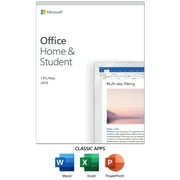
Microsoft Office Home & Student 2019 | One-time purchase, 1 device | PC/Mac Keycard
- Brand:
- Microsoft
- Model Number:
- 79G-05186
- UPC:
- 889842474091
- EAN:
- 0889842474091
- ASIN:
- B0869GKYW7
- Walmart SKU:
- 642331512
| Price Type | Price | Date |
|---|---|---|
|
Highest Price
|
$114.49 | |
|
Lowest Price
|
$94.49 | |
|
Most Recent Price
|
$114.49 |
Price history data is not available for this product at the moment.
Current Trend: No Walmart.com pricing data available for analysis.
Customer Insights: Rated 4.2/5 from 206 reviews.
All the things you expect and familiar with Excel, Powerpoint and Word but better. It has a cleaner interface with no bulk. Everything seems more intuitive. Loads fast. I appreciate the easy to use tutorials. Beginners and advanced users will probably learn something new. I plan to go through each one since I use MS Office at work too. I'm running Windows 10 Pro and installed in less than 10 minutes.
The Microsoft Office Home and Student 2019 Key Card was super easy to install on our Mac. Confession time - I have gotten lazy about using my work laptop to quickly create documents for personal use, and I know that is not most ethical choice I can make, so I was thrilled to install the Office Home apps on our personal Mac. This one-time purchase includes classic 2019 versions of Word, Excel and PowerPoint. It also includes Microsoft support for 60 days at no extra cost. The installation was quick and easy. I'd never installed Microsoft apps on a Mac so I wasn't sure if it would be difficult but it was as seamless as a regular PC installation. You can't go wrong with this purchase!
My sons needs were met and so were mine with this Microsoft package. The install was difficult I had to uninstall all old programs I had before I could get this to install correctly many hours of failed attempts with customer service which was terrible for me to figure that out on my own. I was able to create slideshows and documents so easily with the help of templates. My son's report papers looked great and were easy for him to maneuver through the settings and find the things he needed. I highly recommend this to any household with children in school or college student it has everything you need for everyday needs. My favorite project was the calendar I was able to create and print out for our command center totally customizable.
This is for a card with a key to download Microsoft Office. One you have the key you go online, put in your key and download the program. It took about 20 minutes over a fairly fast wifi speed for mine to finish downloading. Once it was done downloading I then clicked on office thinking I was all set to go. But there was more steps to be taken. Once you click on office you have to enter a purchased key that will be given to you after you complete the download. Make sure not to close that window as you will need that information. Then once that key code was put in I was finally able to open office and use it. I thought more features would be unlocked but you have to pay more to be able to use some of the fancier programs. Word has your typical word processing features. I have been using a different word processing program for so many years I do find using Office Word is a little cumbersome and takes longer because it is set up differently than what I am used to. Works well for typing up basic documents and resumes and things like that though.
Microsoft Office Home and Student 2019 Available for Windows 10 and Mac. Requires a Microsoft account. I was told I'd have to delete my previous edition of Office Home and Student before downloading the new 2019 edition. Not sure if that was true but luckily, I have a physical copy (CD) with the product key in case anything goes wrong. I'm not sure what you would do about an edition that was pre-installed when you purchased your pc and you don't know the key. You could call Microsoft or the company that built and installed it to your pc. Or there are key finder apps you could try. Try those options first before uninstalling your current edition. And if you find your key write it down and save it. I know nearly everyone who has purchased Office Home and Student 2019 has been having problems with entering the product's key code for the download and I did as well. I went to office.com/setup, entered my code and an error code popped up, “TOKEN-NOT-FOUND” and then it shows other options to try. When I tried the other options the same thing, code not found. After severaI attempts, I finally had to speak with a Microsoft tech Rep to assist with entering the key. I spent 21 minutes on the phone. I gave him permission to connect to my pc. He couldn't enter the code either so he manually downloaded the Office Home and Student software for me to install. The download took about 10 minutes and then 4 minutes to install. The rep called back to check the software, and everything was up and running. He gave me this number to call in case there were any problems. 1-800-642-7676. The 2019 version of Office Home and Student has the features of the older editions plus some new ones including new templates. There's a Microsoft Translator. You can translate words, phrases or sentences to another language. A customizable set of pens and pencils so you can write in your document. You can highlight something important, draw, convert ink to a shape, or do math. Word now supports LaTeX math syntax to create and edit math equations. I didn't lose any of the custom fonts that I installed a few years ago. They appeared in my font menu after the installation and I didn't lose any of my previously saved documents. For older document files, you can open them in the 2019 edition and use all the new features when in compatibility mode. As far as OneDrive goes, that is set as the default saved file location. I didn't want my files saved there. I wanted them saved locally to my pc. So, I changed where I wanted my files saved. Click the “File” tab at the top left to open the menu. Scroll down to “options” and click on it. A window will open. Scroll to “save” and click on it. When the window opens look at the checkboxes. Check the box for “save to computer by default”. Your documents will now be saved to your computer's local documents folder that has the folder icon next to it. Besides having problems trying to enter the key code, everything is operating as it should and I'm enjoying some of the new features. I haven't run into a problem yet and I've been using it every day.
Pros: - Has all of what most people need: Word, Excel, PowerPoint and OneNote (I don't use this one though) - Very easy to use - Used worldwide by most people, thus all your files can be read without compatibility worries - Macro is much easier to write than the lame free OpenOffice - This package has one license, it means it belongs to whoever buys the package and doesn't expire, nor have to buy annually for any upgrades Cons: - The only downside of this package is it's for one device, if the device, for example a laptop, is damaged, it can't be transferred (if I remember right) - Has limited functionality compared to the Office 365 which always has full functionalities, but most needed functionalities should be there - Updates are only limited to Office 2019 compared to Office 365 which will always be up-to-date as long as you pay yearly 60 Days Support... Is a little bit stingy for the price paid If you can afford yearly budget, I suggest you the Office 365 which will cost almost around the same price than the Office Home & Student for 2 years with all year support and you don't have to worry about damaged devices, but if you don't need up-to-date Office and just need the bare basic needs and confident that your device will last for at least 2 years, this Office Home & Student 2019 is better
It seems as though each generation of office gets worse and worse. With the redesign of the office interface I am confused about where to find features. Also, the spell check is awful. It consistently indicates words are mis-spelled that are not mis-spelled. It puts the little red line under words "I" and "am." It is a huge distraction when you are trying to write!
ive tried everything and i can not get this to work for me.... it wont even let me download the product.... very frustrating...... i am loosing my patience
I had an issue with this item. I typed in the product key and it said ‘already in use’. Thankfully Walmart was able to refund me, but it was frustrating, because I needed to use Excel that day!!!
This software was compromised and would not download. The support number provided was answered by a scammer wanting more money to fix computer of unauthorized users and to install firewalls. My computer was new. Upon contacting Microsoft, the licensed key was already connected to another account. Do not purchase software from this source. Supposedly I'm getting a refund.
Detailed price history for the past 90 days
No Walmart.com pricing data available for analysis.