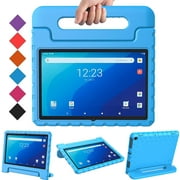
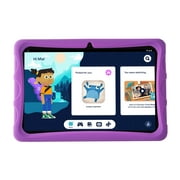
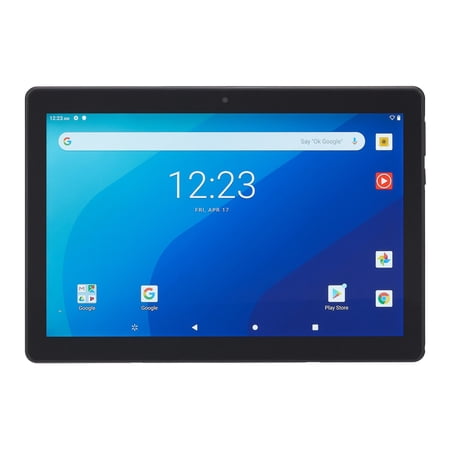
onn. 10.1" Tablet Pro, 32GB (2020 Model)
- Brand:
- onn
- Model Number:
- 100003562
- UPC:
- 681131308724
- EAN:
- 0681131308724
- ASIN:
- B08DCX86FW
- Walmart SKU:
- 435637419
After 3 days of stability at $149.00, market indicators point to an immediate 13.4% price reduction.
Price expected to drop to $129.00 soon
| Price Type | Price | Date |
|---|---|---|
|
Highest Price
|
$149.00 | |
|
Lowest Price
|
$79.00 | |
|
Most Recent Price
|
$149.00 |
Tracking History: We have tracked onn. 10.1" Tablet Pro, 32GB (2020 Model) since 12/5/2022. The most recent price update was on Aug 9, 2026.
Price Range: Over the past 90 days, the price has ranged from $79.00 (lowest on 7/10/2023) to $149.00 (highest on 11/22/2023). The average price during this period is $139.68.
Current Trend: Walmart.com prices have ranged from $149.00 (Aug 8) to $149.00 (Aug 8) over the past 90 days. Current price is close to the 90-day average of $149.00.
Customer Insights: Rated 4.0/5 from 929 reviews.
On the positive side: It's surprisingly fast. The box describes the display as crystal-clear and I have to agree. It is nice and sharp, particularly at 100% brightness. It has a micro 32GB SD card slot so that you can add additional storage capacity. It has a USB type C input which is nice because you don't have to worry about putting the plug in backwards. It boots very quickly It plays games smoothly The front facing camera is good enough for Zoom or video calls The volume isn't particularly loud but it is clear and loud enough to be acceptable There is a reasonably priced, good quality keyboard available for this tablet. On the negative side: Although the glass face of the tablet is appears to be smooth, if your fingers are even a tiny bit damp, it has a subtle “grippiness” that prevents your fingers from sliding across it smoothly. The result is like having a computer mouse that doesn't work properly. They really should have used different glass on the face. Depending on the contrast of the object you're attempting to photograph, the quality of the back facing camera varies from mediocre to bad. I wouldn't expect it to be as good as a single-lens reflex camera (SLR), but it's even bad compared many cell phones. When the battery monitor said the tablet was 100% charged I went to Settings, in the Settings menu, under battery it said that the battery would last 3 hours, which contradicts the 10-hour battery life that is printed on the box. In my experience with this device, a 10-hour battery life seems impossible. Even if you kept screen dimmed and had the tablet go to sleep in the shortest possible time I doubt the battery could last that long but even if it did, draining any battery until it's completely dead can drastically shorten its lifespan. At maximum display brightness the battery went from 100% to 80% in 30 minutes, down to 67% in 60 minutes, down to 54% in 90 minutes and down to 42% in 120 minutes. In order to avoid reducing the life expectancy of the battery I didn't discharge it more than that. Some useful things to know about the tablet that are neither good nor bad: After installing a half-dozen small apps the system reported that 33% of the storage was used, leaving 21 GB free, so maybe it's a good thing that this device allows you to increase your memory size by inserting a micro SD card Since the back of this tablet stays warm when the tablet is on, you could use it for a heater on a cold winter day. . . The little asterisk at the bottom of the screen is the “Walmart” button to bring up Walmart related icons (Sam's Club, Walmart and Vudu). There is a bit of bloat-ware included, but not an excessive amount.
I have reviewed and purchased a number of Onn products, I was a bit hesitant when I first tried this brand as it was new to me. But I must admit, every Onn product I have purchased or reviewed has been excellent, I am happy to say that this tablet is no exception this is a fantastic device, that meets and exceeds all my needs. I'm able to play my games and watch videos. The Video and Audio are amazing. Speed is great able to browse sites at decent speeds. While it doesn't perform like a laptop, I can't complain. It is replacing an older Samsung Tablet, and out preforms it hands down. The camera quality is very good. And is at least as good as that of my Galaxy + 9S phone, if not better.. The battery life is quite impressive, and I was surprised at how quickly it recharges. The screen resolution is excellent, very clear. The storage space is more than adequate, I have hundreds of songs and it holds them all. As I have said, I have yet to find an Onn product that was not as good or better than the big names brands for a lot less money. From TV's to Tablets, you cannot go wrong with this brand.
The ONN 10.1" Tablet Pro with Android (model 100003562) is 6-1/2" x 9-1/2" x 5/16", with the actual viewing area being 5-1/4" x 8-1/2", respectively (obviously, the depth doesn't come into play for viewing!). The box says it has a 2.0 ghz processor, 32 gb storage (slot for external storage), and 3 gb ram, weighing 1 lb 1-1/4 ozs (light, but, solid feel). It came with the tablet, a brief (thank goodness!) instruction booklet, a charger, and a cord to connect the two. It has a one year limited warranty from Walmart. It also came with a few coupons and pre-loaded software for Walmart, et al., that I will, probably, never use. After following the instructions (charge fully (unit came 61% charged; took about 1-1/2 hrs to get to full charge), run through setup (virtually automatic steps, except for the logon to my home wi-fi network), and answer a few questions/options), I was up and running, able to take pictures (at one point, I, accidentally, zoomed in on a billboard, and was stunned at how much detail it picked up that I couldn't see with my naked eyes!), listen to music (crystal clear!), and access my Google Gmail (you must have a free Google account to use some of the tablet's functions and, of course, to access Google Gmail). After a few minutes of use, I noticed a lot of fingerprints on the tablet, so, I wiped it, gently, with a dry microfiber cloth (the kind you get from an optometrist, but, any non-abrasive cloth will do (don't use any kind of sponge!)), then, carefully, put clear, adhesive, contact "paper" over it, being careful to avoid the camera lens. The tablet handled the added layer, easily, with no loss of contact between my finger and tablet. After "playing" with the tablet for a little over an hour, I was surprised to see that I used only 3% of the battery! Speaking of which, I cannot determine whether the battery is replaceable, as there does not seem to be a slot or openning for it, so, I'm guessing that it would have to be taken to Walmart or returned to ONN for a new battery or tablet (or just use it with the power cord attached for all eternity!). I haven't tried adding any other apps, but, I'll get around to it, and I'm sure they'll work just fine (I can, finally, take advantage of some dining and retail freebies!). I'll admit that, as experienced a computer user as I am (over 40 years as a computer programmer and computer repairman), this will take a bit of getting used to (I keep having trouble finding the 'Settings' page!), as it is my first tablet, but, I'm sure I will get used to it, and get a lot of use and enjoyment from it!
I have been in the market to replace my aging android 6.0 edition tablet for a few months now. Most of the apps would no longer update and had become obsolete and useless. When I came across the Onn 10.1 edition I was very impressed with sleek and lightweight design it offered. Commanding a 32 GB storeage with micro SD slot and 2 GHz Octio-core processor and 3 GB Ram with 10.1 LCD touchscreen. The ease of set up was great with the pairing of my old tablet to download my current applications to my new Onn tablet. The clarity of the screen and crispness of the colors really jump out to you. The speed of interaction is a welcomed asset. I would highly recommend this tablet for anyone looking to get a replacement unit or for their very first tablet. The price is very competitive with similar tablets with comparable systems and hardware. Tablet comes with easy to use user manual, AC adapter, and USB type- C charging cable. I am very satisfied with this tablet!
The onn 10.1 Tablet Pro is awesome. I was very impressed with sleek and lightweight design. The clarity of the screen and crispness of the colors really jump out to you. It has a sleek look with easy to access buttons. It's wide screen makes it suitable for reading and watching videos with comfort. The screen is clear and the clarity is so clear it is almost too much! When I go onto the social media sites I am just in awe at the visual definition and the detail of every site. I can see that no corners were cut with this tablet at all. It is very easy to start up. I would say it took me about 15 minutes, at the most to go from box to first time usage. The price is very competitive with similar tablets with comparable systems and hardware. Tablet comes with easy to use user manual, AC adapter, and USB type- C charging cable. The 10.1" screen is a nice size and the 2.0ghz Octa Core processor works well for this device. The front and rear cameras work good. I really like is the ability to insert a larger SD card to increase the ability to increase the storage capacity as needed is a great feature. I haven't tested it on games, but YouTube is going great. Overall, this is a great tablet for surfing the web. I tried looking for a keyboard with a stand for it, but it has been hard to find. Nonetheless I'm pleased with the product. The battery life is long lasting. The touchscreen works seamlessly as well. I would recommend this tablet absolutely.
I have a Samsung Galaxy and was able to press share with device and in less then 5mins all my work info emalis, apps ect. Went to the tablet with out me having to transfer everything by hand like when you get a new phone. I was shocked by how quick the set up was and very easy to use. Would recommend for anyone who gets sick of having a phone on all the time, and still able to do the same work on a bigger scale.
The 10.1 Onn Tablet Pro with Android is a nice size. As soon as you open the box there are a few grocery and discount coupons available for use. The tablet has a removable plastic with setup instructions directly plastered to the front of the screen. The 5 MP front and rear facing cameras are mediocre, it's nothing to be wowed by. The camera self adjusts for you as you try to take a picture. This is definitely not a tablet you'll be taking pictures with. This tablet comes with a 1 amp charger which means it doesn't charge the tablet in a flash. The down side about the included charger is that the charging cord is only 3.2ft long. It's super short. This 10.1 Tablet Pro comes with 32 GB of storage and comes with a microSD slot to expand storage. There is a good weight to this device and the back panel isn't plastic, which is a plus because plastic would have made this device feel hot quicker while in use. There's a keyboard dock connector, but this tablet did not come with a keyboard. The dual speakers are located at the top of the device and the speakers actually sound good. On the right bottom side of this 10.1 Tablet Pro is a 3.5mm audio jack for headphones. The screen on this tablet is pretty decent, it is pretty much viewable from different angles. A down side with the screen is that fingerprints are terribly noticable. One of the main things I like is that this tablet has bluetooth 4.2 built in so I was able to connect my wireless earpiece without issues. Netflix and Vudu movies stream well on this device, there's absolutely no delays and everything loaded quickly. Overall I think this would be an good starter tablet for kids and elementary up to middle school students. For adults this would make a great tablet for streaming videos. Definitely not for office work even if a keyboard was included. It's a basic tablet.
This is a tough review to do because I wasn't impressed at first. But then after working with it for a while and customizing it to my liking, I have grown to like it and it is actually a pretty decent tablet if you keep your expectations in check. This is the latest iteration of this tablet. This one comes with Android 11. That's the good part. The display, though full HD, is mediocre at best. It's not IPS and the viewing angle are not good. But this is a tablet and you're not going to watch it from angles. It has no coating to keep fingerprints at bay so keep a microfiber cloth handy or get a screen protector and you should be ok. You'll really notice the fingerprints in light rooms. The back is aluminium and has a rough feel but you get use to it. Let's look at the software. You have the little Walmart icon on the navigation bar. It brings up a few Walmart apps. On previous versions this was the only bloatware on the device. On this new one when you swipe left of the home page you're greeted with what you think is ad city. What the heck is this? Google in it's infinite wisdom has teemed up with some tablet manufactures to give us “Entertainment Space”. Oh glory be. It's like having Google TV on your Tablet. A whole page of dishing you movies and TV to buy and watch, along with games from the play store and books from Google or other accounts you may have. It's basically a media content aggregator. This takes the place of where Google discovery use to be. For more info do a search for “google entertainment space” and you'll find a blog that gives you all the information you need on this (Notice that Netflix isn't a provider as Google and Netflix love to fight). So Walmart is marketing this as a media consumption device. And if that's what you want it for, the Entertainment Space actually works pretty good for that. So don't knock it till you tried it. Now me personally, I don't watch TV and movies on a Tablet. I have a TV for that. So luckily there is a way to get rid of it. The easiest way is to go to setting/apps, find Entertainment space and disable it. Walla, it's gone and you won't see it again. Another way is to install a different launcher. And if you want to get rid of the Walmart navigation icon I suggest using swipe navigation. There, all your bloatware is gone. In fact since using swipe navigation on my phone the past last year, I can't live without it. So learn how to use it an you'll thank me later. One of the nice things about Android 11 is the ability to use swipe navigation with other launchers. In Android 10, any time you used a 3rd party launcher, swipe navigation was disabled. This has been fixed in 11. Yea!! My biggest grip about this tablet is this. Android apps aren't really made for landscape mode except for video. Most of my time is spent in portrait mode. The problem here is it seems like this tablet is upside down. There are some apps that only work in portrait mode and do not rotate. When you open these apps the only way to view them is with the volume and power buttons at the bottom. Open the camera and you'll see what I mean. When you open the camera app, in order to use it, the volume rocker is at the bottom. Even the camera lens is at the bottom. Ridiculous. How are you suppose to take a picture with the lens at the bottom? Have you ever seen a phone like this? Severe software blunder. I sure hope they fix it in an update because I'm tired of accidentally hitting the volume buttons when I'm using this table. The buttons and camera lens should be at the top. The sound does not get very loud on this but at least it's in stereo. Speed wise it's ok. Not super fast but doesn't lag and much better than another tablet in this price range by a well know brand that also makes clocks. You'll get 10 hours of battery life at 50 percent brightness. About half that at full. The good thing is that it quick charges. It will do a full charge in under two hours or less. For the price you really can't beat it. I'd gladly pay an extra $25 for a better display.
First let me say I'm a "casual" tablet user - web browsing, streaming Hulu, checking email is about it for me. No games, don't take photos so that's how I'm going to review this. The tablet is light, slim, easy to handle and has a bright screen. Before I got this, I looked for reviews of this tablet and everyone complained about finger prints. I haven't experienced that problem and haven't put a screen cover on it yet. Setup was simple. Wifi detected easily (you can also connect to a hot spot), privacy and security options presented at the start and option to sign into your Google account to access all your account features - email, drive, etc. If you don't have a Google account, you can create one - but if don't want to be part of the Google eco-system, about the only thing you'll be able to do with this tablet is browse the web. You can't download apps without an account. There's a search box for quick web searches or you can use the built in Chrome browser. Video quality was good/no issues streaming. Just for the heck of it, I took a photo. It was okay quality/not as sharp as my camera. There's a forward facing camera for video conferencing and thanks to the not so great camera, I looked pretty good! Also took some videos and found the quality was pretty decent/better than stills. For my purposes, battery life has been fine. Depending on what I'm doing I can certainly get a full day's use out of one charge. I do charge it every night. Note that this uses a type C USB connector/not the micro USB connector.
just don't buy this tablet, the only upside was that it ran android 10 but the negatives outway the one positive thing about the device. the tablet comes preloaded with walmart apps and Google apps that can't be uninstalled but can be disabled. uninstalling them would remove all trace of them and free up space but disabling them allows it to stay on the device and eat up storage.
Detailed price history for the past 90 days
Walmart.com prices have ranged from $149.00 (Aug 8) to $149.00 (Aug 8) over the past 90 days. Current price is close to the 90-day average of $149.00.
| Date | Price | Change | % Change |
|---|---|---|---|
| $149.00 | $+0.00 | +0.0% | |
| $149.00 | $+0.00 | +0.0% | |
| $149.00 | — | — |