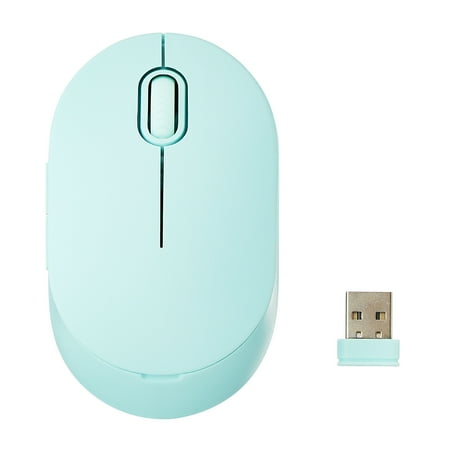
onn Wireless 5-button Mouse, 1600 DPI, 2.4 GHz USB-A Dongle, Teal
- Brand:
- Onn
- Model Number:
- 597873796
- UPC:
- 681131308939
- EAN:
- 0681131308939
- Walmart SKU:
- 897569706
Trending downward with a $0.00 move to reach $9.88. Current price runs 0.0% below the 90-day average.
| Price Type | Price | Date |
|---|---|---|
|
Highest Price
|
$9.99 | |
|
Lowest Price
|
$9.88 | |
|
Most Recent Price
|
$9.88 |
Tracking History: We have tracked onn Wireless 5-button Mouse, 1600 DPI, 2.4 GHz USB-A Dongle, Teal since 12/5/2022. The most recent price update was on Aug 17, 2026.
Price Range: Over the past 90 days, the price has ranged from $9.88 (lowest on 6/1/2023) to $9.99 (highest on 12/5/2022). The average price during this period is $9.88.
Current Trend: Walmart.com prices have ranged from $9.88 (Aug 16) to $9.88 (Aug 16) over the past 90 days. Current price is close to the 90-day average of $9.88.
Customer Insights: Rated 4.3/5 from 2836 reviews.
From unboxing it to using, I probably spent a minute! It comes with batteries, the plug is right there stored in the battery compartment, and the compartment (on the top of the mouse) was super easy to open to retrieve that plug! Great price, worked great, and I'd buy it again if I need to! :)
I give it five stars because it worked great. My only problem with it was that it was too small for me to use comfortably. This would be great for children or someone with small hands. For reference: with most nitrile, disposable gloves, the medium size is I little bit snug on me, while the large are a bit loose
Not bad at all. Been using it few weeks now and I am thoroughly impressed by it. Haven't changed the batteries despite leaving it on when I wasn't using it. Feels a little small but that just personal preference. I snags a little on my mousepad but after a few days it seemed to work itself out and now it's perfectly fine. No real delay that I can speak of. Wish it had one more button but again just personal preference. Scroll wheel feels responsive and smooth. The clicks the buttons make aren't loud by any means. Haven't lost signal yet and I was using it about 5 ft from the receiver.
Mouse works great. Only issue I had is that it's too easy to accidently activate one of the side buttons while holding the mouse. But there's a program available in Windows to be able to disable those two buttons.
This is a full sized mouse that came with batteries and the USB dongle. I plugged it in, turned it on and it worked with no configuration or fiddling. I feels solid but I'm withholding judgement on overall quality and battery life as I've only had it a few days. But so far it works fine.
Effortless Bluetooth set up, works great with my MacBook and also with my iPad! I was hesitant with the USB connector at first, but I'm more than happy that that is what I chose to go with
Good little mouse. The reserve is small so it fits on the side of a laptop without having to be removed for storage. The only problem I had was the battery was not in the package.
No complaints but compliments so far on this one. It works as is expected for a mouse, though I haven't had a chance yet to try out the additional two buttons. Cannot comment yet on battery life, but can say the product works flawlessly so far. I love the choice to pick a color. The tracking seems to be right on %26 the scrolling stops when I want. At a minimum this mouse could be a backup to another, or even a primary one.
Description is incorrect. It is NOT a large mouse, the length is no 3 3/4. its more 3 1/2. I know not a lot if you have small hands, but when you need the larger muse, this does not work. My fingers hung off the front edge. Was a nice look and feel though, smaller hands would probably love it.
i WAS NOT DELIVERED AND SAID IT WAS.... I DID NOT GET IT. IT MUST HAVE BEEN DELIVERED TO THE WRONG BLG AND N O T BLG. A...... WHERE IS THE PICTURE OF THE BLG LETTER IT WAS DELIVERED TO.... I DIDN'T GET IT AT THIS BLG???? i need a REFUND NOW!!! I have had problems with the Whole order. Never again!
Detailed price history for the past 90 days
Walmart.com prices have ranged from $9.88 (Aug 16) to $9.88 (Aug 16) over the past 90 days. Current price is close to the 90-day average of $9.88.
| Date | Price | Change | % Change |
|---|---|---|---|
| $9.88 | $+0.00 | +0.0% | |
| $9.88 | $+0.00 | +0.0% | |
| $9.88 | — | — |