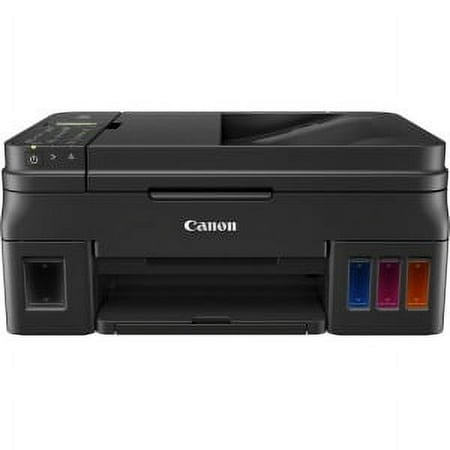
Canon PIXMA G4210 Wireless MegaTank All-in-One Printer
- Brand:
- Canon
- Model Number:
- G4210
- UPC:
- 013803292527
- EAN:
- 0013803292527
- ASIN:
- B078Z65VQY
- Walmart SKU:
- 938651399
Price momentum shifted downward , bringing the cost to $298.50. This represents a 0.0% discount to typical levels.
| Price Type | Price | Date |
|---|---|---|
|
Highest Price
|
$499.99 | |
|
Lowest Price
|
$251.34 | |
|
Most Recent Price
|
$499.00 |
| Price Type | Price | Date |
|---|---|---|
|
Highest Price
|
$299.00 | |
|
Lowest Price
|
$199.00 | |
|
Most Recent Price
|
$298.50 |
Tracking History: We have tracked Canon PIXMA G4210 Wireless MegaTank All-in-One Printer since 12/5/2022. The most recent price update was on Aug 29, 2026.
Price Range: Over the past 90 days, the price has ranged from $199.00 (lowest on 6/14/2023) to $299.00 (highest on 12/5/2022). The average price during this period is $268.68.
Current Trend: Walmart.com prices have ranged from $298.50 (Aug 29) to $298.50 (Aug 29) over the past 90 days. Current price is close to the 90-day average of $298.50.
Customer Insights: Rated 3.8/5 from 261 reviews.
With having to print a lot of home-school material, we needed a printer that could hold a lot of ink and was easy and relatively inexpensive to refill. I expected this printer - like every other - to come with only enough ink to get started, but it came with 3 black and 1 each color ink bottles - all full-size! Other than that, I really wanted a printer which would turn itself on when sent a print job over wi-fi and this was an easy option to select. Also needed to be able to print from all our devices - and we can do so easily. If I could change something about this printer, I think I would like a feed that holds more paper, but this is no big impediment. We haven't tried printing on photo paper yet, so I couldn't say anything about photo quality. FYI, after reading the review on ConsumerReports, this was an easy choice to make and so far we are very happy with it.
The Canon PIXMA Wireless Megatank All-In-One Inkjet Printer is fantastic. For years I've had printers that had the small ink replacements, requiring frequent trips to the office supply store. With the mega ink tanks, you can print up a storm and not have to worry. This printer also has a scanning function which makes sending documents to others easy. The only caveat, which is understandable, is that if you are going to move the printer, you need to keep the printer level if the ink bottles are full.
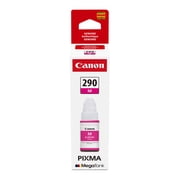
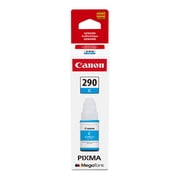
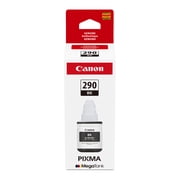
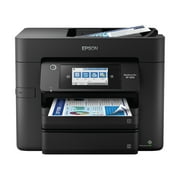
5 Stars! I highly recommend the Canon PIXMA G4210 Wireless MegaTank All-In-One InkJet Printer! I absolutely love this printer, scanner, copier, and fax machine! First off, it has ink tanks instead of replaceable ink cartridges. Those days of deciding whether to buy an ink cartridge or to buy entirely new personal printer that comes with ink, both costing about the same price, are over. It comes with six ink bottles; 3 black, 1 cyan, 1 magenta, and 1 yellow ink bottle. The three black ink bottles are huge. Each bottle coordinates with the size of the tank for that color. The black ink tanks are much larger as black ink is used more often. Unless you are doing commercial printing, the three black ink bottles you receive with the printer will last you for a long time. The black ink bottles print up to 6,000 pages per bottle. You'll run out of paper long before you run out of ink. Even if somehow you do run out of ink, the refill ink bottles are reasonably priced. The print quality is phenomenal.The printer has a small footprint for all it can do, 17.6”(W) x 13.0” (D) x 7.8”(H). Be very careful when filling the ink tanks. Any ink spilled or splashed can permanently stain whatever it lands on. Carefully pour the entire bottle into the correct ink color tank. Fill the tank up to the maximum level. Make sure to pay attention when filling the tanks. Do not put the wrong colors in the wrong tanks. It sounds ridiculous to say that but it's easy to do. The ink wells have windows on the front face of the printer so you can see the remaining ink level of each tank. This printer is very easy set up. It comes with an installation CD (for Windows only). There are also instructions on how to connect the printer to mac OS. The instructions are easy to follow. The printer sets up in minutes. You can set it up to operate wirelessly or via a USB cable, cable not included. 5 stars! I'd give it six stars if I could. I highly recommend the Canon PIXMA G4210 Wireless MegaTank All-In-One InkJet Printer! My days of buying those annoyingly expensive little ink cartridges are finally over! Hallelujah!
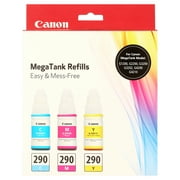
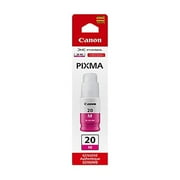
Okay, where do I start? When the printer arrived, I knew it was "industrial strength". It came in a big heavy box. The instructions were clear and easy to follow. (I'm not a computer nerd) It went without a hitch. But then, there was a lot to do to set it up. The installation took awhile. The ink tanks had to be filled. There were four of them, three color and a larger black ink tank. They were easy to fill and there was no mess. It came with two extra ink bottles, tightly sealed in plastic bags. According to the box, the ink included will make 18,000 black and white copies and 7,000 color! I've invited my family to come make copies. I set it up to print from my phone, print wirelessly and print photos. I tried each of those and included a photo sent to my phone that I printed on the printer. The print quality is perfect. There is an online manual but I haven't needed to look at it yet. I checked the online prices of ink refills and found I can buy a bundle of all colors/black for $25. I am a teacher and do a lot of printing.
I so love this printer. Even though it has other functions like scanning, and fax i onky use it to make copies. This came in handy just at the right time to do some of my crafts. I also use it to print out workbooks from my church's workshops as well as my homework.
About 3 or so years ago my family started a small business. We didn't want a huge commercial printer because we really don't print enough for something so fancy but also too much for just a little home printer. We have however, been using a smaller all in one and the ink cartridges just started going so fast. It really is a pain having to change them so often. This printer only takes a permanent black and color cartridge. And then as you can see in the picture, you just fill ink tanks that in turn are syphoned into the cartridges whenever needed. One tank holds a LOT of ink! Because I recently got the printer, I don't know how long it lasts compared to the changeable cartridges but it appears it would last forever. We mainly use black ink for invoices and such and the printer comes with 3 full bottles. We shouldn't need ink for probably a year the way it would look. The printer itself is very easy to hook/set up. Some of the functions are slightly confusing to set up but I mainly print anyways so not a huge deal. I also wish the screen was a little bigger...but that's also very minor. The print is pretty crisp. The only thing I did notice is that it's slightly faded looking almost, but I might just need to set my printer differently. Overall, this is a win! Looks nice, prints well & is very cost effective. Would recommend, especially if you do regular printing for small businesses/school/etc.
This printer could not have arrived at a better time! I went to my vacation home, only took my black and white printer with me, and was kicking myself. I received this color printer, and although a challenging set up due to minimal instructions, it prints great. It seems like you only have one choice at a time for printing; in other words, if I used the USB cable from printer to PC, the WiFi wouldn't work, and vice versa. I was never able to get it to print from my cell phone, but in the printer's defense, I have never been able to figure that feature out on ANY printer. The other thing that is odd is, at times when you select a function, it says, "Wait awhile." Well, how long is "awhile?" I thought that was a strange code that came up when trying to print. If I was printing large files, it would stop and 'think' half way through, and I would have to wait several minutes (15-20 minutes) for it to all print out. It does not have a 'Cancel' button, so it takes trial and error to figure out how to stop a print. It also has it's own software for saving scanned files and I found this to be very comprehensive and a time-waster; why can't I just save scanned files to my hard drive like I do with every other printer? It was like I had to use their software and then move files after the fact on my computer to where I wanted them. And if I use this printer only a few times a year, I am going to forget that I must go through Cannon's software to view my docs; I don't like this feature at all. It does not have a USB port to insert a thumb drive. And there is no paper tray. However, with all that aside, it has a small footprint and lightweight enough to take on the road to a second home, vacation spot or for performing business functions inside your hotel room. The prints do not come out saturated, nor bleed, and are dry when they exit the printer. I think the best part is, the ink is not supposed to ever dry up in the ink bins, unlike older ink printers. It came with tons of ink. I have been very satisfied with the results, but I think the price point at over $300 at this writing (Dec 2020) is very expensive. I think for a machine priced at over $300, it should be more user-friendly and have a better set of instructions for the consumer.
Setting up my Canon Pixma G4210 seemed overwhelming at first, but ended up being fairly simple. The included instructions were straight forward, had QR code's along the way of deeper understanding was needed. I was worried I would make a mess when adding the ink to their tanks, but I didn't spill a drop. The enclosed bottles filled each tank with a little to spare. Once I turned it on and the printer charged, the color levels dropped, especially the blue. It dropped almost to half, not sure why. The screen display could have been designed to be more user friendly. It's not backlit and it's fairly small. I wish there was a tray for photo paper so you don't have to change it out each time and change which type of paper on the display each time. It prints well, edge to edge on photos, the colors seem true. It is noisier than my last printer-I won't be printing when others are sleeping. Lots of clicks and clunks when it's cycling. It doesn't seem to like to have jobs pending when I used my iPhone. The second job wouldn't print and a blank paper would be sent out. I like the copying tray feature-it copies in color well, black and white not so well. It will be interesting to see how long the tanks last-there is a lot of ink in them!
Had to return this printer after it working for one day had to call canon . After being in the phone with canon specialist an error appeared on the screen . I was told by the canon specialist that this printer was defective and had to be sent back. I had to purchase another printer .
It all started out okay, followed the instructions as it said... set it up, then filled all the ink as it said, then went to try and get it started, it powered on, but couldn't download the drivers, the cd did not work, and went to the website to see if it could help so I followed their instructions and it couldn't send anything, the website said FATAL ERROR, So, I unplugged it, carefully put the machine in a plastic bag, since it is now filled with ink!, an but it back in the box!!! They are welcome to have it back!
Detailed price history for the past 90 days
Walmart.com prices have ranged from $298.50 (Aug 29) to $298.50 (Aug 29) over the past 90 days. Current price is close to the 90-day average of $298.50.
| Date | Price | Change | % Change |
|---|---|---|---|
| $298.50 | $+0.00 | +0.0% | |
| $298.50 | $+0.00 | +0.0% | |
| $298.50 | $+0.00 | +0.0% | |
| $298.50 | $+0.00 | +0.0% | |
| $298.50 | $+0.00 | +0.0% | |
| $298.50 | — | — |