Canon TS3322 Wireless All In One Printer
- Brand:
- Canon
- Model Number:
- TS3322
- UPC:
- 013803324471
- EAN:
- 0013803324471
- ASIN:
- B08PCCXXJ2
- Walmart SKU:
- 182288113
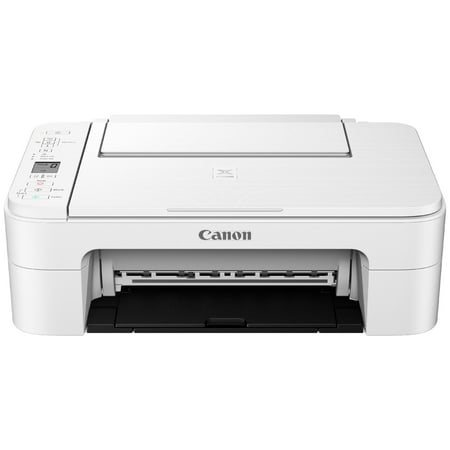
At $50.70, pricing shows 0.0% discount compared to typical $0.00 levels.
| Price Type | Price | Date |
|---|---|---|
|
Highest Price
|
$299.95 | |
|
Lowest Price
|
$50.70 | |
|
Most Recent Price
|
$299.95 |
| Price Type | Price | Date |
|---|---|---|
|
Highest Price
|
$50.70 | |
|
Lowest Price
|
$50.70 | |
|
Most Recent Price
|
$50.70 |
Tracking History: We have tracked Canon TS3322 Wireless All In One Printer since 11/28/2024. The most recent price update was on May 5, 2026.
Price Range: Over the past 90 days, the price has ranged from $50.70 (lowest on 11/28/2024) to $50.70 (highest on 11/28/2024). The average price during this period is $50.70.
Current Trend: No Walmart.com pricing data available for analysis.
Customer Insights: Rated 3.8/5 from 1393 reviews.
I received the Canon TS3322 Wireless All in 1 Printer to try and the Quality is great it is a little bit complicated to get set up at first But just have patience it prints great and runs smooth and prints Fast. I like the features how you load the paper up top and it comes out At the bottom. Definitely read the manual when you are setting Up the printer.
This printer was so easy to set up and use. It's easy to install the print cartridges when they need to be replaced and aren't tucked somewhere that's hard to get to, and I like that there are only 2 cartridges! It's very easy to figure out how to use each of the many functions including copy, scan, print (documents & photos). The directions aren't overly complicated which was great for me since I'm not super technology minded. I especially love how easy it is to use the app from my cellphone. You can print photos, documents and even take a photo of an item from the app and print. The instructions are super simple for those that are technology challenged. I would highly recommend this for anyone looking for an easy-to-use printer that's easy to set up and easy to use! I haven't found anything yet that I don't like about it!
This printer/scanner has all the perks without the hassle and prints vivid pictures. It was so easy to set up and use right away because it comes with ink cartridges. The buttons are minimal but sufficient so this one is great for those who aren't very tech-savvy. Getting this printer was the best decision I could have made because I am homeschooling my toddlers and first grader. The best feature is that it is wireless and I can print documents and pictures right from my phone. It is really going to be the product of the year in my household, as I know I will get plenty of use out of it!!
This printer works great! I love the fact that it is wireless and can be placed in a central location in the house for everyone to use at their convenience. The setup on the computer was a breeze. The phone - not so much. I ended up giving up trying to use it on the phone, as it kept asking me for a password, but could not find a place, first to find out what the password was, and second, to change it. The printer is quiet and prints at an okay speed. Great for a quick paper or photo here and there. The machine is very sleek and would not clash in most places you put it. I placed mine on the kitchen table towards the wall. I would purchase these again. I like the fact that once you set it up, there is no additional steps to take. The jury is still out on my phone, but I must note, I have an outdated phone and that may be a contributing factor in the results. [I received this product for free for an honest review.]
I love this printer. You can never go wrong with a Canon printer. They always create excellent products! The main feature I love the most is how you can connect to the printer wirelessly from your laptop or phone. I need to print reports once a week. It was seamless to connect to the printer and have it print whatever I want. There is an option for color or black and white. The shipment came with ink and paper!! Talk about “all-in-one”. It was great to not worry about buying ink separately in order to use the printer. I tried the color prints. The printed picture looked vibrate! We loved it. The printer isn't too heavy. It can be transported fairly easy from one room to another. Now that we are working remotely, we are glad we have a reliable printer we can use. Before I would go into my office to print. But now our set up has us working completely from home. We have not had any issues with the printer since receiving it a few weeks ago. We recommend the Canon Wireless All in One printer to anyone! Every home needs one.
Pros: *The quality of printing is fantastic! I printed the same picture at normal and best and we could hardly see the difference between the two. It prints very nicely. We also printed a page of text and it was clear and clean. *The printing is fast. I was impressed for a full sized image, it was mere seconds to print. *It prints quietly. We've had a variety of printers and believe me when I say I know how loud some of them can be. This one is not one of those. *It has marks where the paper goes into the machine so you can set the slider at the correct size of paper. Personally, I like that because we do a lot of printing of various sizes here. *Display is easy to read and intuitively works. *For those that have a hard time seeing, this probably won't give you any issue because the print is big enough. *Ink was easy to put in. Although it feels a little weird, like it's not in all the way, it is. I think I would have to get used to the feel of it, but that's not a big deal. It's just different. *Small, not too big. It might be easier for those that don't have a lot of room because this thing could easily sit on the corner of a table or desk. *Scanner was easy-to-use and worked well. Scanned clearly. *It comes with a scene of paper! *It comes with ink to get you started. Cons: *It took some effort to get it set up. Having set up several, I thought it would be fairly simple and at first (confession), didn't read the directions. After spending over 20 minutes and couldn't figure it out, I pulled out the directions. The directions aren't written well and after following them, I still couldn't get the printer to work! ERG. Went to the suggested website in the paperwork and found a video. After watching the video discovered what was wrong, which wasn't in the manual, then it worked great. Advise: Go straight to the video! :) *It has a very flimsy paper tray when to hold the prints. It literally just sits there and feels like it's going to fall off. :( *The ink comes in two containers: Black and colored. Although this means there are only two inks to work with, it also means when you run out of one color; all colors need to be changed. It will cost more in the long run. In short: There are more pros than cons and the cons that I found really weren't deal breakers. I give this machine a thumbs up!!
The unpacking insructions were clear and simple. It was easy to install the included ink cartridges. It took me several tries to get it to connect to my home network. I tried all of the three options that it offered and I still got error messages, however when I decided to go to Windows Devices and Printers I found that it had joined the network and made itself my Default Printer. It did not ask me if I wanted that. Altogether it took me about 45 minutes to get it working--not very impressive. I printed out a Test Print and that was fine. I then needed to print out a receipt which was three pages and I decided to use my HP Officejet Pro because it does two-sided printing with ease. I could no longer connect to my Officejet. So far I have not resolved that problem, but I went ahead and gave the Manual 2-sided Printing a try on my new Canon. I told it to print pages 1-3. After page 1 was printed, up popped some very clear, easy to understand, illustrated instructions on my computer screen which showed me how to re-load the first page. I followed the instructions and it printed both sides correctly and went on to print the third page. It says that if you are printing multiple pages, 2-sided, to load the stack according to the illustrations. I have not tried multiple pages but I'm confident that it will work and could possibly eliminate having to spend hundreds of dollars more for an office-style printer, just to do 2-sided printing. For my first real project I printed out a T-Shirt Transfer using Avery "Dark" Fabric Transfers. This was my own design which I made with an old paint program. The transfer printed out correctly and the colors are very vivid. I strongly recommend using "Dark" transfers over "Light" transfers because they can be used on any color T-Shirt and they just plain look a lot better. They cost more, but I think they are worth it. Next I decided to try out the included Easy-Photo Editor with a greeting card in mind. I downloaded the program but when I started the application it said I didn't have any choices of templates because it could not connect to the internet. My internet connection was on and working fine (for everything else). I closed the program and re-started it and this time I had more choices, however it stopped short of allowing me to choose the card template I wanted because it could not connect to the internet. Very frustrating. I could not find any place to configure the internet connection within the application. Upon closing and re-starting the program again I got a few more templates but I finally gave up and just printed a photo instead. My printer came with a few sheets of 5" X 5" glossy photo paper. The photo printed out without any problems and it is very good quality, but that's hard to tell from my review picture. I was really hoping to be finally moving on from my 20-year-old Printmaster Gold card/poster program but it might take me some time to get the Easy-Photo Editor working. This printer has connection problems. I may have to delete it from my Windows Devices and Printers in order to use my HP Officejet once again. Hopefully not. The printer/scanner/copier is fairly inexpensive so I expected the ink to be very expensive, but it looks like you can get a set of color and black cartridges for about $34. Re-filled, store-brand cartridges are also available from office supply stores but might void the warranty. I do not yet know if it will print Black Only if the color cartridge is empty. I should also mention that I scanned a business card to my old paint program and everything went as expected. I miss my old Brother printer/copier/scanner because it had a smartphone app that allowed you to scan IDs, passports, etc directly to your phone. Hopefully other manufacturers will catch up soon. Overall I like my new Canon TS3322 printer and once I discover the secret to the connection problems I expect it will be fine. The print and scan quality is equal to every other inkjet printer I've used.
This is the first printer I've had to set up in years, and I'm thrilled at how much the process has improved. Canon has done a great job of making it easy to get connected to your WiFi network, and to every device on it. There's a nice app for printing from your phone, though it's also Air Print-enabled, so you don't have to use their software. Couldn't be easier to get started. With setup out of the way, on to performance - it does an admirable job overall, though mine required a little calibration for optimal results. For its part, Canon's done a great job of making maintenance info and manuals accessible through their app. Cleaning and calibration steps are easy to follow, but I'd prefer that happen automatically when a new cartridge is installed. I suppose this way saves some ink. Speaking of ink, either this printer blows through it, or their ink level utility is underestimating how much is left in my printer, since a couple test pages depleted my color ink by 20%. My inner cynic acknowledges that ink is where Canon makes its real money, using ink refill costs to subsidize the equipment. Keep in mind that you're getting a great price on some pretty impressive technology because they expect to make it up in refills. They offer an automatic delivery service, so it's convenient at least. Print quality is nice, especially when using the right paper for the job. I first printed a photo on regular paper and saw some faint horizontal lines, but when I tried again on photo paper, the print was flawless. Documents on standard paper look fantastic, as do graphics - but stick to photo paper for photos. Scan quality is excellent, and print speed is a little slow, but for home use, that's not much of an issue. I haven't gotten into too many of the other features just yet, but the most important ones are all well-executed. Overall, it does the job very well. I'm wary of the long-term cost of ink, but plan to explore third-party supplier options for that. If it were a little more efficient in that area, I'd give it a full 5 stars.
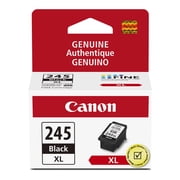
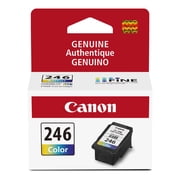
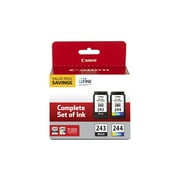
I received this printer to review from Walmart and here are my thoughts: Firstly, I love the look of it; all white, compact-all in one and space saving. It came with 2 ink cartridges, a setup CD, manual, power cord, 5x5 photo paper sample pack and a pack of printing paper. It has an easy 2 cartridge ink system so its easy to replace the ink and I absolutely love that it has a flatbed scanner and the fact that I can print wirelessly right from my phone or tablet. It's very helpful when working from home! In terms of the setup, it was not as simple as I thought it would be. I had to try multiple times to connect to my phone and tried it from multiple devices with no success on the first few rounds. After playing around with it a little, I figured out how to set it up since it kept showing me an error message when I followed all the steps on the instructions booklet. Pros: • Great quality printing ( I printed a picture on regular paper and was SO nice that I put it in a frame to hang) • Size is compact • All in one (great for printing, scanning, photos) • Wireless printing right from my phone! • Rear paper tray • Only 2 ink cartridges • Interface is very simple • Square photo printing Cons: • Setup for wireless is a little confusing and took me a while • Really, nothing else! Overall, it's such a great value and I would definitely recommend for home use.
I connect the printer to my laptop and worked fined in the first few use, and then I couldn't get the printer connect to my laptop via WIFI, I have to spend another 20 some dollars to buy a "usb cable" (not the cheap ethernet cable! The usb cable was not included in the package) This bring me a lot of inconvenience. This printer cannot be connected through Bluetooth either. I used to own a CANON TR4500 before I move here, which is more expensive, but I figure out that's worth it! That tr4500 is easy to connect all the time and can operate scanning from the printer( This ts3333 doesn't have scanning button on the printer and you have to download a scanning app on your laptop to operate scanning function. But since right now I can't connect it to my laptop at all, This function is dead also.) I tried to reinstall and succeed, but still when I print it warns me that the printer is offline. In a word, if you have money please upgrade to a better model.
Detailed price history for the past 90 days
No Walmart.com pricing data available for analysis.
Third-Party Sellers prices have ranged from $50.70 (Jul 23) to $299.95 (Sep 15) over the past 90 days. Current price is close to the 90-day average of $285.29.
| Date | Price | Change | % Change |
|---|---|---|---|
| $299.95 | $+0.00 | +0.0% | |
| $299.95 | $+0.00 | +0.0% | |
| $299.95 | $+0.00 | +0.0% | |
| $299.95 | $+0.00 | +0.0% | |
| $299.95 | $+0.00 | +0.0% | |
| $299.95 | $+0.00 | +0.0% | |
| $299.95 | $+0.00 | +0.0% | |
| $299.95 | $+0.00 | +0.0% | |
| $299.95 | $+0.00 | +0.0% | |
| $299.95 | $+0.00 | +0.0% | |
| $299.95 | $+0.00 | +0.0% | |
| $299.95 | $+0.00 | +0.0% | |
| $299.95 | $+0.00 | +0.0% | |
| $299.95 | $+0.00 | +0.0% | |
| $299.95 | $+0.00 | +0.0% | |
| $299.95 | $+0.00 | +0.0% | |
| $299.95 | $+0.00 | +0.0% | |
| $299.95 | $+0.00 | +0.0% | |
| $299.95 | $+0.00 | +0.0% | |
| $299.95 | $+0.00 | +0.0% | |
| $299.95 | $+0.00 | +0.0% | |
| $299.95 | $+0.00 | +0.0% | |
| $299.95 | $+249.25 | +491.6% | |
| $50.70 | $-249.25 | -83.1% | |
| $299.95 | $+249.25 | +491.6% | |
| $50.70 | $-249.25 | -83.1% | |
| $299.95 | $+0.00 | +0.0% | |
| $299.95 | $+0.00 | +0.0% | |
| $299.95 | $+0.00 | +0.0% | |
| $299.95 | $+0.00 | +0.0% | |
| $299.95 | $+0.00 | +0.0% | |
| $299.95 | $+0.00 | +0.0% | |
| $299.95 | $+0.00 | +0.0% | |
| $299.95 | — | — |