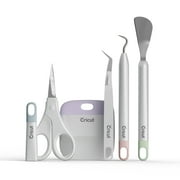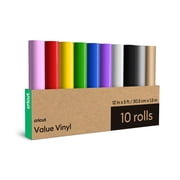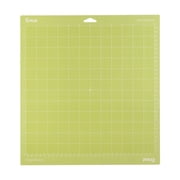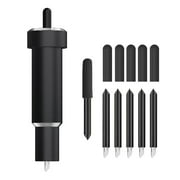
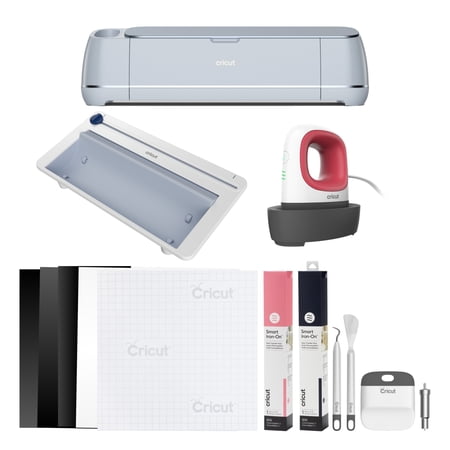
Cricut Maker® 3 Smart Die-Cutting Machine + Cricut EasyPress Mini™ Bundle, Mist
- Brand:
- Cricut
- Model Number:
- 8002282
- UPC:
- 093573488108
- EAN:
- 0093573488108
- Walmart SKU:
- 11088805916
At $439.00, pricing shows 0.0% discount compared to typical $0.00 levels.
| Price Type | Price | Date |
|---|---|---|
|
Highest Price
|
$499.00 | |
|
Lowest Price
|
$339.00 | |
|
Most Recent Price
|
$339.00 |
| Price Type | Price | Date |
|---|---|---|
|
Highest Price
|
$499.95 | |
|
Lowest Price
|
$437.00 | |
|
Most Recent Price
|
$439.00 |
Tracking History: We have tracked Cricut Maker® 3 Smart Die-Cutting Machine + Cricut EasyPress Mini™ Bundle, Mist since 11/24/2024. The most recent price update was on May 18, 2026.
Price Range: Over the past 90 days, the price has ranged from $437.00 (lowest on 11/24/2024) to $499.95 (highest on 12/29/2024). The average price during this period is $454.90.
Current Trend: No Walmart.com pricing data available for analysis.
Customer Insights: Rated 4.4/5 from 1614 reviews.
I must say it is a bit intimating to use but as I'm learning it's getting better. There is so much you can do with the machine but it is going to take awhile to learn everything. Didn't realize you needed a computer with a USB port. Some of the newer computers don't have one.
So far I am loving it! I have only used different types of vinyl for cutting but plan on trying different things. After getting used to it and learning how it works, it was pretty easy to get the hang of and I have cut out dozens of different designs, some easy and simple and some more intricate and all have come out great!
I was excited to get my new cricket maker 3machine after my original machine developed a problem. After completing the sample projects, I was able to proceed with the jewellery boxes I had planned to make. The learning curvewas a little steep at first, but once I went through the instructions, I was happy with the results. for those of you who might be miniaturist I was able to make my table favours for the Gathering taking place in Brantford in April.
So many new projects to do now that I have upgraded to the Maker 3 from the Explore 3. I really love the different materials I can use now and have gotten into engraving acrylic and stainless steel. Christmas will be wo personalized and wonderful this year thanks to my new machine!
excellent at first it didn't want to cut but then I don't know what I did that came out cutting I haven't used it yet since I'm playing with the program since it has many configurations and I'm in that process
I upgraded to the Maker 3 from the Cricut Maker to get a faster cutting experience. I think this new Cricut Maker 3 might have a little bit more cutting pressure than the Cricut Maker has along with the speed boost. The Black Friday price and the extra package contents (roll tray, Mini Cricut Heat Press, extra tools and materials) was such a bonus at a great price -- I'd been a fool not to take upgrade finally. And just in time because it appears Cricut is no longer manufacturing this their highest rated of the Maker line. At 82 years old this will probably be my last big Cricut die cutter machine and bundle. But I do hope they come out with something else very tempting! I am keeping my Cricut Explorer Air for now simply because its so easy to use, rarely gives me a moments trouble and because it is the last of the Cricuts to still accept the dozens of cartridges I still own and plan to transfer along with the Explore Air to a granddaughter before or when I pass. She might use Cricut Access but wouldnt need to subscribe if she didnt want to. Besides it's always a good thing to have an extra machine cutting if I'm working on a large project or multiples. The Explore Air always works like a dream, with rarely a glitch - so it's a keeper to stay! I will donate my Cricut Maker to either a school, a church or a possibly a crafter not likely able to afford to buy a Cricut Maker of their own at present due to severe financial restrictions.
I got creative then found out designs are not free you have to pay for them monthly to use or $$$ pay for them every time you create and waste what you made so you won't pay and find free designs instead. Riff off I say on this $400 machine. I don't regret getting it just frustrated on paying designs
I bought the Cricut Maker 3 partly because of its ability to cut materials such as basswood with the Knife Blade. For ordinary craft work it is a very capable machine, and when everything works correctly, the results can be excellent. However, my experience cutting a detailed figure from 1/16-inch basswood was frustrating enough that I can only give it 3 stars. Cricut Design Space estimated the project at around 14 passes, but the actual cutting process took approximately 12 hours. During the cut, the machine sometimes appeared to sit in one place for long periods, making it difficult to know whether the project was still progressing or had stalled. Since stopping a long Knife Blade project can mean losing hours of work, I essentially had to let it continue and hope for the best. The finished piece was usable, so I have to give the Maker 3 credit: it did eventually accomplish the job. But a machine advertised as being able to cut basswood should provide a much clearer and more predictable experience when doing it. Better progress information in Design Space would make a tremendous difference. For cardstock, vinyl, stickers, and normal craft materials, I think the Maker 3 is an excellent and versatile machine. For intricate basswood projects, however, be prepared for a potentially very long cut and a lot of patience. Pros: versatile, precise, capable of cutting many materials, and ultimately produced the piece I needed. Cons: extremely long Knife Blade cutting time, poor indication of actual progress, and too much uncertainty during lengthy wood projects. My rating: 3/5 stars. I like the Maker 3 and intend to keep using it—but after spending roughly 12 hours watching it cut one witch out of basswood, it has not earned those other two stars yet. 😂
The box was opened uesd and a previous return label still on it! and shipped without a shipping box!
DON'T DO IT!!! Used this machine ONCE and already it is not working. I am getting the flasging red power button error and when i am lucky enough to get the stupid thing to ru. through the process it doesn't cut. and yes, I'm using cricut brand materials with the machine. I highly suggest exploring other options because this machine is a waste of time, effort, and money.
Detailed price history for the past 90 days
No Walmart.com pricing data available for analysis.
Third-Party Sellers prices have ranged from $339.00 (Nov 7) to $499.00 (Aug 29) over the past 90 days. Current price is close to the 90-day average of $354.45.
| Date | Price | Change | % Change |
|---|---|---|---|
| $339.00 | $+0.00 | +0.0% | |
| $339.00 | $+0.00 | +0.0% | |
| $339.00 | $+0.00 | +0.0% | |
| $339.00 | $+0.00 | +0.0% | |
| $339.00 | $+0.00 | +0.0% | |
| $339.00 | $+0.00 | +0.0% | |
| $339.00 | $+0.00 | +0.0% | |
| $339.00 | $+0.00 | +0.0% | |
| $339.00 | $-160.00 | -32.1% | |
| $499.00 | $+150.00 | +43.0% | |
| $349.00 | — | — |