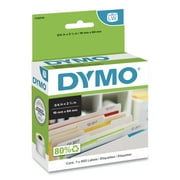
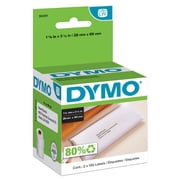
DYMO LabelWriter Wireless Label Printer, New, 2002150
- Brand:
- DYMO
- Model Number:
- SAP_2002150
- UPC:
- 071701060266
- EAN:
- 0071701060266
- ASIN:
- B0725W4BHR
- Walmart SKU:
- 334844272

Market direction turned downward with current $342.39 representing 0.0% under standard pricing.
| Price Type | Price | Date |
|---|---|---|
|
Highest Price
|
$499.99 | |
|
Lowest Price
|
$148.73 | |
|
Most Recent Price
|
$499.99 |
| Price Type | Price | Date |
|---|---|---|
|
Highest Price
|
$342.39 | |
|
Lowest Price
|
$118.99 | |
|
Most Recent Price
|
$342.39 |
Tracking History: We have tracked DYMO LabelWriter Wireless Label Printer, New, 2002150 since 2/8/2025. The most recent price update was on Sep 1, 2026.
Price Range: Over the past 90 days, the price has ranged from $118.99 (lowest on 4/5/2025) to $342.39 (highest on 3/26/2026). The average price during this period is $232.76.
Current Trend: Walmart.com prices have ranged from $342.39 (Sep 1) to $342.39 (Sep 1) over the past 90 days. Current price is close to the 90-day average of $342.39.
Customer Insights: Rated 2.6/5 from 101 reviews.
This printer does exactly what they say it will do. It is very good looking on a desk. It is very easy to use and set up. I would recommend this to anyone who needs a wireless label printer.
Overall we are very pleased with all Dymo products we use for our business. The labelwriter wireless printer we purchased most recently prints great, but still have not been able to set up the wireless connectivity. We gave up trying to set up the wireless connection and have it connected like our other standard labelwriters so in hindsight we would probably stick with the standard printers for our next purchase.
I've only had this label maker about a week now, but I've read lots of bad reviews regarding connectivity on this printer. It's not the printer's fault. I think Dymo's installation instructions that are incomplete. Many people will install this printer, expecting to print from their wired computers, to this wireless printer. It won't work, and this is by design - for safety and security reasons. Your router has 3 "zones". The wired "LAN" (Local Area Network) zone, the Wireless LAN or "WLAN", and the "WAN" or Wide Area Network (the internet, for our purposes). Computers and devices in the wired and wireless zones are not aware of each other and cannot communicate with each other without special settings in the router to "bridge the gap" so to speak. After you've connected label printer and made it a part of your wireless network, write down the IP address of the printer. Now Google "how to connect a wireless printer to my (insert Your BRAND and MODEL#) router" to build that bridge. Essentially, the "bridge" will connect the group of IP addresses for computers in the wired LAN, to the specific IP address of the Dymo Wireless printer in the Wireless LAN (WLAN), and direct this traffic to a specific port (usually port 9100). When you add the printer, do it manually. Create a new TCP/IP "port" by entering the IP address of Dymo printer, then install the print drivers after that. You should be done.
Not what is needed for the project i have in mind.
I purchased 2 DYMO LabelWriter Wireless units for a business that frequently prints labels. I was excited to finally find a DYMO that would directly connect to the network instead of requiring a separate USB network print server. Unfortunately the installer is incompatible with Windows Server OS and standalone drivers are not available. Consequently, the DYMO wireless printers cannot be deployed in a domain environment and therefore must be installed on individual machines. Although the print times seem equivalent to the DYMO 450 Turbo, the web interface to control the LabelWriter Wireless seems very laggy and is probably underpowered. Those that aren't tech savvy will have trouble setting up a DYMO Wireless printer because the setup instructions are wrong. The instructions fail to say that you must install the DYMO Wireless printer like a network printer after installing the DYMO software that includes the necessary drivers.
I replace a Dymo labelmazer that had died. It would print one label then produce a blank, toward the end it would print on and eject two blanks. I spent hours trying to get this to work wireless but finally gave up.
This LabelWriter is NOT Wireless. It does not function without the USB Cable attached to a computer. It is also very difficullt to operate.
This is the second time I purchased this unit. Both had problems. now I have to wait another 3 weeks before I get a replacement. Sorry, I made this purchase, as my faith in Dymo is gone.
I'm possible to set up.
The delivery is very quick, however, it is very disappointing that what i have receievd is NOT BRAND-NEW, it is attached with sign of tape etc. What I have paid for is brand new products, so I have to return this.
Detailed price history for the past 90 days
Walmart.com prices have ranged from $342.39 (Sep 1) to $342.39 (Sep 1) over the past 90 days. Current price is close to the 90-day average of $342.39.
| Date | Price | Change | % Change |
|---|---|---|---|
| $342.39 | $+0.00 | +0.0% | |
| $342.39 | $+0.00 | +0.0% | |
| $342.39 | — | — |
Third-Party Sellers prices have ranged from $499.99 (Jul 11) to $499.99 (Jul 11) over the past 90 days. Current price is close to the 90-day average of $499.99.
| Date | Price | Change | % Change |
|---|---|---|---|
| $499.99 | $+0.00 | +0.0% | |
| $499.99 | — | — |