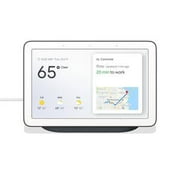
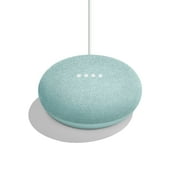
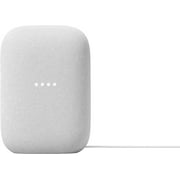
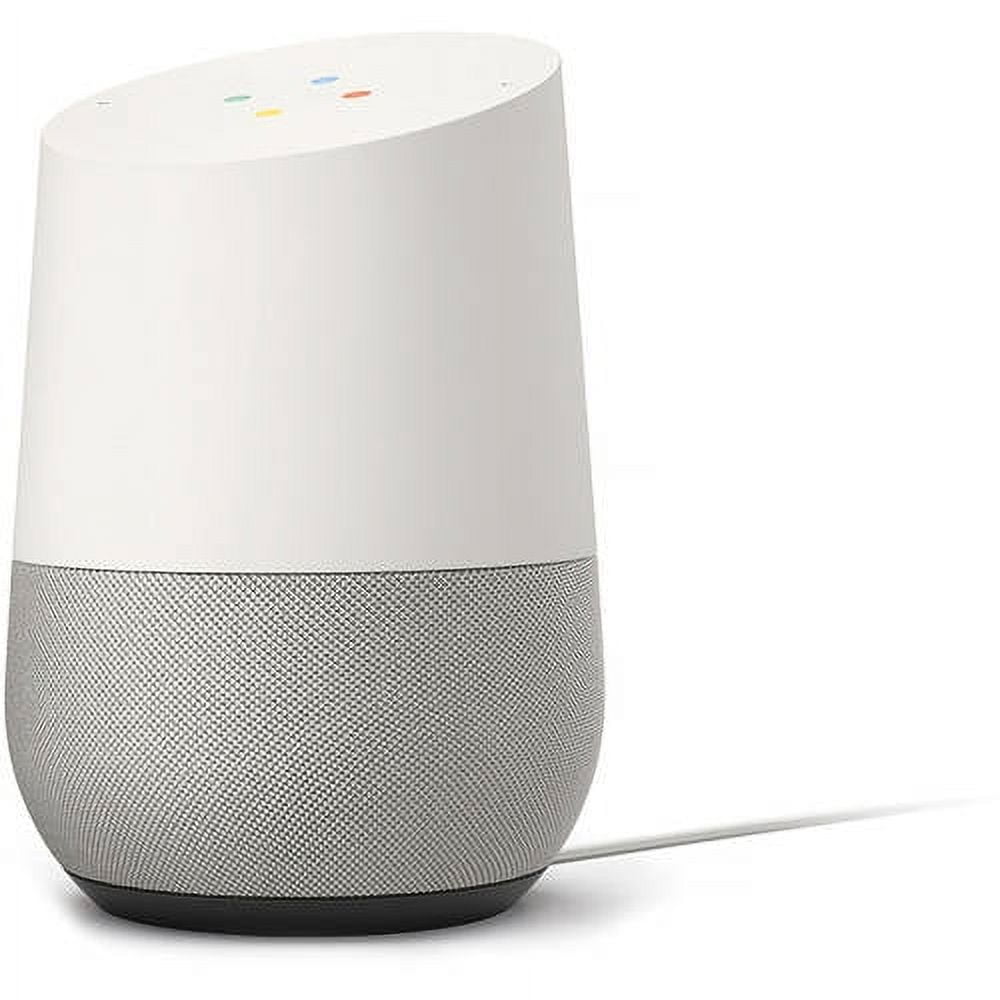
Google Home - Smart Speaker & Google Assistant, Light Grey & White
- Brand:
- Model Number:
- HOME
- UPC:
- 811571018420
- EAN:
- 0811571018420
- ASIN:
- B09WF86FRV
- Walmart SKU:
- 54742302
Current pricing at $99.00 reflects recent market activity, running 0.0% below the 90-day average.
| Price Type | Price | Date |
|---|---|---|
|
Highest Price
|
$135.98 | |
|
Lowest Price
|
$59.99 | |
|
Most Recent Price
|
$113.05 |
| Price Type | Price | Date |
|---|---|---|
|
Highest Price
|
$129.00 | |
|
Lowest Price
|
$99.00 | |
|
Most Recent Price
|
$99.00 |
Tracking History: We have tracked Google Home - Smart Speaker & Google Assistant, Light Grey & White since 6/8/2024. The most recent price update was on Oct 5, 2025.
Price Range: Over the past 90 days, the price has ranged from $99.00 (lowest on 6/8/2024) to $129.00 (highest on 8/4/2024). The average price during this period is $106.50.
Current Trend: No Walmart.com pricing data available for analysis.
Customer Insights: Rated 4.4/5 from 1129 reviews.
I've had my Google Home for about 3 weeks and have been very happy with it. Setup was a breeze and could have been done by anybody. // Pros / Difference from Echo: - #1 major difference. Google Home can handle different grammatical structures and syntax for the same question. Simple example: What is the capital of Norway? = Which city is the capital of Norway? = What is the Norwegian capital? I find this really good for family and friends because -- unlike with Alexa / Echo -- we don't have to learn how to exactly verbalize every “skill”. Google Home allows us to speak naturally without us having to learn its own language. - The above ability combined with Google Home's awareness of context helps it with some complicated questions like: Me: OK Google. What is that song from the Lion King? > Google Home: The songs are Circle of Life and … > Me: OK Google. Play it please > Google Home: Sure. Playing Circle of Life. = Wow. Note that I didn't even mention the song. - #2 major difference is multi-room audio!! I've got two Google Home devices and two Chromecast Audio devices ($35 each) in my home, and I labeled the group as “Entire Home”. So I can say: OK Google. Play Arianna Grande in Entire Home. Echo is unable to do this (yet?). - The “Good morning” / “My day” feature is really neat on Google Home. It tells me in one pass about the weather, traffic to work, my appointments, and rounds up with news from my favorite sources. - Works flawlessly with Chromecast devices. Example: OK Google. Play a funny cat video from YouTube on the Living Room Chromecast > Then Google plays it on Chromecast, which triggers my living room TV to show the video - There are some customizable bases that are better suited to your home decor. However, these are a little pricey for fabric and metal. Nonetheless, Google Home is very soft and unassuming in its design whereas Echo feels very industrial to me personally. // Pros / Similarities with Amazon Echo: - The far-field mics work well and can pick up voices from across the room without having to yell. - The speaker quality is very good. - Works well with Google Play Music, Spotify, YouTube, etc. But Google Home doesn't work with Amazon Music (yet?). - Connected Home - Works well with Philips Hue lightbulbs and Nest Thermostat. I haven't tested out other brands like LifX, Wemo, etc. I do think Echo has more connected home applications because it's been in the market longer, but I don't use those other services at this time. - Set reminders, timers, get recipes, get directions, call an Uber - There are lots of IFTTT (third party app -- try it out!) routines that can be built. - The Google Home app is very easy to use. // Minor Cons - You do have to say “OK Google” to prompt the device. However, this is no different than saying “Alexa” for Echo. The Pro I seen in this is related to privacy -- I don't want the device to respond to anything my family is talking about unless we specifically want to interact with it. - Only the top of the Google Home device has a light indicator to show when it's listening. So if you've got this on your kitchen counter and you're seated on your couch (at a lower height), you may not see the lights. Echo overcomes this with the light ring around the device. - The Google Home device can't be used as a speakerphone or be used to make phone calls. - Saying OK Google also triggers my phone. I'd like the ability to choose the device with which I want to interact. // Major Cons: - There can only be one user profile! So I can get a run down of my day, but my girlfriend can't get hers; we can only hear my services but not hers. To be fair, this isn't that different from Echo, but it is a little annoying. This seems like the next step for both Google and Amazon. Overall, I think Google Home is an excellent product, and I look forward to seeing more services being made available.
I ordered this because I had seen it advertised and thought it would be fun and could be helpful too! I have a lot to learn yet but I have used it for music and playing games! You can ask it anything of course! This is the future and it is already here in my house! I think everyone should have a Google Home.!
The Google Home is a well built voice activated speaker that sounds pretty good and is useful for many things, specifically the Google Home is quite useful for setting alarms and timers, and I have been getting up in the morning more consistently than I had been before I received my Google Home. The Google Home is able to play at volume levels that are plenty sufficient for most situations. If you choose to buy a Google home, after connecting it to your internet connection, then it is best to download the Google Home app for Android or Apple, then locate and optimize all the settings to get the best experience using the Google Home. In the settings there is a setting called Accessibility, it allows you to turn on the option to play an audible sound, which indicates when you should speak your verbal request. This means that after you say OK GOOGLE, you will then hear an audible beep, so you will know exactly when to speak your request, without this Accessibility sound option turned on, it is necessary to be looking at the Google Home device when saying OK GOOGLE, so that you can see the lights on the top of the Google Home light up, of which the lights indicates that you should then speak your request. It is basically easier to say OK GOOGLE and hear an audible beep indicating when to speak your request, than it is to say OK GOOGLE and have to be looking at the device to see the visual indicator to know when to speak your request. The Google Home app has the option to add your home address, which is necessary for the Google Assistant to provide your weather requests, as the Google Home needs to know the location of the weather that you are desiring. The Google Home app allows you to set a desired music playback source, and also allows you to create a list of your desired news sources, allowing you to customize the news that you can hear playing through the Google Home. Newer versions of the Android operating system have the built in options of allowing the Google Assistant to be always listening, so that you can say OK GOOGLE, and then you can make a verbal request, the same way that the Google Home does, but using the Google Home device is a much better experience. The two microphones on the Google Home pick up your voice noticeably better than the microphone on a smart phone. The Google Chrome web browser has apps and extensions that can be installed, which add interactivity with your Google Home device. Do a Google search for Chrome Web Store, and it will bring up the website where you can search for and install the available Google Apps and Extensions. The Google Keep app for Google Chrome, allows you to create a shopping list that can be used with the Google Home Assistant, just create a shopping list in the Google Keep app, then ask the Google Home Assistant: What is my shopping list, then the Assistant will verbally remind you of all the things on your shopping list. The Google Keep app can be downloaded for Android or Apple and can be installed on your smart phone, allowing you to create shopping lists the same way. The Google Calendar extension for Google Chrome, allows you to quickly add calendar entries, then you can ask the Google Home Assistant: What is on my calendar, and the Assistant will verbally remind you of your calendar events. The Google Cast extension for Google Chrome, allows you to see which song Pandora is playing, this extension allows you to pause music playback and also adjust the volume level, all of this from the Google Chrome browser. Below is a list of verbal requests that the Google Home can be used for: What time is it Set an alarm for 7 am, Set a timer for 30 minutes (Multiple timers and alarms can be set) Stop alarm, Stop timer, Stop all timers, Stop all alarms What is today's weather (Your local weather will be read if your address has been set) What is the weather in Ventura, California (Any city and state can be requested) What is the humidity (Your local humidity will be read if your address has been set) Is Wal-Mart open, Is Best Buy open, Is Jack in the box open, etc.. What is on my calendar (Calendar events must be added first in Google Calendar) Add orange juice to my shopping list, Add bananas to my shopping list, etc.. What is my shopping list Play music, Pause music (Music will play from your chosen default music source) Play Google Play music (Use this if Pandora is default music source) Play Pandora music (Use this if Google Play Music is default music source) Play news, Pause news (News will play from your chosen list of news sources) Turn up the volume, Turn down the volume Volume level 4, Volume level 6, Volume level 3, etc.. (Volume levels 1 - 10) What is the volume The Google Home voice activated smart speaker, allows adding Philips Hue lighting control, it is necessary to synchronize the Google Home device with the Philips Hue bridge, this synchronizing is done in the settings of the Google Home app on an Android or Apple device, once this is setup, all of the following can be said to control Philips Hue lighting. Turn lights on 10 percent, Turn lights on 50 percent, Turn lights light blue (Daylight), Turn lights white (Warm white), Turn lights red (Great for movie lighting, or night lights), Dim lights, Turn lights on 100 percent, Turn lights off. The Google Home has a really nice power supply, which has a silicone strap that wraps around the cord. A quality power supply always adds to making an electronic device have a luxury feel to it. My overall opinion of the Google Home Assistant, is that owning and using the Google Home has made life more convenient.
Amazing product. The accuracy recognizing what I say is extremely good. Been using it mostly for news and music in the morning, and to impress friends when they come. Want to set up some iot lights that I can use voice control on but they're too expensive at the moment. If you have a chrome cast you'll never have to search for videos again because you can just find them with your voice and it integrates flawlessly. The speaker is surprisingly very robust. Only negative for me is having to say "hey Google" every time. It's not as smooth as saying a name like Alexa.
I was on the fence between this and the Amazon Echo. I fell and bumped my head and purchased this. Glad I did. This thing is awesome with it's conversational mastermind!! Love listening to the news, weather and getting traffic updates early in the mornings. Nice addition to my office!
I took a chance buying this device, because I don't own a Smart Phone, but have a Tablet with Android. That was enough, to get it working, and now it's my main source for music. It will play any song by any artist, that's within u tubes library. Plus while your chilling on the music, you can get it to answer, almost any question you have. To me, it's the best, of both worlds. Really love this device, you HAVE TO GET ONE. Sorry, about screaming, only to make a point.
I get Google Music which includes commercial free YouTube. I love this device. You have to say "hey Google" every time you want a new command and say it a little distance from the top. You can ask it questions and it will answer. I say "Hey Google, play google music Vince Guilardi jazz album and there it goes. You have to get the Google home app to start it up and connect it to your wifi. Feel free to call to set it up, the guy I talked to spoke great English and was very patient with me as I'm not a youngster so I'm not familiar with electronics. Highly recommend you don't have to worry about the music staying up on your computer. You have to have a smart phone or tablet to use. A laptop is not enough to set this up.
I ordered the Alexa Dot from Amazon for my husband for Christmas and we got to try it out for a month. We got tired of hearing Hum, I can't help you with that. I returned it and ordered the Google Home and within the first few minutes we knew it was the right one for us. My husband is really enjoying the ease of asking for music and translations. We are very happy with Google Home and think everyone should have one.
I had a hard time choosing between the Amazon Echo and this. The Echo has been out longer and is currently ahead of the game with compatible devices. However, as a long time Android user, I like the seamless Google integration and feel the compatible device list will catch up quickly. In the meantime, it's easy to utilize most by creating an IFTTT applet. The Google Home device was easy to set up, and I had it connected to my Hue Bridge in minutes, and and applets created for my Lifx lights minutes later, as well as a couple of other commands. Also, just plain fun to ask questions of as well as useful!
The item I got is clearly second hand and had a price different from the one I paid sharpied to the outside.
Detailed price history for the past 90 days
No Walmart.com pricing data available for analysis.
Third-Party Sellers prices have ranged from $69.00 (Jul 17) to $129.99 (Jul 8) over the past 90 days. Current price is close to the 90-day average of $115.99.
| Date | Price | Change | % Change |
|---|---|---|---|
| $113.05 | $-11.94 | -9.6% | |
| $124.99 | $-4.96 | -3.8% | |
| $129.95 | $+19.95 | +18.1% | |
| $110.00 | $-19.95 | -15.4% | |
| $129.95 | $+16.90 | +14.9% | |
| $113.05 | $+0.00 | +0.0% | |
| $113.05 | $-16.90 | -13.0% | |
| $129.95 | $+0.00 | +0.0% | |
| $129.95 | $+0.00 | +0.0% | |
| $129.95 | $+19.96 | +18.1% | |
| $109.99 | $+0.00 | +0.0% | |
| $109.99 | $+0.00 | +0.0% | |
| $109.99 | $+0.00 | +0.0% | |
| $109.99 | $-3.00 | -2.7% | |
| $112.99 | $+0.00 | +0.0% | |
| $112.99 | $+0.00 | +0.0% | |
| $112.99 | $+0.00 | +0.0% | |
| $112.99 | $+0.00 | +0.0% | |
| $112.99 | $+0.00 | +0.0% | |
| $112.99 | $+0.00 | +0.0% | |
| $112.99 | $+5.65 | +5.3% | |
| $107.34 | $+0.00 | +0.0% | |
| $107.34 | $-5.65 | -5.0% | |
| $112.99 | $+0.00 | +0.0% | |
| $112.99 | $+5.65 | +5.3% | |
| $107.34 | $+0.00 | +0.0% | |
| $107.34 | $+0.00 | +0.0% | |
| $107.34 | $-5.65 | -5.0% | |
| $112.99 | $-12.50 | -10.0% | |
| $125.49 | $+0.00 | +0.0% | |
| $125.49 | $-0.24 | -0.2% | |
| $125.73 | $+0.00 | +0.0% | |
| $125.73 | $+31.88 | +34.0% | |
| $93.85 | $-22.29 | -19.2% | |
| $116.14 | $+0.00 | +0.0% | |
| $116.14 | $+0.00 | +0.0% | |
| $116.14 | $+17.14 | +17.3% | |
| $99.00 | $+0.00 | +0.0% | |
| $99.00 | $+0.00 | +0.0% | |
| $99.00 | $+0.00 | +0.0% | |
| $99.00 | $-15.00 | -13.2% | |
| $114.00 | $+0.00 | +0.0% | |
| $114.00 | $+18.15 | +18.9% | |
| $95.85 | $-3.15 | -3.2% | |
| $99.00 | $+0.00 | +0.0% | |
| $99.00 | $+0.00 | +0.0% | |
| $99.00 | $+0.00 | +0.0% | |
| $99.00 | $+0.00 | +0.0% | |
| $99.00 | $+0.00 | +0.0% | |
| $99.00 | $+0.00 | +0.0% | |
| $99.00 | $+0.00 | +0.0% | |
| $99.00 | $+0.00 | +0.0% | |
| $99.00 | $-5.00 | -4.8% | |
| $104.00 | $-10.00 | -8.8% | |
| $114.00 | $+0.00 | +0.0% | |
| $114.00 | $+0.00 | +0.0% | |
| $114.00 | $+0.00 | +0.0% | |
| $114.00 | $+5.00 | +4.6% | |
| $109.00 | $-5.00 | -4.4% | |
| $114.00 | $+0.00 | +0.0% | |
| $114.00 | $+0.00 | +0.0% | |
| $114.00 | $-5.99 | -5.0% | |
| $119.99 | $+0.00 | +0.0% | |
| $119.99 | $+0.00 | +0.0% | |
| $119.99 | $+0.00 | +0.0% | |
| $119.99 | $-3.50 | -2.8% | |
| $123.49 | $+9.49 | +8.3% | |
| $114.00 | $+0.00 | +0.0% | |
| $114.00 | $+45.00 | +65.2% | |
| $69.00 | $+0.00 | +0.0% | |
| $69.00 | $-45.00 | -39.5% | |
| $114.00 | $-9.49 | -7.7% | |
| $123.49 | $+9.49 | +8.3% | |
| $114.00 | $+1.01 | +0.9% | |
| $112.99 | $-2.00 | -1.7% | |
| $114.99 | $+0.00 | +0.0% | |
| $114.99 | $-8.50 | -6.9% | |
| $123.49 | $+4.49 | +3.8% | |
| $119.00 | $-6.98 | -5.5% | |
| $125.98 | $+6.30 | +5.3% | |
| $119.68 | $-10.31 | -7.9% | |
| $129.99 | $+0.00 | +0.0% | |
| $129.99 | $+4.26 | +3.4% | |
| $125.73 | $-4.26 | -3.3% | |
| $129.99 | $+0.00 | +0.0% | |
| $129.99 | $+0.00 | +0.0% | |
| $129.99 | $+4.26 | +3.4% | |
| $125.73 | $+0.00 | +0.0% | |
| $125.73 | $+0.00 | +0.0% | |
| $125.73 | $+0.00 | +0.0% | |
| $125.73 | $+0.00 | +0.0% | |
| $125.73 | $-4.26 | -3.3% | |
| $129.99 | $+0.00 | +0.0% | |
| $129.99 | $+0.00 | +0.0% | |
| $129.99 | $+4.26 | +3.4% | |
| $125.73 | $+0.00 | +0.0% | |
| $125.73 | $+0.00 | +0.0% | |
| $125.73 | $+0.00 | +0.0% | |
| $125.73 | $+1.84 | +1.5% | |
| $123.89 | $+0.00 | +0.0% | |
| $123.89 | $-1.10 | -0.9% | |
| $124.99 | $+1.10 | +0.9% | |
| $123.89 | $-5.11 | -4.0% | |
| $129.00 | $-0.99 | -0.8% | |
| $129.99 | $+0.00 | +0.0% | |
| $129.99 | $+4.26 | +3.4% | |
| $125.73 | $+0.00 | +0.0% | |
| $125.73 | $+0.00 | +0.0% | |
| $125.73 | $+0.00 | +0.0% | |
| $125.73 | $+0.00 | +0.0% | |
| $125.73 | $-4.26 | -3.3% | |
| $129.99 | — | — |