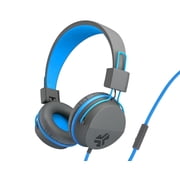
Logitech 981-000341 H600 Wireless Headset - Binaural - Blue, Black
- Brand:
- Logitech
- Model Number:
- 981-000462
- UPC:
- 097855076816
- EAN:
- 0097855076816
- ASIN:
- B008QS9DME
- Walmart SKU:
- 17803211

Recent downward movement established $40.94 pricing, now 0.0% below the quarterly average.
| Price Type | Price | Date |
|---|---|---|
|
Highest Price
|
$49.95 | |
|
Lowest Price
|
$44.95 | |
|
Most Recent Price
|
$44.95 |
| Price Type | Price | Date |
|---|---|---|
|
Highest Price
|
$57.48 | |
|
Lowest Price
|
$39.99 | |
|
Most Recent Price
|
$40.94 |
Tracking History: We have tracked Logitech 981-000341 H600 Wireless Headset - Binaural - Blue, Black since 1/1/2023. The most recent price update was on Aug 14, 2026.
Price Range: Over the past 90 days, the price has ranged from $39.99 (lowest on 1/1/2023) to $57.48 (highest on 1/30/2025). The average price during this period is $41.78.
Current Trend: Walmart.com prices have ranged from $40.94 (Aug 14) to $40.94 (Aug 14) over the past 90 days. Current price is close to the 90-day average of $40.94.
Customer Insights: Rated 3.7/5 from 215 reviews.
I've wanted a wireless headphone for ages and fortunately came upon one today. Logitech has been making electronics for years, so I have some confidence in them. Also, I read a LOT of reviews on other websites about this brand and model, to make sure it is the right one for me. Since this was my first wireless headset, there was some learning involved. I watched a few youtube videos about it, also how to link my Apple mac mini to the headset. Unfortunately, it can't link to my iPad. This model, H600, has a small dongle that can be stored in the base of the left speaker when not in use. It has a USB fitment for insertion into your desktop/laptop/playstation, etc. Insert this into an available USB slot. It also comes with a 27" long charging cable. You will need to charge it a couple hours before using. Pink light flashing=charging. No light=charged. Once charged, turn the headset On (slide switch). Then hold down the bluetooth pairing button for 5 seconds or so. The small (green?) blue light will stay on. It is now ready to pair. For Mac, I went to System Preferences>Bluetooth, found the entry "Logitech H600 Headset" and clicked on it. Voila! Connected! The sound seems fine to me. Not a lot of bass, to be sure, but I wasn't expecting that either. There are no bass/treble adjustments available. The volume adjustment is a simple round circle with + and - toggle up/down. Some reviews have claimed that the bluetooth pairing button doubles as a mute button for the microphone. I can confirm this is the case. On my mac, System Preferences>Sound>H600 Logitech Headset>Input>Bluetooth, gave me the visual proof that when speaking, mute is activated when the bluetooth button is pushed. You will get a small two-tone chime telling you as well. I haven't done any phone calls, voice recording, etc. using the boom mike. I just know it works from the visual display on my computer. It is voice activated and noise canceling. The headset is quite light weight, adjustable for most head sizes and has cushioned ear pads. I wore it for a couple hours yesterday and it was far more comfortable/bearable than other headsets I've had. That said, I would not call these super-comfortable. They are OK. In a professional setting, you could justify a step or two up. These seem durable, well-made and come with a two year warranty, which is nice. I went to logitech.com>support, and registered with serial number, etc. The included instructions were minimal. Most of it you can figure out pretty easily, such as the receiver/transmitter dongle, but as mentioned earlier, check out a few youtube videos for more information about the model and how to pair with your computer. I would recommend this item and would buy it again.
The headset is really light and sounds great. There is a good range for volume. I usually have it high for my candy crush games. The adjustable part of the headset is also good. The power button and the volume adjustments are in a good location. I would purchase this headset and be good with its funtionality.
Works great and everything I needed NO issues with the sound
Wireless gives me the range to walk around, get a cup of coffee, etc and not lose my connection. Built-in mute button for conference calls, or hide background noise, built-in volume button. USB plug and play.
The headset is very comfortable to wear and sound definition is wonderful. I used on a phone call and the friend said my voice was very clear. The thing I like best about that is the microphone can be folded out of the way so it isn't always sticking out in front of you. Battery life seems accurate and it is quick to recharge. I would recommend to a friend.
Had I researched a little bit more I would have discovered the Unified USB from Logitech. This allows up to 4 different wireless devices to share a single Unified USB connector. The problem being that all of them need to support the Unified spec.
I really like the Voice Recognition feature of this headset, which is quite comprehensive. However, I am a PC gamer and it is not comfortable to wear for hours at a time. Not truly TERRIBLY uncomfortable, but noticeably so. The portion that you listen through kind of sits on your ears as opposed to cupping them, so outside noise minimization is nil. It does hold a charge well, I can hear others speaking in Ventrilo easily, and have not had any complaints about the quality or clarity of my voice being relayed to others. The recharging cord is long enough to connect while in use if I have forgotten to recharge it. It was very easy to begin usage - basically plug and play, and the program for Speech Recognition is excellent.
I would give the Logitech H600 wireless headphones 3 out of 5 stars. First off, these things are the easiest to set up! All you do is plug in a USB communicator (included) into your laptop or gaming unit and put on the headphones and switch to the on position. I give it 3 stars because the sound quality is not that great. If you're used to other middle range or higher gaming headsets, there will be nothing you like about these.
I love Logitech headsets. My favorite is my h800 and I thought this h600 would be a good backup, NOPE! This is the worst headset, it is not comfortable and pinches my ear. You can do a 1 hour conference call before your ear wants to fall off. The sound range is horrible you literally need to be sitting next to your laptop and not moving because the signal breaks up so bad! People are always complaining that I am breaking up and cannot hear me and then I cannot hear people either. Forget about getting up to stretch or take a step in any direction. Worst headset ever, seriously do not waste your money. It is cute with the blue line, it collapses for travel, and volume controls and off/on located on the right ear and convenient to use, but nobody can hear you. Just sad… and I am stuck with it.
This is my second headset, my first was purchased July 2016 and lasted until August 2020 and would no longer take a charge. This one was purchased 9/2020 and it is now 2/2021 and it will no longer charge. Very frustrated as it is hard to find a good quality budget friendly headset.
Detailed price history for the past 90 days
Walmart.com prices have ranged from $40.94 (Aug 14) to $40.94 (Aug 14) over the past 90 days. Current price is close to the 90-day average of $40.94.
| Date | Price | Change | % Change |
|---|---|---|---|
| $40.94 | $+0.00 | +0.0% | |
| $40.94 | $+0.00 | +0.0% | |
| $40.94 | $+0.00 | +0.0% | |
| $40.94 | — | — |
Third-Party Sellers prices have ranged from $44.95 (Oct 2) to $49.94 (Aug 21) over the past 90 days. Current price is close to the 90-day average of $45.72.
| Date | Price | Change | % Change |
|---|---|---|---|
| $44.95 | $+0.00 | +0.0% | |
| $44.95 | $+0.00 | +0.0% | |
| $44.95 | $+0.00 | +0.0% | |
| $44.95 | $+0.00 | +0.0% | |
| $44.95 | $+0.00 | +0.0% | |
| $44.95 | $+0.00 | +0.0% | |
| $44.95 | $+0.00 | +0.0% | |
| $44.95 | $+0.00 | +0.0% | |
| $44.95 | $+0.00 | +0.0% | |
| $44.95 | $+0.00 | +0.0% | |
| $44.95 | $-4.99 | -10.0% | |
| $49.94 | $+0.00 | +0.0% | |
| $49.94 | — | — |