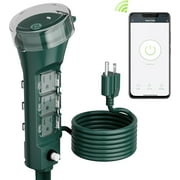
I could not get this to work. The instructions are not great. But apparently, I have to have my phone connected to the 2.4 GHz signal on the router. But I don't see a setting on my phone to select the 2.4 GHz signal. (Apparently, selection on my Pixel 8 pro is automatic). And I know how to log into my router, but I'm not going to mess with settings I don't understand to try and block the 5 GHz signal. (And mess up my internet and cable in the process!) I read a 3 year old Reddit about this issue with multiple suggestions (including walking down the street until I'm out of 5 GHz range - there's snow and ice on the road which is why I'm inside giving this device one last shot before I return it.) My phone's Bluetooth could not see the device either. It didn't show up when I scanned for devices to connect to.
And here's the solution: When I could not get this to work, I bought a similar device from WYZE. That device was working within 60 seconds of coming out of the box and being plugged it. That's not hyperbole. That's truth. One minute and it was working. The WYZE device also uses the 2.4 GHz signal, but somehow they make it work without having to mess with my router or my phone.
And one other thing: Since I added the BN-Link app to my phone, now I'm getting advertising from them. Just what I need, more things being shoved in my face. And in this particular case, things that probably won't work!