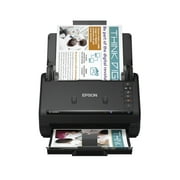
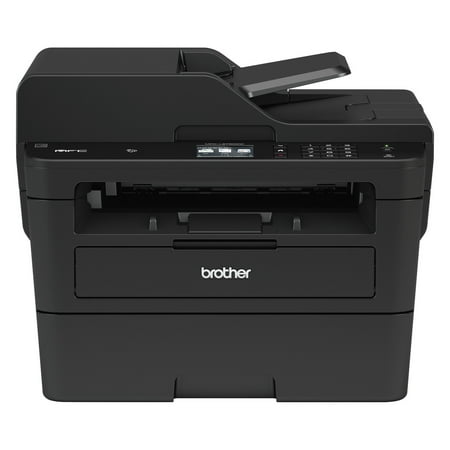
Brother MFCL2750DW Monochrome All-in-One Wireless Laser Printer, Duplex Copy & Scan
- Model Number:
- MFC-L2750DW
- UPC:
- 199466370793
- EAN:
- 0199466370793
- Walmart SKU:
- 464530283
| Price Type | Price | Date |
|---|---|---|
|
Highest Price
|
$424.96 | |
|
Lowest Price
|
$359.00 | |
|
Most Recent Price
|
$369.00 |
| Price Type | Price | Date |
|---|---|---|
|
Highest Price
|
$299.99 | |
|
Lowest Price
|
$299.99 | |
|
Most Recent Price
|
$299.99 |
Tracking History: We have tracked Brother MFCL2750DW Monochrome All-in-One Wireless Laser Printer, Duplex Copy & Scan since 10/27/2023. The most recent price update was on Oct 27, 2023.
Price Range: Over the past 90 days, the price has ranged from $299.99 (lowest on 10/27/2023) to $299.99 (highest on 10/27/2023). The average price during this period is $299.99.
Current Trend: No Walmart.com pricing data available for analysis.
Customer Insights: Rated 4.4/5 from 1554 reviews.
Printer was shipped quickly, it installed and came online flawlessly. Instructions were clear, complete, and easy to follow. Setting up a wifi connection to a home network is not always easy, but in this case it "just worked" ... the front-panel setup option that I used, had a minimal number of steps to follow, and was *very* easy to implement, and the printer works beautifully. Printer setups can sometimes be very frustrating, but this one was superb!
I love this printer!! I needed something that could scan and copy and definitely knew I did not want an ink-jet. This is perfect for a small business or at-home use. I love that I can print via Wi-Fi and manage the printer and scanner from the software on my computer. So happy with my purchase!
Faster printing and scanning than my 3 year old brother laser printer. Intuitive and easy to use. Haven't had to look at manual. Has a nice improved digital display of functions on the printer. A plastic part on the old brother broke and I gave it away. The new printer is definitely a step up, and well worth the money.
Heavier than expected, but not too bad. It doesn't take up too much space so that's a plus. Unpacking and setup were straight forward and simple; went smoothly with no problems. Good quality print jobs so far, but have not tried photos (keep in mind it is B/W not color). It is low on the feature side i.e. no scan to USB, the small display is fixed (you can't tilt it up for better viewing angle), etc but that is why it is priced lower than many others. So far we have been happy with it even without the extra bells and whistles.
This unit, which we've owned for perhaps five years, is an amazingly reliable machine. It is fully-duplexing, by which I mean that it reliably scans both sides of documents, via its feeder; and als, when instructed, prints on two sides (and multiple pages) of documents I send to it. Two problems: it regularly loses its WiFi feed, requiring me to reenter the WiFi password, and the tiny screen that is its control includes a keyboard so small as to be nearly unusable. I bought a similar Brother printer (without the duplexing functions) perhaps a decade ago for use in our cabin in central Maine that we used only in the summer. For all that time it “wintered over” in an unheated space, and despite being in environment where temperatures occasionally dipped below zero degrees (F), when I needed to use it it printed flawlessly every time. Amazing! I may never need to replace this printer, but if I do it will be with another Brother unit.
Printer arrived on time. The size was smaller than what expected (compared to MFC 9230) which was good. Setting up Wi-Fi was simple enough. The two (2) deal breakers are: 1. REAL Noisy 2. Prints to light (lack of adjustment). Not really happy with my purchased. I have ordered a ink jet instead.
The printer is great. I also love the free PaperPort software that I can use to edit PDF files. I love the ability to automatically scan double-sided documents. However, the document feeder is not reliable and the scanned documents often not straight. Apparently 5mm misalignment is expected according to Brother and that's kind of disappointing. I wish I knew about it earlier because one of the main purpose (besides printing) for me to get this printer was to do the auto double-sided scanning. Hope to see improvement on this in the future.
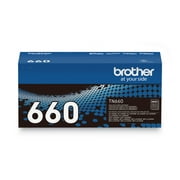
The toner life says it can print 1200 pages but I think this printer never has achieved to that goal. I have been keeping replacing the toner for the past years. So just in last year on Nov 13, I made an indication of the date when I have replaced toner. Now it March 16, it reminds me to replace the toner again. The only times I used this machine is sometimes I did some copies of maximum 15 pages and that's on a bi-weekly pace.
Worked well for about 1-1/2 year then lost connectivity as a scanner then as a printer. No support article addresses the issue and the network repair tools are useless. Tried various firewall settings, uninstalling and re-installing to no avail. Next step is a USB connection, which I haven't tried yet.
I use this printer in my home office. I have been frustrated with it from day one. I have to "wake it up" before it prints. I get an error message that it is offline but then I open the cartridge door and close it and it will print. It doesn't wake up on it's own most of the time and when it does it takes way too long. Not very convenient when I am doing large payrolls and need to print several batches of cheques.
Detailed price history for the past 90 days
No Walmart.com pricing data available for analysis.