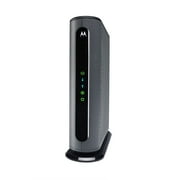
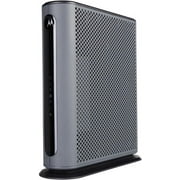
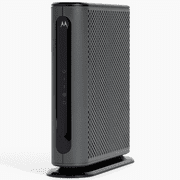
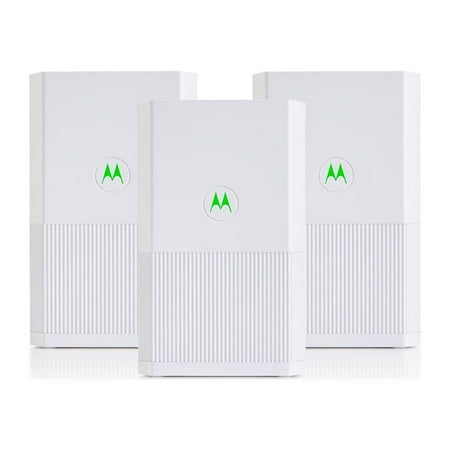
Motorola WiFi Mesh System Coverage up to 5000 sq ft | Router + 2 Extenders | Easy Setup, Network Protection, Parental Controls | AC2200 WiFi Speed price history and forecast - Motorola MH7023
Motorola WiFi Mesh System Coverage up to 5000 sq ft | Router + 2 Extenders | Easy Setup, Network Protection, Parental Controls | AC2200 WiFi Speed

Motorola WiFi Mesh System Coverage up to 5000 sq ft | Router + 2 Extenders | Easy Setup, Network Protection, Parental Controls | AC2200 WiFi Speed

Brand:
Motorola
Model Number:
MH7023
UPC:
855631006675
EAN:
0855631006675
ASIN:
B08B7CDPK8
Walmart SKU:
590940967
Key Takeaway

Price stability at $151.19 for 0 days suggests a modest 1.1% correction is due.

Price expected to drop to $149.49 soon

Third-Party Seller Summary

Third-Party Seller Price History Summary
Price Type Price Date
Highest Price
$299.99
Lowest Price
$55.05
Most Recent Price
$55.05
Average Price
$107.37
First Tracked
Last Update

Walmart.com Summary

Walmart.com Price History Summary
Price Type Price Date
Highest Price
$256.99
Lowest Price
$146.30
Most Recent Price
$151.19
Average Price
$170.20
First Tracked
Last Update

Price Analysis

Tracking History: We have tracked Motorola WiFi Mesh System Coverage up to 5000 sq ft | Router + 2 Extenders | Easy Setup, Network Protection, Parental Controls | AC2200 WiFi Speed since 5/26/2023. The most recent price update was on Jun 16, 2024.

Price Range: Over the past 90 days, the price has ranged from $146.30 (lowest on 5/30/2024) to $256.99 (highest on 3/11/2024). The average price during this period is $170.20.

Current Trend: No Walmart.com pricing data available for analysis.

Customer Insights: Rated 4.3/5 from 79 reviews.

Customer Reviews

79 reviews

Customer Reviews

4.3
Based on 79 reviews
5
56
4
11
3
1
2
4
1
7
Filter Reviews:
Sort By:
Showing 10 of 79 reviews

Whole House WiFi System - great extender!

MommyAli October 13, 2020

I got this as a gift for my elderly mother who had terrible "service"/wifi connection in her home. When anyone came to visit, you could not receive or send texts due to the poor service. This mesh whole house wifi system updated her home so that we have wifi everywhere within her home now. I highly recommend this product!

Was this review helpful?

Solid consistant coverage

Pat August 26, 2020

Had these for about a week. Very easy to set up, getting consistant coverage throughout the house now. Always full bars everywhere. We are in a 3 story, about 2700 sq ft, 100 year old house with giant chimney in the middle that always messed up the wifi. Took a little while to find the right spot for the satellite unit but works great so far, no complaints. Build quality seems really good, heavier and bigger than expected. Overall very happy with it. It's nice to be able to walk around the house and keep wifi on my phone on the same name, it appears to changes seemlessly between the two units. We have 100mbps Spectrum and i get around that everywhere now, with my old router 5ghz was basically useless on the other side of the house. Did not have any problems connecting anything, 2.4ghz or 5ghz devices either.

Was this review helpful?
Dano December 4, 2025

Easy to set up …. I used it to send a better internet signal to my detached garage. It works great… no problem with the internet in my garage.

Was this review helpful?
Ellen July 23, 2023

absolutely worth the money. before i bought this i had the internet service providers router . my tv would lag so bad it was horrible to watch anything. i got this set and hooked it up and it workes great. easy to hook up. definitely worth the money. i highly recommend it.

Was this review helpful?

Easy setup, great coverage

DistracteDad September 23, 2020

We have a 2200sqft 2 story home. After setting up the main router, I went to the farthest, most obstructed point in the house, and had 3-4 bars. Speeds from there were good also. Both units are labeled so you know which is which out of the box. I currently have the satellite unit disconnected as I can't decide where to place it. The admin interface is easy to use, and there is a good assortment of features.

Was this review helpful?

Nice look and feel, solid product, but ...

Nerdy September 17, 2020

After the system has been set up and run over 10 days, no resets or reboot ... Overall, I am giving 5 stars and will recommend to my friends. Some initial configurations are needed, though: 1) When out of the box and initial start up, the System Time: was default to “US/Eastern”, in the case of US/Western users, this needs to be changed. You need to login and change. 2) Software Version out of the box: 1.0.1.0 Unum:2.0.0.155 There is no automatic update feature or link button. If you need to upgrade the software, it’s all by your own, and you need to download the firmware to your local, then load it. 3) The WEB Server at http://192.168.1.1 Status Page has the Client Lists, but it does not list all connected clients. For example, I have “HP LaserJet Pro P1109w” which is configured to connect to the router. The printer got its IP address via WiFi (http://192.168.1.106) but it does not show up in the “Status” WEB page “Client List”. I was so confused that I thought I did not configure the printer correctly since I did not see the printer in the Client Lists. My Windows 10 PC and my iPad can see the printer and can print documents. I used a different way to find my printer’s IP address. Why does not it show all its clients? 4) When I changed the router WiFi AP SSID from an old to a new name, it took a minute or two for the change to take effect, but it seems that the old value was still in the cache, and I can still see the old SSID available until I reboot or power-cycle the router. So if you change the WiFi AP SSID, it is better to have a power-cycle. Don't trust the 1 or 2 minutes progress-bar. 4) The WiFi range is not as good as I expected. From WiFi Analyzer, I can see 4 WiFi channels for 5GHz and 2 WiFi channels for 2.4GHz. All these WiFi channels are using the same SSID regardless of 5GHz or 2.4GHz. This may cause problems with some devices that are locked in to 5G channels and get the poor RSSI when it is far away. I wish that it can allow user to set different SSIDs for different frequency such as 1 SSID for 2.4GHz and 1 SSID for 5.0 GHz. This will allow other devices to select 2.4GHz SSID and locked in to that frequency when the device is far-away located. One part I really like is the Guest Network can be easily enabled/disabled and it has WPA2/WPA encryption. When you have someone to visit you temporary, you don't need to share your main password, but only share the guest password.

Was this review helpful?

This is a good one

Jese April 1, 2021

Love my Motorola router! I recently replaced my whole set up because of frequent and frustrating connection drops. I do work in the IT field and reached the point of being able to stream for 5 minutes, have the connection drop, then wait another 5 minutes for the connection to come back--and repeat. (The problem turned out to be the mechanism inside the cable, which connects to the modem, was coming loose. The cable was connected tightly, but inside the cable it was loose at the connection--at the male cable coupler.) I'm glad I did. I chose Motorola because even with the undiagnosed cable problem, the Motorola router was better than what I had, which was just 3 months old. It still dropped, but not as often and the connection came back quicker than my Nighthawk (I actually returned this the first time because it was dropping too, but was impressed enough to buy it again when deciding to upgrade the whole system). I purchased the Motorola modem also. I'll definitely be sticking with Motorola. It's nice to be able to stream again, without more interruptions than frequent commercials used to be. Though, not as many options in the administration panel as previous routers I've owned. Trouble with the guest wifi password--it greys out when enabled and I haven't figured out how to add a password yet. I'm all out of brain cells for now when it comes to figuring out my system, so another time. For now I just keep guest wifi disabled. On my Nighthawk, I used the 2 different wifi to designate between the slower speed and the faster, because their automatic switching wasn't that great. With Motorola, it switches around seamlessly and quickly, so I really have no need for more than the one right now.

Was this review helpful?

Boosts speed throughout the home

PerryMomofFive September 21, 2020

This router is excellent for boosting the WiFi speeds throughout my home and even in the yard. I like to watch my tablet on the deck at times and where usually I would have to watch something previously downloaded, I can now stream what I want to watch instead which is great. This is really helping out as I have placed one in the other end of the house for the children who are homeschooling and need fast internet speeds to speak with their classmates and teacher. Would definitely recommend this router! 5 stars

Was this review helpful?

An Okay Home WIFI Semi-fast System

Esha77 September 17, 2020

I already have one of these but by a different company. My son is doing school from home full-time and his connection kept breaking every 20 minutes or so. This Motorola AC2200 Tri-Band Mesh WiFi whole home WIFI system 2-Pack set-up was a more trying than I had hoped it would be, but I figured it out eventually. The app runs a bit slow for me and it is super basic. However, the Motorola mesh router works fine so far. I do not see a big difference in what I already had. Though, I do have to admit that the MPBS jumped up higher, but not significantly higher. So far there hasn’t been too many connection breaks. I also realized the flexibility of this system which is the ease of adding another satellite if needed. Hopefully, this thing can sort of stay consistent. This is running through a house that it above 1000 square feet in size, but less than 3000 square feet in size and two levels.

Was this review helpful?

too old to be sold

anonymous June 26, 2026

zero support for this device and I couldn't get it to work on my network

Was this review helpful?

Price History

Historical price data graph for Motorola WiFi Mesh System Coverage up to 5000 sq ft | Router + 2 Extenders | Easy Setup, Network Protection, Parental Controls | AC2200 WiFi Speed

Recent Price Changes

Detailed price history for the past 90 days

Walmart.com Pricing

0 records

No Walmart.com pricing data available for analysis.

No Walmart price history available in the past 90 days

Third-Party Seller Pricing

23 records

Third-Party Sellers prices have ranged from $55.05 (Jul 4) to $214.47 (Jun 25) over the past 90 days. Current price is 38.2% below the 90-day average of $89.01.

Third-party seller price history for Motorola WiFi Mesh System Coverage up to 5000 sq ft | Router + 2 Extenders | Easy Setup, Network Protection, Parental Controls | AC2200 WiFi Speed showing recent price changes
Date Price Change % Change
$55.05 $+0.00 +0.0%
$55.05 $-159.42 -74.3%
$214.47 $+154.16 +255.6%
$60.31 $+0.00 +0.0%
$60.31 $+0.00 +0.0%
$60.31 $+0.00 +0.0%
$60.31 $+0.00 +0.0%
$60.31 $-154.16 -71.9%
$214.47 $+154.48 +257.5%
$59.99 $+0.00 +0.0%
$59.99 $+0.00 +0.0%
$59.99 $+0.00 +0.0%
$59.99 $+0.00 +0.0%
$59.99 $-25.00 -29.4%
$84.99 $+0.00 +0.0%
$84.99 $+0.00 +0.0%
$84.99 $-3.00 -3.4%
$87.99 $+2.77 +3.3%
$85.22 $-2.77 -3.1%
$87.99 $+0.00 +0.0%
$87.99 $+0.00 +0.0%
$87.99 $-126.48 -59.0%
$214.47

Related Products