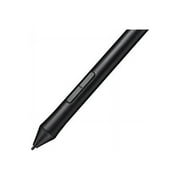
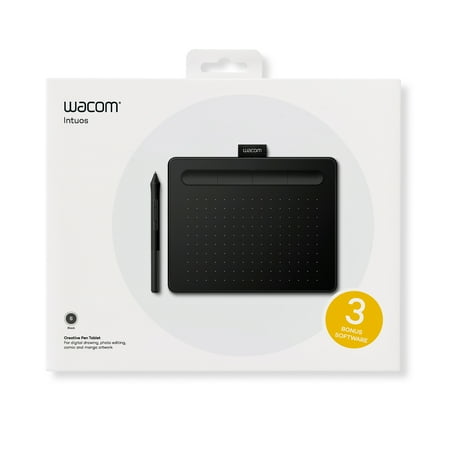
Wacom Intuos Graphics Drawing Tablet, 3 Bonus Software Included, 7.9"x 6.3", Black, Small (CTL4100)
- Brand:
- Wacom
- Model Number:
- CTL4100
- UPC:
- 753218986887
- EAN:
- 0753218986887
- ASIN:
- B079HL9YSF
- Best Buy SKU:
- 6196636
- Walmart SKU:
- 235235174
At $69.95, pricing shows 0.0% discount compared to typical $0.00 levels.
| Price Type | Price | Date |
|---|---|---|
|
Highest Price
|
$69.95 | |
|
Lowest Price
|
$37.00 | |
|
Most Recent Price
|
$51.63 |
| Price Type | Price | Date |
|---|---|---|
|
Highest Price
|
$75.44 | |
|
Lowest Price
|
$39.95 | |
|
Most Recent Price
|
$69.95 |
Tracking History: We have tracked Wacom Intuos Graphics Drawing Tablet, 3 Bonus Software Included, 7.9"x 6.3", Black, Small (CTL4100) since 12/5/2022. The most recent price update was on Nov 11, 2025.
Price Range: Over the past 90 days, the price has ranged from $39.95 (lowest on 12/5/2022) to $75.44 (highest on 2/12/2025). The average price during this period is $63.37.
Current Trend: No Walmart.com pricing data available for analysis.
Customer Insights: Rated 4.5/5 from 98 reviews.
While this technology is becoming obsolete, with touchscreens and pens. The price factor makes it effective still. This technology has been around for a while, and it hasn't lost its touch. Once you adapt not looking at your had, but rather your pointer on the screen, the possibilities are endless. I would opt for a larger pad down the road, butt his is effective right now.
A 3d artist must have, great for digital painting in programs like Photoshop. It also comes with 3 Corel programs that are definitely worth the price for the Wacom itself, free. The best bang for your buck. Couple this with Paint Shop Pro, and your in business.
I used to own an Intuos pro, but it had gotten older and seen better days. The drawing area is just as big as the one I had but in a smaller package. I would like to have the pro pen. If there was a drawback it would be the pen it comes with. it is not as sensitive and has a difficult time drawing on its edge. One other thing. On my MSI laptop, I began to have trouble with the mouse and trackpad not responding. Tried everything to make it work. Just move the pen off the board, and you'll get control of your mouse back.
It's a great starting product to start a game called osu. Also high quality for drawing and other games that require fast movements with aim.
Fast shipping, good price and the tablet works well. Up-to-date documentation and driver software easy to download and install from Wacom. In sum, no complaints!
I liked that this tablet has made it easier for me to draw in digital painting programs
my son saved his allowance for this and was bummed to see that the three "free" software's were only a trial. other than that he loves loves it!!
My Wacom Bamboo Create didn't work for an iMac (Retina 4K, 21.5-inch, 2017) on OS Catalina so I looked for a tablet that would. I installed the drivers for this little Intuos and it worked instantly! This tablet is very portable, durable, and would work great as a carry around for a small computer at college. The tablet is small, but I'm fine drawing with it. It's about the same size as a small agenda/planner. If you want more room to draw then definitely upgrade to the Wacom Intuos Pro (Medium size)
WACOM_CTL4100 INTUOS – REVIEW 9 October 2021 The overall is satisfactory. Nice hardware and software design. Good quality, control and sensitivity. Digital pens with the buttons [at the grip position] can be cumbersome and tiring to operate while holding it with the same hand. In the future, hope that there will be different method of solving this issue, such as by adding side buttons on the tablet to be tapped by the thumb or the pen instead. The pop-up control menu has an ‘X' mark to close by clicking it. It would be great if the whole top edge across can be used to do the same). This will eliminate unnecessary strain for the eyes and hand to aim at the tiny ‘X'. Also, the whole edge across the bottom of the menu can be used for pinning it instead of a tiny ‘thumb tag' icon. The only complaint is that the device lacks the TOUCH function which will be great to have by adding extra cost without having to buy another model. (Even the early cheaper model ‘Bamboo' was given this function.) I choose this company for the confidence of reliability. Other competitors have more fancy features and lower prices, but not sure if they are reliable. Software conflict is a daunting headache to deal with. I am using Win 7, and it works OK. When doing the tablet button set-up, I cannot assign the Window special key combination—the control dialogue box looks scrambled. Not sure if it is a digital conflict. When I do that, such as assigning ‘switching program' (Window Key + Tab), it will flip out, because it is hard-wired by Windows itself. (Other device such as Kensington Trackball allows me to do that by bypassing/blocking out Windows preset itself.) Lastly, I would like to see the tablet buttons located vertically along the inner edge. This arrangement will be more ergonomic to use. It can save lots of stress on the upper shoulder ligaments. The design of using the horizontal upper edge with a groove to hold the pen is no good when the surface is tilted. Also, it will be easier to have the pen handy standing up.
Tablet is good, delivery was not, free next-day delivery was promised but Fedex delivered to the wrong address on the first attempt. My previous tablet was a bamboo create which worked well for 10 years but recently broke down… Intuos works exactly the same just a little smaller so it is a suitable replacement.
Detailed price history for the past 90 days
No Walmart.com pricing data available for analysis.
Third-Party Sellers prices have ranged from $39.95 (Jun 8) to $69.95 (May 1) over the past 90 days. Current price is close to the 90-day average of $53.15.
| Date | Price | Change | % Change |
|---|---|---|---|
| $51.63 | $+0.00 | +0.0% | |
| $51.63 | $+0.00 | +0.0% | |
| $51.63 | $+11.68 | +29.2% | |
| $39.95 | $+0.00 | +0.0% | |
| $39.95 | $-15.69 | -28.2% | |
| $55.64 | $-14.31 | -20.5% | |
| $69.95 | $+12.79 | +22.4% | |
| $57.16 | $-12.79 | -18.3% | |
| $69.95 | $+12.79 | +22.4% | |
| $57.16 | $+17.21 | +43.1% | |
| $39.95 | — | — |