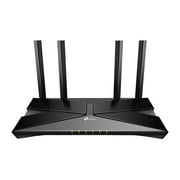
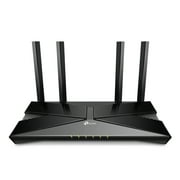
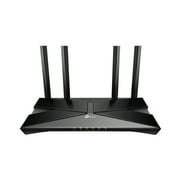
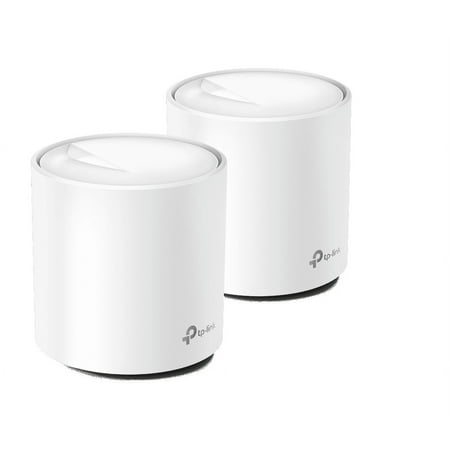
TP Link Deco Wi-Fi 6 AX1800 Mesh WiFi Router Replacement System | 2 - AX1800 Mesh Routers | Coverage up to 4,000 Sq Ft (W3600)
- Brand:
- TP-Link
- Model Number:
- Deco W3600
- UPC:
- 840030701146
- EAN:
- 0840030701146
- ASIN:
- B09PMW5TBB
- Walmart SKU:
- 496955820
Trending downward with a $0.00 move to reach $84.00. Current price runs 0.0% below the 90-day average.
| Price Type | Price | Date |
|---|---|---|
|
Highest Price
|
$130.00 | |
|
Lowest Price
|
$74.99 | |
|
Most Recent Price
|
$91.99 |
| Price Type | Price | Date |
|---|---|---|
|
Highest Price
|
$131.00 | |
|
Lowest Price
|
$84.00 | |
|
Most Recent Price
|
$84.00 |
Tracking History: We have tracked TP Link Deco Wi-Fi 6 AX1800 Mesh WiFi Router Replacement System | 2 - AX1800 Mesh Routers | Coverage up to 4,000 Sq Ft (W3600) since 11/22/2022. The most recent price update was on Jul 25, 2026.
Price Range: Over the past 90 days, the price has ranged from $84.00 (lowest on 8/6/2025) to $131.00 (highest on 6/12/2023). The average price during this period is $91.87.
Current Trend: Walmart.com prices have ranged from $84.00 (Jul 24) to $84.00 (Jul 24) over the past 90 days. Current price is close to the 90-day average of $84.00.
Customer Insights: Rated 4.5/5 from 260 reviews.
These have been amazing for me! I used to get 12mbps in my second living room 75’ away from my $250 Netgear 3200AC WiFi router. After replacing it with these my (980mbps at the modem) WiFi is now at 120-150 mbps. I then learned I could run a cable through my basement from the first WiFi router to my second one on the other end of the house... I now get 600 mbps in both ends of the house and 300 mbps in the center of the home. I get 50-100mbps upstairs now where I used to get less than 5mbps before! So despite the few negative reviews my experience has been spectacular! I want to buy another set and put one in basement and one upstairs and I could have 300 mbps now in this very old farm house :-)
We just installed this TP Link Deco Router Replacement System and we can already see a dramatic difference in “dead” spots around our house. The main area we noticed a vast improvement was to our backyard, garage, and driveway areas. Or current modem is set up towards the front of the house, and while most of our rooms get a decent connection, our back bedroom, backyard, garage, and driveway areas do not. As far as installation, the setup couldn’t have been easier. The Deco app basically tells you exactly what to do in a very simplified way. It is not difficult at all and I didn’t encounter any technical issues whatsoever. After connecting the first Deco to the modem, I plugged in the second Deco in a room at the back of our house and near our back bedroom. I didn’t have to connect that Deco at all – I simply plugged it in and it automatically connected to the other previously installed Deco. Once I saw the light turn green on the Deco, I tested the WiFi on my iPhone by stepping outside and I went to the very back of our backyard by the fence. I had full WiFi connection, which was unheard of before. I then stepped inside the garage to see about that since there were more walls and other interference there. I also had a full WiFi connection in that area, which we never had previously. It not only provides better WiFi, but also has many other features as an added bonus such as parental controls, Antivirus, QoS, WPS option, Internet speed testing, monthly report, and more. Overall, this Deco System has completely changed our connection strength and we will now be able to enjoy being outside and still be able to use WiFi. We spend a lot of time outdoors swimming, mowing the lawn, watching kids ride their bikes, etc so it’s really a big deal. It will enable us to listen to our Bluetooth speaker while swimming, wear headphones while mowing, and access the internet while relaxing. Absolutely beneficial for our family and I would highly recommend it to anyone wanting to improve their WiFi!
I was skeptical when I first opened this box, there were 2 devices and 3 cords. I carefully removed the items from the box, looked at the picture directions, downloaded the required app, and had the 1st device plugged in and running in no time. Next came the hookup of the 2nd device, this is where I was most worried because I've had 2nd devices not connect before. Plugged in 2nd device and BAM it was up and running much faster than I expected. All of my bars are full on my wifi search bar and my kids are happily playing their internet games whilst they are supposed to be doing remote schooling lol. This system worked great and I am very impressed since I do live out in the boonies where internet can be tricky to get.
TP Link Deco Wi-Fi 6 AX1800 Mesh WiFi Router Replacement System | 2 - AX1800 Mesh Routers | Coverage up to 4,000 Sq Ft (W3600) This took me a little to set up but it's working amazingly! We live in a 3 story townhouse and the Internet is horrible here. We are very please with the online security settings, parental controls, small router! We didnt use to even get reception on our back porch but we do now! My kids are all homeschooled now and I work from home so I was in need of something to give us an extra kick of speed.
This item has vastly improved our network. Since both my wife and I are working from home especially with our wifi 6 devices, we have seen great performance gains on the said devices. All of the dead zones have also been eradicated. Great QOS features as well. This is a must-buy upgrade.
You have to download their app, but once you do it it's easy enough to setup. The instructions are simple and clear, and now I can enjoy good wifi all over my home. It works just like the Google wifi things - a bit bigger and more coverage though. Pretty good stuff!
The tp-link was an obvious choice for me since I have bought and use smart plugs by them under the Kasa name. I know how easy it is to set up and use their products. I have 3 levels in my old farmhouse and my router doesn't cover all the areas. The tp-link Next-Gen Whole Home Wi-Fi System offers seamless roaming and much more with their deco w3600 mesh system. It states that it replaces & upgrades any router. It comes in a 2-pack. I am not tech-savvy but with the use of their app on my cell phone, I had the system up and running in less than 8 minutes. The app guides you through each and every of the few steps to install. Low lights discretely placed on the bottom of each unit so as not to be overpowering, show you that it is working. They are neat and low in style, which I like. With a single network with one password and you're good to go. No more dead spots to worry about. The deco w3600 mesh system comes with a 2-year warranty. It states on the box that you can connect over 150 devices! I guess I have 140 to go. And for the techies, it has AX1800 Dual-Band Wi-Fi. Beautiful, flawless system for me.
We have always had a problem with our Wi-Fi. We have a 3 story house with 5 people using multiple devices on it at any given time. So there are always complaints of it running slow and using our data instead for faster speeds. The Deco 2-pack was such a great addition to our house hold. It took under 5 minutes to set up and downloading the app made following set up directions a breeze. We put 1 of the 2 provided routers up in our attic and our house was blanketed with fast running Wi-Fi that made everyone happy. I love the guest network option.
This is my first mesh system. I have looking for one for awhile and glad I have this one. It was easy to set up. I already had a modem router combined but needed this for my upstairs since I have some dead zones in my kids room. So I have one placed downstairs and I put the other one in my sons room which is the middle room. This has solved our problems. He plays a lot of video games and use to lose connection a lot since having this in his room it has boosted his signal and my daughters too since she is in the back of the house. The set up was simple. I downloaded the app then picked which device I have and it walked me through the steps of setting it up. I’m glad I had no problems and you shouldn’t either as long as you follow the steps. You can also go to the website and watch a video. I love the sleek design of these the white goes with my decor and it’s easy to hide them behind things. They are not to big for me either like I thought they would be.
This specific model or the reseller are defective. I suspect this are recycled or something. I constantly have network drops and the secondary unit constantly needs rebooting.
Detailed price history for the past 90 days
Walmart.com prices have ranged from $84.00 (Jul 24) to $84.00 (Jul 24) over the past 90 days. Current price is close to the 90-day average of $84.00.
| Date | Price | Change | % Change |
|---|---|---|---|
| $84.00 | $+0.00 | +0.0% | |
| $84.00 | $+0.00 | +0.0% | |
| $84.00 | $+0.00 | +0.0% | |
| $84.00 | $+0.00 | +0.0% | |
| $84.00 | $+0.00 | +0.0% | |
| $84.00 | $+0.00 | +0.0% | |
| $84.00 | $+0.00 | +0.0% | |
| $84.00 | — | — |
Third-Party Sellers prices have ranged from $91.99 (May 11) to $95.99 (May 5) over the past 90 days. Current price is close to the 90-day average of $94.99.
| Date | Price | Change | % Change |
|---|---|---|---|
| $91.99 | $-3.00 | -3.2% | |
| $94.99 | $-1.00 | -1.0% | |
| $95.99 | $+0.00 | +0.0% | |
| $95.99 | $+0.00 | +0.0% | |
| $95.99 | — | — |